
Dell C2422HE 24" Full HD 60Hz Video Conferencing Monitor
SKU: DELL-C2422HE


£261.28 (Excl. VAT)


DELL C2422HE
24" Full HD 60Hz Video Conferencing Monitor
- Description
- Specifications
- Warranty
-


Team up. Seamlessly.
One button. Tons of benefits: Introducing the world’s first 24-inch FHD video conferencing monitor certified for Microsoft Teams, purpose-built so you can launch the Teams application, join meetings, and respond to notifications with a press of a button. Plus, there is an LED indicator to notify you about a Teams alert.
Streamline virtual meetings: With an integrated pop-up IR camera, dual 5W speakers, and a noise-canceling mic, this display delivers simplified collaboration wherever you work.
Quick, safe protection: Save time signing in with secure, Windows Hello facial recognition that’s faster than remembering and typing your password.
Personalized convenience: Say what you need and let Cortana do the rest with hands-free commands.
Jumpstart productivity: Simply press the monitor power button and the power sync feature seamlessly starts your monitor and connected Dell PC, even when the laptop lid is closed. Compatible with select Dell PCs.
World-class video conferencing
Immersive collaboration: Simplified collaboration offered with an integrated IR camera for FHD video conferencing with dual 5W built-in speakers that can deliver communication from any workspace, quashing background chatter with its noise-canceling microphone.
Enhanced security: The pop-up web camera hides safely out of sight when not in use, and there’s an intelligent layer of security with facial recognition through Windows Hello.
Seamless video from all angles: FHD video with 30 frames per second rate delivers seamless, media-quality video and stunning screen clarity. The 178°/178° wide viewing angle presents superior views and consistent colors ideal for video conferencing.
Your productivity hub
Connect to productivity: With wired connectivity options like RJ45 and USB-C®, your monitor delivers reliable Ethernet, power, audio and video—all in a clutter-free setup.
The power of USB-C: Get up to 90W of power delivery via USB-C, and charge your laptop (even when the monitor is off) with the Always On Power Delivery feature. This single-cable solution also saves up to 72% of workspace setup time, reduces cable clutter and transmits power, data and audio—all at once.
Quick convenience: Plug in whatever you need and keep it in reach with the two, super speed USB 5Gbps (USB 3.2 Gen1) quick-access ports. There’s even space to charge your mobile phone (up to 15W power charging) with the USB-C quick-access port.
Enhanced manageability: Managing your monitor is easy with MAC Address pass-through, PXE Boot, and Wake-on-LAN conveniently built in.
Multitask efficiently: Connect two PC sources to the monitor—our intelligent Auto KVM feature detects the second connected PC and seamlessly switches controls over. KVM (keyboard, video and mouse) allows you to control both PCs with a single keyboard and mouse. Plus, you can enhance efficiency by 21% by adding a second monitor via the daisy chain feature.
Collaborate in comfort
Crafted for eye wellness: ComfortView Plus is an always-on, built-in low blue light screen that optimizes eye comfort by reducing potentially harmful blue light emissions while delivering excellent color accuracy.
Designed with you in mind: Navigate the menu and adjust screen settings with the easy-to-use joystick control.
Beauty meets function: This sleek monitor features a small base and an improved cable management design that hides cables in the monitor riser, for a clutter-free desk space at your office or home office.
Comfort is key: Tilt, swivel, pivot and adjust the height of your monitor to a maximum of 140mm because you should be comfortable however and wherever you work.
Dell Display Manager
Productive at every level: Easy Arrange allows you to easily tile multiple applications across one or more screens with 38 pre-set window partitions and the ability to personalize up to five windows, giving you improved multitasking abilities.
Seamless transitions: The auto-restore feature remembers where you left off, so applications will go back to where you left them, even after you’ve unplugged.
More ways to manage: Asset management reports allow IT managers to quickly capture and track monitor information as well as configure multiple monitors at once through a single setup.
The key to convenience: Shortcut keys can save you even more time, letting you easily configure your display management settings so you can get to work faster.
Expanded compatibility: With support for multiple operating systems, Dell Display Manager helps you stay productive however you work.
Green thinking: for today and tomorrow
Environmental standards: This monitor meets the latest regulatory and environmental standards such as EnergyStar®, EPEAT® Gold, TCO Certified Edge, RoHS Compliant and TCO Certified.
Eco-conscious packaging: To reduce our manufacturing impact on the environment, this monitor is shipped Styrofoam-free and the packaging is made of at least 75% recycled cardboard.
Energy conservation: Save energy when your monitor is not in use with PowerNap, a feature that dims or puts your monitor to sleep when it’s not in use.
Advancing sustainability: Dell Technologies is committed to reducing environmental impact throughout the product lifecycle. Read more about our commitment to sustainability and our 2030 Social Impact goals here, and our product’s carbon footprint.
Connectivity Options
Ports & Slots:
1. Security lock slot | 2. Power connector | 3. HDMI port | 4. DisplayPort in | 5. USB-C upstream/DisplayPort | 6. DP port (out) | 7. USB-B upstream port | 8. Super speed USB 5Gbps (USB 3.2 Gen1) | 9. Super speed USB 5Gbps (USB 3.2 Gen1) | 10. RJ45 connector| 11. Super speed USB 5Gbps (USB 3.2 Gen1) | 12. Headphone jack | 13. USB-C downstream port | 14. Stand lock
Ports & Slots:
1, 6. Microphones (2) | 2, 4. IR LED (2) | 3. Webcam lens | 5. Webcam LED indicator | 7. Built-in speakers | 8. Teams button and LED | 9. Hookswitch and LED | 10. Volume down and LED | 11. Volume up and LED | 12. Microphone mute and LED | 13. Power LED indicator
Cables included:
Power cable (varies by country) | DisplayPort cable (DisplayPort to DisplayPort) | USB 3.2 Gen1 Type-A to Type-B upstream cable | USB-C cable (C to C) -
Specifications Details Display Type LED-backlit LCD monitor / TFT active matrix Energy Class Class D Diagonal Size 24" Viewable Size 23.8" Built-in Devices IR camera, USB 3.2 Gen 1/USB-C hub USB Power Delivery 90 Watt Panel Type IPS Aspect Ratio 16:9 Native Resolution Full HD (1080p) 1920 x 1080 at 60 Hz Pixel Pitch 0.2745 mm Pixel Per Inch 92.56 Brightness 250 cd/m² Contrast Ratio 1000:1 Colour Support 16.7 million colours Response Time 8 ms (grey-to-grey normal); 5 ms (grey-to-grey fast) Viewing Angles Horizontal: 178°, Vertical: 178° Screen Coating Anti-glare 3H hardness Backlight Technology LED backlight Additional Features 99% sRGB colour gamut, daisy chain compatible, 99% Rec 709 colour gamut, 3-sided bezel-less Dimensions (WxDxH) 53.864 cm x 18.5 cm x 40.408 cm - with stand Power Consumption (On mode) 18 Watt Audio Type Speakers - stereo Output Power / Channel 5 Watt Connectivity Interfaces HDMI (HDCP 1.4), DisplayPort (DisplayPort 1.2 mode, HDCP 1.4), USB-C 3.2 Gen 1 upstream (DisplayPort 1.4 mode / power up to 90W), USB 3.2 Gen 1 upstream (Type B), USB-C 3.2 Gen 1 downstream (power up to 15W), 2 x USB 3.2 Gen 1, USB 3.2 Gen 1 downstream with Battery Charging 1.2, Headphones, Network (RJ-45), DisplayPort output (MST) Mechanical Adjustments Height, pivot (rotation), swivel, tilt Tilt Angle -5°/+21° Swivel Angle -45°/+45° Rotation Angle -90°/+90° Height Adjustment 140 mm Miscellaneous Features VESA interface support Cables Included DisplayPort cable - DisplayPort to DisplayPort, USB-C cable, USB 3.2 Gen 1 upstream cable - USB Type A to B Compliant Standards DisplayPort 1.4, HDCP 1.4 Input Voltage AC 100-240 V (50/60 Hz) Power Consumption (Max) 195 Watt Power Consumption Stand by 0.5 Watt Power Consumption Sleep 0.5 Watt Power Consumption (Off Mode) 0.5 Watt Included Software Dell Display Manager Dimensions & Weight (with stand) Width: 53.864 cm, Depth: 18.5 cm, Height: 40.408 cm Dimensions (without stand) Width: 53.864 cm, Depth: 5.124 cm, Height: 38.315 cm, Weight: 4.33 kg Shipping Weight 8.82 kg Environmental Standards TCO Certified Manufacturer Warranty 3-Years Advanced Exchange Service and Premium Panel Guarantee -
The limited hardware warranty for Dell monitors purchased independently of a computer lasts for the time period indicated on your packing slip, invoice, receipt, or other sales documentation. Dell monitors certified according to TCO Certified Displays will have a 3-year base warranty with an extended warranty of up to two years, as indicated on the accompanying packing slip, invoice, receipt, or other sales documentation.




LATEST CASE STUDIES
See more-
 February 26, 2026
Digital Menu Boards & High-Brightness Display for Karak Chaii, Southall
HOSPITALITY • DIGITAL MENU BOARDS43-inch 4K vivid-bright digital menu board installed by ScreenMoove, ceiling mounted for a clean finish, delivering sharper menu clarity, flexible content updates and reliable 24/7 commercial performance.ClientKarak ChaiiLocationSouthallSectorHospitalityInstallation DateFebruary 2026SolutionDigital Menu BoardsProducts43" Digital Signage Display -
 January 22, 2026
Digital Signage & Installation Service for A MANO, Orpington
RETAIL • Digital SignageWindow-facing 55-inch digital signage installed for A MANO in Orpington, delivering vivid-bright 800 cd/m2 visibility, CMS-controlled updates, and street-level brand impact and daily promotion.ClientA ManoLocationOrpingtonSectorHospitalityInstallation DateJanuary 2026SolutionDigital Signage + InstallationProducts55" Digital Signage Display -
 January 14, 2026
Digital Menu Boards with Custom Curved Mount Installation for Woodys, Andover
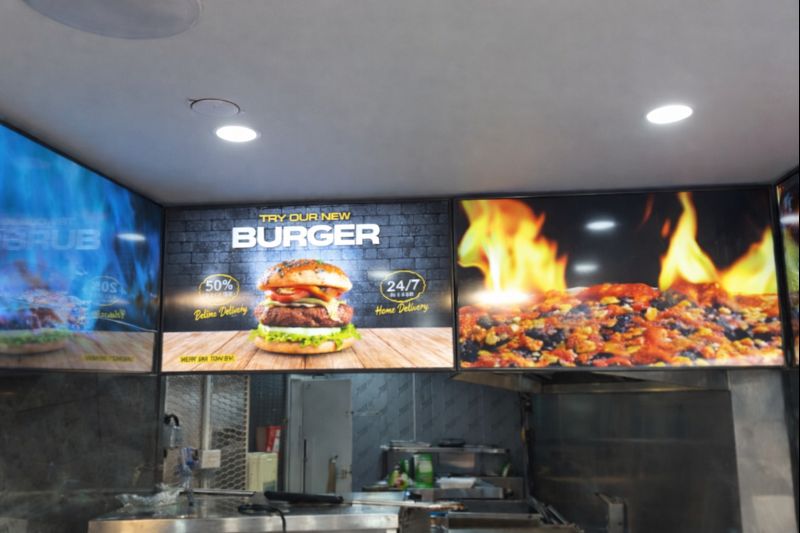
HOSPITALITY • DIGITAL MENU BOARDSFour-screen digital menu boards installed for Woodys in Andover, featuring a bespoke curved mounting layout and CMS-controlled content for a bold, immersive menu experience.ClientWoodysLocationAndoverSectorHospitality, QSRInstallation DateFebruary 2025SolutionDigital Menu Boards + CMSProducts43" Digital Menu Boards -
 January 14, 2026
Digital Signage & Freestanding Display for Naan Staap, Leicester
HOSPITALITY • DIGITAL MENU BOARDSMulti-screen digital menu boards and floor-to-ceiling ultra-high-brightness window display installed for Naan Staap in Leicester, delivering clear menus and strong street-level visibility impact.ClientNaan StaapLocationLeicesterSectorHospitality, QSRInstallation DateMay 2025SolutionMenu Boards + UHD DisplayProducts32" Menu Boards & 49" Display


Top Quality Store
Why it matters
Demonstrates consistently strong fulfilment, service, and post-sale experience across Google signals.
Great products and service! The guys always go above and beyond to make sure they supply you with the product that best fits your needs. I’ve been using Screen Moove for a number of years now and woul...
See moreScreen Moove went above and beyond for my requirements. Ordering system was super easy it just take 2 minutes to complete my order and I have received my tracking details right away after few minutes...
See moreMoe Khan, one of the team at Screen Move has been a fantastic help as we have navigated the process of choosing and buying screens and stands for our church. Helpful at every step of the way, patient...
See moreWe originally planned to purchase a cheap TV for our showrooms. After speaking with screen moove, we ended up investing in floorstanding displays across multiple retail sites and showrooms. The bright...
See moreI placed my order late at night but realized I had entered the wrong address. I immediately sent an email asking for it to be changed, not really expecting a reply until the next day. To my surprise,...
See moreI’ve been looking ultra high brightness display despite I checked everywhere I didn’t trust. They got my trust and I ordered. It arrived safely next day we have installed screen is awesome and high qu...
See moreThis is second time I used Screen Moove, I have bought double sided 55 inch display. The first order was a bit delayed I don't blame it might be happen, but customer service over the phone was excell...
See moreScreenmoove, perfect customer satisfaction from start to finish! Their customer service is incredibly helpful and fast. It’s amazing to be able to reach out and get quick solutions for any issue. We a...
See moreWe found that we needed a video call to work out the set up. The tech team at screenmoove were very very good. I would suggest that the instructions that come with the screen offer two key info. 1. Set...
See moreGreat experience with Jonathan Gray, previously I was looking for other companies and randomly ordering our needs from elsewhere. after I met with him, since 2024 we are keep purchasing from screen m...
See moreLooking for a Better Price?
Apply for a Screen Moove trade account and unlock exclusive pricing on commercial displays, digital signage, LED displays, mounting solutions and professional AV products.

Register now
Schedule a Free Consultation
Speak with our team about your display, digital signage, CMS, mounting or installation requirement. We will help you choose the right commercial AV solution before you spend money on the wrong product.
Display Specification Advice
We help you choose the correct screen size, brightness, orientation, operating hours and product type for the real environment.
Mounting & Installation Guidance
Need wall mounting, ceiling mounting, floorstands, video wall brackets or full installation support? We can advise the practical route.
CMS & Content Support
For menu boards, retail signage, reception screens and internal communication displays, we can guide you on CMS setup and content control.
Trade, Education & Multi-Site Projects
For resellers, schools, councils, contractors and multi-site businesses, we support fast quotations, project pricing and rollout planning.



Get in Touch
Ready to start your next AV project?
Contact our team of experts today!