Skip to content
Free Next Working Day Delivery On Orders Over £100 ex VAT.
Trade customer? Call 0208 1919 223 for exclusive trade pricing and priority stock access.*
Vivitek projector supplier UK

Vivitek Projectors for Business, Education & Entertainment

Explore Vivitek projectors for presentations, classrooms, meeting rooms and entertainment. Compare DLP, Full HD, 4K, laser, portable and short-throw options, with ScreenMoove advice to help match brightness, resolution and installation requirements to your room.

Vivitek projector rangeModels for professional, education and entertainment applications
Brightness-led comparisonCompare projector options by lumen output and room conditions
Installation guidanceHelp with throw distance, screens, mounting and connectivity
UK AV supportProduct selection and system planning from ScreenMoove
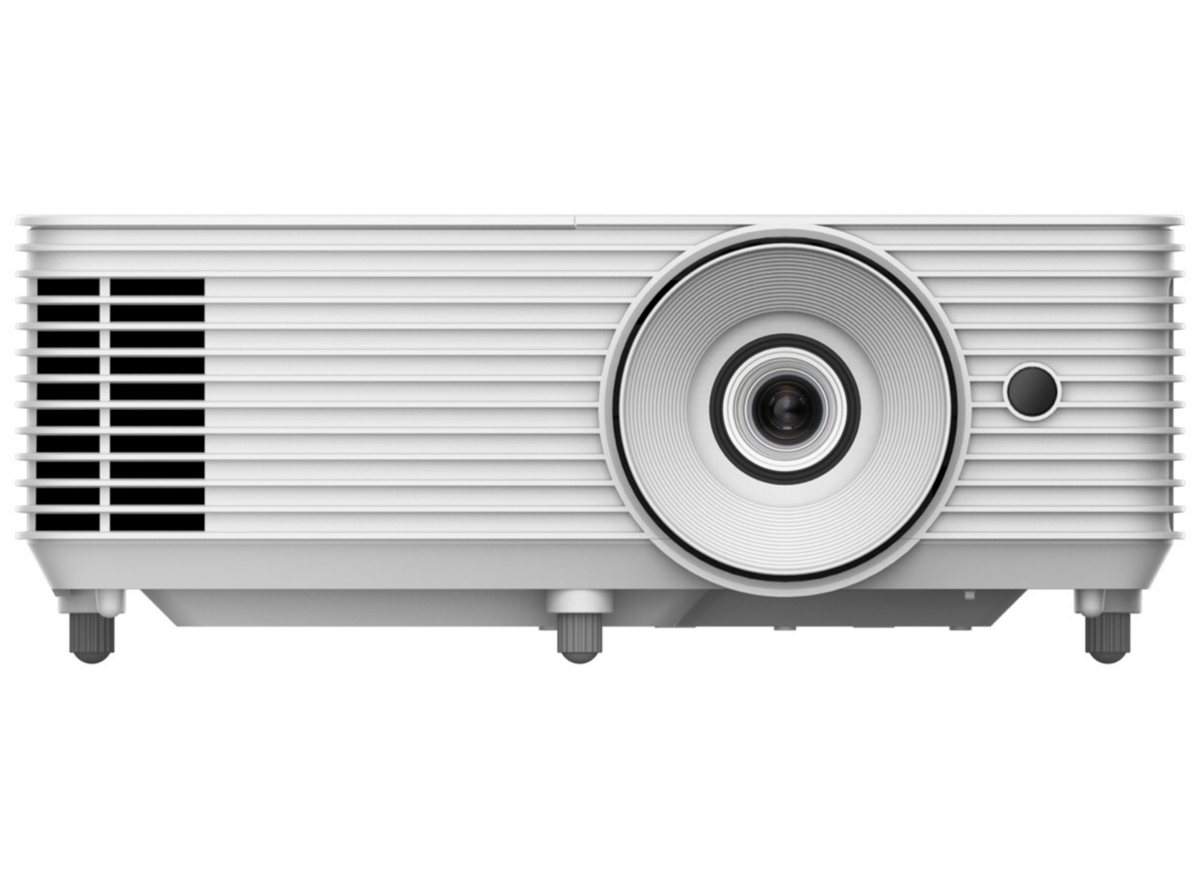
Vivitek projector for business presentations, education and entertainment
Explore Vivitek projectors by application
Choose around the room

Vivitek projectors for work, learning and leisure

Start with the application, room lighting and intended image size before comparing individual models.

Business projectors

Display presentations, documents and video in meeting rooms, offices and conference spaces. Prioritise brightness, text clarity and reliable source connections.

Browse business projectors →

Education projectors

Support teaching and shared content in classrooms, lecture rooms and training facilities with practical installation and control.

Portable projection

Look for compact dimensions, suitable brightness and straightforward laptop or media-player connectivity when equipment must travel.

Browse portable projectors →
Vivitek DLP, Full HD and 4K projectors
Resolution and imaging

Compare Vivitek projector picture options

Vivitek DLP projectors

DLP is used across many projector applications. Compare the complete specification—including native resolution, brightness, contrast, colour and lens—rather than selecting by imaging technology alone.

Vivitek Full HD projectors

1080p models can provide detailed images for presentations and entertainment while balancing performance and budget.

Vivitek 4K projectors

A Vivitek 4K projector can deliver additional detail with compatible content and large images. Check whether the listed resolution is native or achieved through pixel shifting.

Vivitek Qumi projectors

Qumi searches usually relate to compact and portable projection. Check each available model's dimensions, brightness, resolution and connectivity.

Vivitek laser projectors

Laser light sources can support quick start-up, long operating life and reduced routine lamp maintenance.

Browse laser projectors →

Vivitek short throw projectors

Short-throw and ultra-short-throw models can create large images where room depth or presenter movement makes conventional placement difficult.

Browse short throw projectors →
Choose Vivitek projector brightness by lumens
Brightness for the environment

How many lumens should a Vivitek projector have?

The appropriate lumen output depends on ambient light, image size, screen material and content. Darker spaces typically require less brightness than classrooms, meeting rooms or public venues with uncontrolled light.

Brightness should be considered alongside resolution, contrast, throw distance and the screen. The highest lumen figure is not automatically the best choice for every room.

Shop projectors by lumen output

Plan around these factors

  • Normal ambient-light conditions
  • Required image width or diagonal size
  • Screen material and gain
  • Presentation, teaching or entertainment content
  • Lens position and throw distance
How to choose the best Vivitek projector
Vivitek projector buying guide

Compare the specifications that matter

Specification Why it matters What to check
Native resolution Sets the projector's fundamental image-detail capability. Source resolution, viewing distance and content type.
Brightness Helps maintain visibility as room light and image size increase. Rated lumen output, room conditions and screen.
Throw ratio Determines image width at a given lens-to-screen distance. Measured room depth, mounting point and desired image size.
Light source Affects maintenance requirements, operating life and start-up. Lamp, LED or laser specification for the chosen model.
Connectivity Controls compatibility with laptops, players and AV systems. HDMI, USB, wireless, network and control connections.
Installation features Influence alignment and placement flexibility. Zoom, lens shift, offset, keystone and mounting options.
Vivitek projector setup, lamps and accessories
Plan the complete setup

Connections, projector screens and maintenance

Connect a laptop

Match the laptop output to the projector input, commonly HDMI. Select the correct source and confirm a supported resolution and refresh rate.

Projector screens

A suitable, flat surface supports consistent geometry and image quality. Match size and material to the projector and viewing conditions.

Browse projector screens →

Mounting

Measure throw distance, image offset and mounting height before installation, allowing for ventilation and cable routing.

Browse projector mounts →

Vivitek projector lamps

For lamp-based models, use the precise projector model and approved part reference when sourcing a replacement. Never assume lamps are interchangeable.

Image adjustment

Use accurate physical positioning first, followed by focus, zoom and limited geometric correction where supported.

Professional support

ScreenMoove can help plan the projector, screen, mount, signal routes and room installation as one AV system.

Discuss your requirements →
Vivitek projector FAQs
Frequently asked questions

Vivitek projector advice

Which Vivitek projector is best?

The right model depends on room lighting, image size, throw distance, resolution, connections and whether the projector is for business, education or entertainment.

Does Vivitek make 4K projectors?

Vivitek ranges include 4K projector options. Check current availability and whether the stated resolution is native or achieved through pixel shifting.

What is a Vivitek DLP projector?

It is a Vivitek projector using DLP imaging technology. Overall performance also depends on resolution, brightness, contrast, colour, lens and setup.

Are Vivitek projectors suitable for business?

Selected models are designed for business and professional presentation environments. Match brightness, resolution, connectivity and control features to the intended room.

Can I connect a laptop to a Vivitek projector?

Yes, when the laptop and projector have compatible connections. HDMI is common; select the appropriate input and use a supported display resolution.

How many lumens do I need?

This depends on room light, image size and screen material. Compare suitable options through our projectors by lumen output collection.

How do I find the correct Vivitek replacement lamp?

Use the projector's full model number and the specified lamp-part reference. If uncertain, confirm compatibility before ordering or installation.

Can ScreenMoove help install a Vivitek projector?

Yes. ScreenMoove can advise on model selection, placement, screens, mounting, connectivity and professional AV installation.

Explore related projector ranges

Find the right projector for your room

Compare the complete projector collection or narrow the range by brightness, light source and throw distance.

Complete selection

All Projectors

Compare business, education, portable, home cinema and specialist models.

Shop all projectors →
Compare brightness

Projectors by Lumens

Browse projector options by lumen output for different image sizes and environments.

Shop by lumen output →
Reduced maintenance

Laser Projectors

Explore long-life laser light sources for professional and entertainment uses.

Shop laser projectors →
Compact rooms

Short Throw Projectors

Create large images from closer to the screen or wall.

Shop short throw →
Vivitek projector support

Need help choosing a Vivitek projector?

Share the room dimensions, light conditions, desired image size and source devices. ScreenMoove can help narrow the range and plan the complete projection setup.

Contact ScreenMoove

TRADE PARTNER PROGRAM

Looking for a Better Price?

Apply for a Screen Moove trade account and unlock exclusive pricing on commercial displays, digital signage, LED displays, mounting solutions and professional AV products.

Exclusive trade pricing Bulk order discounts Dedicated account manager Priority stock support White label delivery to end users Fast UK nationwide delivery
500+ Business Customers
15,000 sq ft UK Warehouse
1,000+ Displays Managed
Next-Business Day Delivery Available
Screen Moove Trade Partner

Register now

Send your details and our team will review your application for trade pricing.
By submitting this form, you confirm that you have read and agree to our Terms & Conditions .
Trusted Store Status

Top Quality Store

Rating status, Exceptional, based on Google’s shopping experience metrics.
Exceptional

Why it matters

Demonstrates consistently strong fulfilment, service, and post-sale experience across Google signals.

Google
Top Quality Store
Built for confidence, next-day delivery options, UK-based support, trade-ready operations.
Request a quote

Schedule a Free Consultation

Speak with our team about your display, digital signage, CMS, mounting or installation requirement. We will help you choose the right commercial AV solution before you spend money on the wrong product.

Display Specification Advice

We help you choose the correct screen size, brightness, orientation, operating hours and product type for the real environment.

Mounting & Installation Guidance

Need wall mounting, ceiling mounting, floorstands, video wall brackets or full installation support? We can advise the practical route.

CMS & Content Support

For menu boards, retail signage, reception screens and internal communication displays, we can guide you on CMS setup and content control.

Trade, Education & Multi-Site Projects

For resellers, schools, councils, contractors and multi-site businesses, we support fast quotations, project pricing and rollout planning.

Android Windows Ubuntu LG webOS

Get in Touch

Share the basic project details and we will recommend the right commercial display, CMS option and support route.