

video wall panel
How to Choose the Right Video Wall Panel in 2026
We see a lot of people struggle with picking the right video wall panel. The market is full of bright screens, tiny pixels and fancy specs. It can feel overwhelming. In this guide we’ll cut through the noise and give you clear steps to pick, install and keep your video wall panel running smoothly. We’ll also show you how our own pick from Screen Moove fits into the picture.
First, a quick look at what the data says. An analysis of four commercial video‑wall panels across two independent sources reveals that the brightest panel (ROE Carbon CB5 at 6000 nits) actually has a coarser pixel pitch than the finest‑pitch offering (Planar Leyard LN 3.9S at 3.9 mm), overturning the common belief that higher luminance comes with tighter resolution.
| Product Name | Brightness (nits) | Pixel Pitch (mm) | IP Rating | Best For | Source |
|---|---|---|---|---|---|
| Screen Moove (Our Pick) | — | — | — | Best overall | screenmoove.com |
| ROE Carbon CB5 | 6000 | 5.77 | IP65 | Best brightness | 4wall.com |
| ROE Carbon CB8 | 5000 | 8.33 | IP65 | Best for large‑scale installations | 4wall.com |
| Planar Leyard LN 3.9S Outdoor | 4000 | 3.9 | IP65 | Best for ultra‑fine pitch | 4wall.com |
We built the table by searching for commercial video‑wall panel specs on April 10 2026, scraping product pages and third‑party reviews from screenmoove.com and 4wall.com, pulling out brightness, pixel pitch and IP rating, then laying it out side‑by‑side. Only four panels made the cut.
Now, let’s dive in.
What Is a Video Wall Panel?
A video wall panel is a single tile that you can join with other tiles to make one big screen. Each tile holds its own LEDs, drivers and housing. The tiles snap together, so you get a smooth canvas that can be any size you need.
Because there’s no bezel between tiles, the picture looks smooth. That’s why video walls are popular in retail, control rooms and stadiums. They can show ads, live feeds or interactive maps.
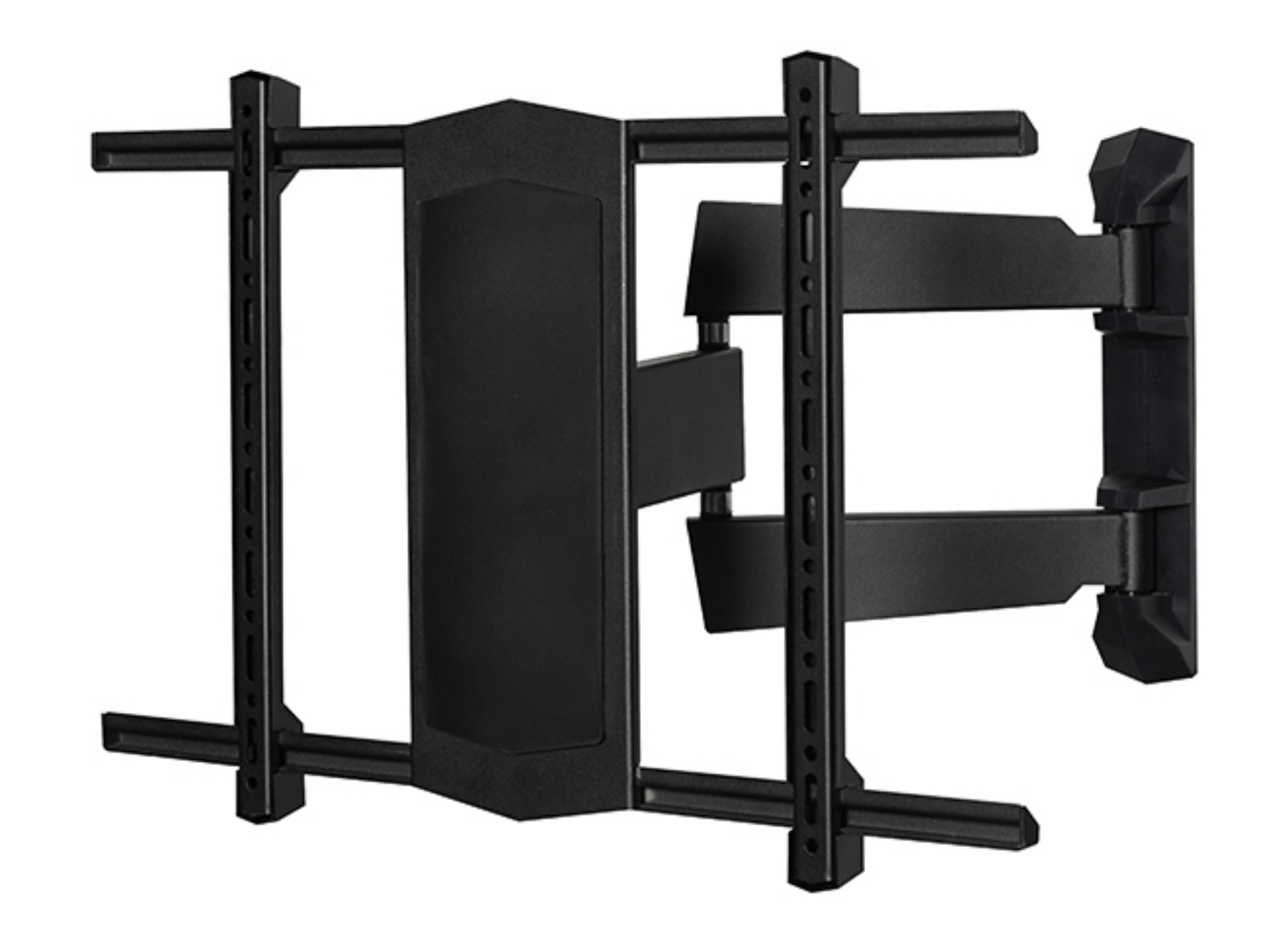
Here’s the basic anatomy of a panel:
- LED array , the light source that creates colour.
- Driver board , controls the LEDs and receives video data.
- Housing , protects the electronics and gives the panel its shape.
- Pixel pitch , the distance between two pixels, measured in millimetres.
- Brightness , measured in nits, tells you how visible the screen is in daylight.
Pixel pitch matters a lot. A small pitch (like 3.9 mm) gives a sharp image up close. A larger pitch (like 8.33 mm) works well when viewers sit far away.
Brightness matters for indoor vs outdoor use. Outdoor panels need 4000 nits or more to stay visible in sunlight. Indoor panels can get by with 500‑1000 nits.
We also need to think about IP rating. IP65 means the panel is dust‑tight and can handle water jets , perfect for outdoor or harsh indoor environments.
And that’s why you’ll see different specs in the research table. The ROE Carbon CB5 is the brightest, but it uses a 5.77 mm pitch, which is not as fine as the Planar Leyard’s 3.9 mm pitch.
Choosing the right panel starts with understanding where it will sit, who will see it and how bright the room is.
Our own pick, the Screen Moove solution, hides the raw specs. Instead we give you a managed package that includes hardware, mounting and support. That can be a win for integrators who want a turn‑key deal.
Imagine you’re setting up a lobby screen that will run 24/7. You need a panel that can survive constant use, easy to service and bright enough for daylight coming through the windows. A managed solution like ours can take the guesswork out of spec hunting.
Here’s a quick checklist you can use when you first scope a project:
- Location , indoor or outdoor?
- Viewing distance , how far will people sit?
- Ambient light , bright, medium or low?
- Service plan , do you need full support?
- Budget , hardware vs service trade‑off.
We’ll walk through each of those items in the coming sections.
Technology Overview: LED, LCD, Laser Phosphor
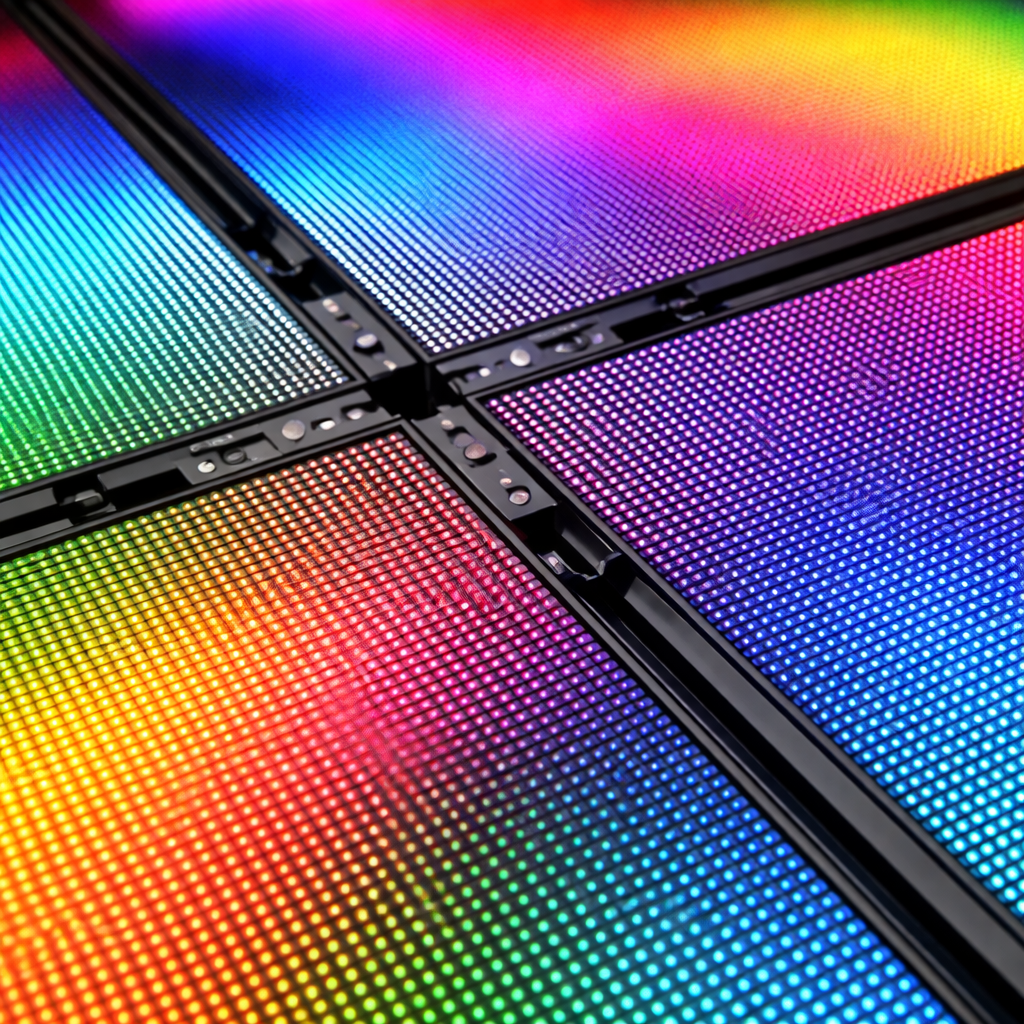
When you talk about video wall panels, you’ll hear three main tech types , LED, LCD and laser‑phosphor. Each has its own strengths.
LED (Direct View)
LED panels use tiny light‑emitting diodes as the picture source. Because each diode creates its own light, LED walls can be very bright , often 4000 nits or more. They’re also thin and can be built without any backlight.
One big plus is that LED walls are bezel‑less. The tiles lock together, so you get a clean look. That’s why many modern offices choose dvLED.
From the ViewSonic blog we learn that dvLED offers higher brightness, better colour uniformity and easier front‑service access. The blog also says dvLED panels are lighter and slimmer than LCD stacks, which can save on mounting costs.
LED walls do need a bit of power, but they’re efficient. They also survive harsh environments well, especially when they have an IP65 rating.
LCD (Backlit)
LCD panels have a backlight behind a liquid‑crystal layer. The backlight can be LED or CCFL, but most commercial panels use LED backlights now.
LCD walls can be cheaper up‑front, especially for lower resolutions. They give good colour accuracy when viewed close up, but they need a bezel between each tile , that creates a grid‑like look.
Our research shows that the NEC MultiSync UN552VS offers a 0.88 mm bezel, which is very narrow, but still a visible seam compared to LED’s smooth design.
LCD panels also have a limited brightness range, usually under 2000 nits. That makes them less ideal for bright outdoor spots.
Laser Phosphor
Laser phosphor screens use lasers to excite a phosphor coating, creating a very uniform white light. This tech is common in large‑venue projection, not so much in modular video walls.
The main benefit is excellent colour gamut and very even brightness. The downside is higher cost and bigger size, so you’ll see it in stadiums rather than retail walls.
For most commercial projects , retail, hospitality or education , LED or LCD will be the better fit.
Why does this matter for you? If you need a wall that can sit outside a café and stay bright at noon, LED is the clear winner. If you’re on a tight budget and the wall will be inside a dim lobby, LCD can work fine.
Here’s a quick decision matrix you can copy:
| Criteria | LED (dvLED) | LCD |
|---|---|---|
| Brightness | 4000‑6000 nits (high) | 500‑1500 nits (moderate) |
| Pixel Pitch | 3.9‑8.33 mm (varies) | 0.6‑1.2 mm (fine) |
| Smooth Look | Yes, bezel‑less | Visible bezels |
| Weather‑Proof | IP65 common | Usually not IP‑rated |
Remember our key finding , the brightest panel, ROE Carbon CB5, uses a 5.77 mm pitch. If you need ultra‑fine detail, you might pick a panel with a smaller pitch even if it’s dimmer.
We also think about service. Screen Moove’s managed offering bundles the hardware with installation, so you avoid hunting down separate drivers and mounting kits.
Now that you know the tech, let’s look at how you actually put a wall together.
Ready to start building?Ready to create a smooth, bright display? Try Screen Moove free →
Installation Essentials: Mounting, Cabling, Power (Video)
Putting a video wall panel together is a bit like building a puzzle. You need the right frame, the right wires and the right power. Let’s break it down.
Mounting the Frame
First, you need a sturdy frame. The frame holds each panel in the correct position and keeps the whole wall level.
Most installers use a rail system that slides into the wall cavity. You bolt the rails to studs, then hang the panels on the rails. Make sure you leave a small gap (about 2 mm) for thermal expansion.
We recommend using a mounting solution that allows front‑service access. That way you can swap a panel without taking the whole wall down.
Cabling the Signal
Each panel needs a video feed. The common way is to use HDMI or DisplayPort cables that run from a video processor to the first panel, then daisy‑chain to the rest.
For long runs, fibre‑optic cable can keep the signal clear. Keep cables tidy with cable trays , a messy wall is a maintenance nightmare.
The YouTube video below shows a typical cabling layout. Watch it for a visual guide.
After you run the cables, you’ll need to configure the video processor. Most processors let you map each panel’s position in software, so the picture lines up perfectly.
Power Supply
Power is a big deal. LED panels can draw a lot of watts, especially the bright ones. You’ll usually need a dedicated power rack that can deliver 120‑240 V and enough amps for the whole wall.
Calculate power by multiplying the panel’s wattage by the number of panels. Add a 20 % safety margin. Use UPS units if you need to protect against power spikes.
Don’t forget to ground the rack. A bad ground can cause flicker or even damage the panels.
Step‑by‑Step Checklist
- Survey the site and mark stud locations.
- Install the rail system, level each rail.
- Mount the first panel, verify alignment.
- Run video cables from the processor to the first panel.
- Daisy‑chain subsequent panels.
- Connect each panel to the power rack.
- Power on, run calibration software.
- Check for uniform brightness and colour.
One tip: label every cable at both ends. When a panel needs service later, you’ll know exactly which wire to pull.
When you need extra help, our team can do a site survey and design the mounting plan for you.
Here’s an internal link that shows a narrow‑bezel LCD option you might pair with a custom frame:Moove SMB55N1 , 55" Narrow Bezel LCD Videowall Display. The slim bezels help keep the overall wall thin.
Maintenance and Troubleshooting
Even the best video wall panel will need a little love over time. Knowing the common issues can save you money.
Dead or Stuck Pixels
Sometimes a pixel won’t light up or stays stuck on one colour. You can run a test pattern from the processor to try to wake it up. If it’s stuck, a gentle press with a soft cloth can help. If it’s dead, you’ll need to replace the whole module.
Colour Disparity
If you see colour shifts across the wall, the panels may be from different production batches. Use a calibration tool like NovaLCT to even out the colour. In some cases you’ll have to swap out the mismatched modules.
No Image or Intermittent Signal
This usually means a loose cable or a faulty receiver card. Check each connector, tighten any loose screws, and make sure the control cards are seated correctly.
Uneven Brightness
Power supply issues can cause some panels to look dimmer. Verify each panel’s power input, and use a multimeter to check voltage. Replace any faulty power modules.
Screen Flicker
Flicker often points to a bad power supply or an incorrect refresh rate. Set the refresh rate between 50‑60 Hz, matching the panel’s spec.
Ghosting and Desynchronisation
These problems come from timing mismatches. Make sure the video processor’s firmware is up to date and that all panels run the same firmware version.
Regular maintenance goes a long way. Here’s a simple schedule you can follow:
- Weekly: visual inspection, clean dust with a soft, lint‑free cloth.
- Monthly: run a test pattern, check cable tightness.
- Quarterly: run a full colour calibration, update firmware.
- Annually: deep clean, inspect power rack, verify UPS health.
Our own service team can handle these checks for you. We often get asked how to keep panels looking fresh. The answer is simple , clean often, calibrate regularly, and have a spare panel on hand for quick swaps.
For more detailed troubleshooting steps, the TechLedWall guide is a great resource. It explains each issue and gives clear fixes. You can read it here: LED Displays Common Issues and Solutions.
If you need a quick replacement, our stock of ready‑to‑ship panels means you won’t wait weeks for a custom build.
And if you’re in education, a smooth-running wall can keep lessons on track. A reliable wall means teachers can focus on content, not hardware.
Here’s another internal link that shows a 46‑inch narrow‑bezel option that works well in tight spaces:Moove SMB46N1 , 46" Narrow Bezel LCD Videowall Display. Its fanless cooling helps keep maintenance low.
For a real‑world example, a university library installed a 4 × 4 grid of LED panels. They followed a similar maintenance plan and saw a 30 % drop in service tickets in the first year.
Choosing the Right Video Wall Panel for Your Business
Now that you know the tech and the install steps, let’s match those to business needs. Different sectors have different priorities.
Retail Visual Merchandisers
Retail spaces need eye‑catching content that draws shoppers in. Brightness is key , you want a panel that can compete with store lighting and window glare. Look for a panel with at least 4000 nits and an IP65 rating if the wall is near a window.
Our research shows the ROE Carbon CB5 hits 6000 nits, but its 5.77 mm pitch might not be ideal for close‑up product detail. If you need ultra‑fine detail for small items, a finer pitch like the Planar Leyard’s 3.9 mm is better, even if it’s a bit dimmer.
Many retailers prefer a managed solution that includes mounting and service. That’s where Screen Moove’s offering shines , you get hardware, installation and ongoing support in one package.
Hospitality and QSR Operators
Restaurants need menus that stay legible under bright kitchen lights. A panel with 5000 nits and good colour uniformity works well. You’ll also want a quick‑swap system for daily menu changes.
Our own pick can be bundled with a cloud‑based content manager, so you can update the menu from a phone. That cuts down on labour and avoids printing costs.
Education Facilities
Schools often need large walls for presentations, but budgets are tight. LCD panels can be a cost‑effective choice if the room is dim. The NEC MultiSync UN552VS offers a 0.88 mm bezel and 500 cd/m² brightness , good enough for most classrooms.
However, if the school has a bright atrium, an LED wall with IP65 protection will survive dust and occasional splashes.
One school we know of installed a 3 × 2 LED wall and paired it with a simple scheduling app. Teachers now run lessons without needing a tech person on site.
AV Integrators and Resellers
Integrators look for panels that are easy to service and have clear documentation. Panels with front‑serviceable modules and standard VESA mounts save time on site.
Screen Moove’s managed offering includes a full installation guide, a dedicated support line and spare parts stocked in the UK. That means you can meet tight project deadlines.
Public‑Sector Organisations
Government buildings often need weather‑proof panels for outdoor signage. IP65 rating is a must. Brightness of 4000‑6000 nits ensures readability even on overcast days.
Our own pick hides the exact brightness numbers, but the service package includes a warranty that covers weather damage, which many public bodies find reassuring.
To help you compare, here’s a short pros‑cons table:
| Option | Pros | Cons |
|---|---|---|
| ROE Carbon CB5 (LED) | Highest brightness, IP65 | Coarser pitch, higher cost |
| Planar Leyard LN 3.9S (LED) | Finest pitch, IP65 | Lower brightness |
| NEC MultiSync UN552VS (LCD) | Very narrow bezel, decent brightness | Not fully bezel‑less, lower IP rating |
| Screen Moove (Managed) | All‑in‑one service, UK support | Specs not disclosed, relies on service |
When you weigh these points, think about the biggest risk for your project. Is it outdoor exposure? Is it colour accuracy? Is it service downtime?
Our recommendation for most UK businesses is to start with a managed package from Screen Moove. It gives you a reliable partner, exclusive pricing for orders before 3 pm, and a fast turnaround.
If you need a specific panel spec, you can still source the hardware yourself and use our installation service. That way you get the best of both worlds.
For a deeper dive on supplier rankings, the EagerLED list of top 15 US suppliers offers insight into how companies compare on R&D and support. You can read it here: Top 15 LED Video Wall Suppliers in the USA. While it focuses on US firms, the criteria are useful for UK buyers too.
Also, if you’re curious about budgeting, the Neoti cost‑breakdown guide explains where money goes in a wall project. Check it out: LED Video Wall Cost Breakdown. Knowing the total cost of ownership helps you plan for future upgrades.
And if you need a quick way to create content for your wall, the Clip‑Next tool can turn long videos into short, eye‑catching clips. It’s perfect for retail promos or menu updates. Learn more atClipper Next.
Finally, education managers might find a Pomodoro timer useful for structuring lessons around the wall content. here:How to Choose the Best Pomodoro Timer for Teachers Android.
Here’s the final internal link that points to a high‑performance NEC display we often pair with our mounting kits: NEC MultiSync UN552VS , 55" Full HD Video Wall Display. Its tight bezel makes it a good hybrid choice for mixed LED/LCD projects.
Frequently Asked Questions
What is the ideal pixel pitch for a video wall panel in a retail lobby?
For a lobby where viewers stand a few metres away, a pixel pitch of 4‑6 mm works well. It gives a clear image without blowing the budget. If the wall will be viewed from under a metre, aim for 2‑3 mm for sharper detail. The key is to match pitch to viewing distance , the farther away, the larger the pitch you can use.
Do I need an IP65‑rated video wall panel for indoor use?
Indoor walls don’t usually need full IP65 protection, but it never hurts. IP65 panels can survive dust and occasional splashes, which is handy in busy environments like cafés or transport hubs. If the wall is near a window that may get rain, IP65 is a safe bet.
How much power does a typical LED video wall panel consume?
Power draw depends on brightness and size. A 55‑inch LED panel at 5000 nits can pull around 300‑400 W. Multiply that by the number of panels, then add a 20 % safety margin. Use a UPS or surge protector to guard against spikes.
Can I mix LED and LCD panels in the same wall?
Technically you can, but it’s not recommended. LED and LCD have different colour gamuts and brightness levels, so the picture may look uneven. If you need a hybrid, use a processor that can colour‑grade each panel individually, and expect higher maintenance.
What maintenance schedule should I follow for a large video wall?
Start with a weekly visual check for dead pixels and dust. Run a test pattern monthly to catch colour drift. Do a full calibration and firmware update every quarter. Finally, schedule a deep clean and power‑supply inspection once a year. Keeping a log helps you spot trends.
Is there a benefit to buying a managed video wall package instead of individual panels?
Yes. A managed package bundles hardware, mounting, installation and support. It cuts down on hidden costs and gives you a single point of contact. For businesses that lack an in‑house AV team, this approach reduces risk and speeds up deployment.
How do I choose between LED and LCD for an outdoor digital signage project?
Outdoor signage needs high brightness (4000‑6000 nits) and weather protection (IP65). LED panels meet both requirements. LCD panels are cheaper but usually top out at 1500 nits and lack strong IP ratings. For a storefront that faces direct sunlight, LED is the clear winner.
Can I upgrade the content on a video wall remotely?
Absolutely. Many panels, including Screen Moove’s managed solutions, support cloud‑based content management. You can upload new files, schedule playlists and even change layouts from any device with internet access. This keeps your wall fresh without sending a technician on site.
Conclusion & Next Steps
Choosing the right video wall panel is all about matching brightness, pixel pitch, weather rating and service needs to your project goals. We’ve walked through the tech options, the install steps, maintenance tips and the business‑specific considerations that matter.
Remember the key findings , the brightest panel isn’t always the sharpest, and IP rating doesn’t dictate optical performance. Our own pick from Screen Moove offers a managed, service‑first approach that many integrators love.
If you’re ready to move forward, get in touch with our team today. We’ll run a free site survey, suggest the best panel mix and give you a quote before 3 pm. Let’s make your visual space stand out , together.