
Dell Alienware AW2723DF 27" IPS 280Hz QHD Class Gaming LCD Monitor
SKU: GAME-AW2723DF


£268.33 (Excl. VAT)


- Display Size27"
- Net Weight5.5 kg
- Operating SystemNone
- VESA Patterns100x100
- Panel TypeIPS Panel
- ResolutionQHD (1440p)
- Description
- Specifications
- Downloads
-
Alienware 27" QHD Gaming Monitor – 280Hz OC/240Hz native, 1ms Fast IPS, G-SYNC & FreeSync, HDR600, sRGB 100%, DCI-P3 95%


World-class performance
Get in the game with smooth and consistent performance up to 280Hz overclocked / 240Hz native variable refresh rates. Fast IPS panel with lightning-fast 1ms GtG (Gray to Gray) response time in Extreme mode reduces any issues for lag-free gameplay. AMD FreeSync™ Premium Pro Technology, NVIDIA® G-SYNC® Compatible, and VESA AdaptiveSync certification allow for stutter-free, tear-free, low-latency gaming and crystal-clear graphics.


Picture perfect
Dive into vibrant colors across a wide viewing angle. See it all on an InfinityEdge screen with IPS Nano Color technology that lets you experience dynamic, vivid colors with 95% DCI-P3 color coverage and VESA DisplayHDR™ 600 certification for a truly immersive gaming experience.

Functional beauty
The Alienware 27 Gaming Monitor is a work of art with bold features. The iconic Legend 2.0 design in Lunar Light seamlessly integrates into any gamer's battle station. With powerful AlienFX lighting signature, 360 degree ventilation, improved cable management, and fully adjustable stand and height adjustment for marathon gaming.

Innovative hanger
Keep your headset off the desk and out of the way when not in use. The hanger slides in and out of the monitor frame with a simple push to keep your battle station organized.
Ultimate versatility
For content creators and game developers who require precise color-critical work, the new Creator Mode feature was designed for you. Choose between the native (DCI-P3) and the sRGB color space, depending on your work needs, and the ability to adjust the gamma settings.
The Picture-In-Picture (PIP) and Picture-By-Picture (PBP) feature lets you view two PC source simultaneously for next-level multi-tasking.

Choose your vision
The revamped OSD layout with centralized joystick allows for easy navigation of the monitor’s settings and features. Among these features is the all-new AlienVision - four custom hardware-based overlays designed to enhance your visual experience in real-time based on actual gameplay
Night Vision
- Helps increase visibility by improving both clarity and contrast during dark scenes in games.
Clear Vision
- Enhances sharpness and clarity by removing obstructive elements like smoke, haze or mist.
Chroma Vision
- Applies a heatmap to your game based on a thermal palette.
Crosshair
- Displays a crosshair that assists the in-game aiming by being "always visible", making it easier to hit your target every time.

Easy on the eyes
Settle in for your next gaming session with optimized eye comfort on this flicker-free TUV-certified monitor. ComfortView Plus, an always on, built-in low-blue light screen technology that reduces blue light emissions without impacting color accuracy.
Ports and slots
Bottom and rear view
1. Power Connector
2. SuperSpeed USB 5Gbps (USB 3.2 Gen 1) Type-B upstream port
3. SuperSpeed USB 5Gbps (USB 3.2 Gen 1) Type-A downstream port (3)
4. OSD Joystick
5. SuperSpeed USB 5Gbps (USB 3.2 Gen 1) Type-A downstream port with Power Charging
6. Headphone port¹
7. Security lock slot (based on Kensington Security Slot™)
8. HDMI port (HDMI 1)
9. HDMI port (HDMI 2)
10. Display Port
11. Line-out Port
Cables included
1. Power Cable
2. HDMI Cable
3. Display Port to Display Port Cable
4. Mini-Display port to Display Port
5. Cable USB 3.2 Gen1 (5Gbps) Upstream Cable
Dimensions & Weight
With Stand:
1. Height (extended): 516.25 mm (20.32 in.) / Height (compressed): 406.25 mm (15.99 in.) | 2. Width: 606.60 mm (23.88 in. ) | 3. Depth: 268.02 mm (10.55 in.)
Without Stand:
1. Height: 354.29 mm (13.95 in.) | 2. Width: 606.60 mm (23.88 in.) | 3. Depth: 67.00 mm (2.64 in.)
Stand Dimensions:
1. Height (extended): 411.80 mm (16.21 in.) / Height (compressed): 382.13 mm (15.04 in.) | 2. Width: 399.53 mm (15.73 in.) | 3. Depth: 268.02 mm (10.55 in.)
Weight:
1. With Packaging: 12.64 kg (27.86 lbs. ) | 2. Without Stand Assembly (no cables): 5.71 kg (12.58 lbs.) -
Feature Description Display diagonal 68.6 cm (27") Display resolution 2560 x 1440 pixels (Quad HD) Aspect ratio 16:9 Panel & backlight IPS LCD, LED backlight Brightness Typical 450 cd/m², Peak 600 cd/m² Response time 1 ms (fast: 4 ms) Screen features Flat, anti-glare Supported video modes 480p, 576p, 720p, 1080p, 1440p Contrast ratio 1000:1 Refresh rate Up to 280 Hz Viewing angles 178° (H/V) Colours & gamut 1.07B colours, 10-bit, DCI-P3 95%, sRGB 100% Pixel pitch/density 0.23 mm, 108.96 ppi HDR DisplayHDR 600 Adaptive sync NVIDIA G-SYNC Compatible, AMD FreeSync Premium Pro Smart modes RPG, Sports Design Gaming, Lunar Light Silver with black bezel Stand Detachable, black/silver feet USB hub Yes, 3.2 Gen 1; 1x USB-B upstream, 4x USB-A downstream HDMI / DisplayPort 2x HDMI 2.0, 1x DP 1.4, HDCP 2.2 Headphone out Yes VESA mount 100 x 100 mm Adjustments Height: 11 cm, Pivot: -90° to 90°, Swivel: -20° to 20°, Tilt: -5° to 21° Power SDR: F, HDR: G; SDR: 22 kWh/1000h, HDR: 37 kWh/1000h; Typical: 22.1 W, Max: 105 W, Standby: 0.4 W, Off: 0.3 W; Internal PSU Operational conditions 0–40 °C; 10–80% RH; Altitude 0–5000 m Dimensions (with stand) 606.6 x 268 x 516.2 mm; 8.91 kg Dimensions (without stand) 606.6 x 67 x 354.3 mm; 5.71 kg Bezel width Side: 4.93 mm; Top: 4.92 mm; Bottom: 13.7 mm Package dimensions 245.1 x 757.9 x 480.1 mm; 12.6 kg Cables included AC, DisplayPort, DP to Mini DP, HDMI Stand included Yes Quick start guide Included Sustainability PVC/BFR free, Mercury free, RoHS compliant Other features FPS counter, Wi-Fi support, Built-in headphone hook -
Description Downloads Dell Alienware AW2723DF 27" Class Gaming LCD Monitor SpecSheet Downloads Dell Alienware AW2723DF 27" Class Gaming LCD Monitor User Guide Downloads Dell Alienware AW2723DF 27" Class Gaming LCD Monitor Service Manual Downloads Dell Alienware AW2723DF 27" Class Gaming LCD Monitor Quick Start Guide Downloads





LATEST CASE STUDIES
See more-
 February 26, 2026
Digital Menu Boards & High-Brightness Display for Karak Chaii, Southall
HOSPITALITY • DIGITAL MENU BOARDS43-inch 4K vivid-bright digital menu board installed by ScreenMoove, ceiling mounted for a clean finish, delivering sharper menu clarity, flexible content updates and reliable 24/7 commercial performance.ClientKarak ChaiiLocationSouthallSectorHospitalityInstallation DateFebruary 2026SolutionDigital Menu BoardsProducts43" Digital Signage Display -
 January 22, 2026
Digital Signage & Installation Service for A MANO, Orpington
RETAIL • Digital SignageWindow-facing 55-inch digital signage installed for A MANO in Orpington, delivering vivid-bright 800 cd/m2 visibility, CMS-controlled updates, and street-level brand impact and daily promotion.ClientA ManoLocationOrpingtonSectorHospitalityInstallation DateJanuary 2026SolutionDigital Signage + InstallationProducts55" Digital Signage Display -
 January 14, 2026
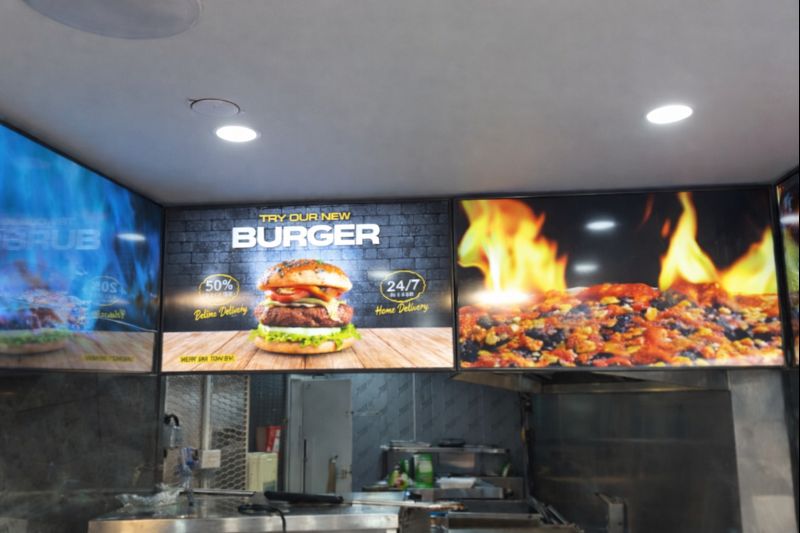
Digital Menu Boards with Custom Curved Mount Installation for Woodys, Andover
HOSPITALITY • DIGITAL MENU BOARDSFour-screen digital menu boards installed for Woodys in Andover, featuring a bespoke curved mounting layout and CMS-controlled content for a bold, immersive menu experience.ClientWoodysLocationAndoverSectorHospitality, QSRInstallation DateFebruary 2025SolutionDigital Menu Boards + CMSProducts43" Digital Menu Boards -
 January 14, 2026
Digital Signage & Freestanding Display for Naan Staap, Leicester
HOSPITALITY • DIGITAL MENU BOARDSMulti-screen digital menu boards and floor-to-ceiling ultra-high-brightness window display installed for Naan Staap in Leicester, delivering clear menus and strong street-level visibility impact.ClientNaan StaapLocationLeicesterSectorHospitality, QSRInstallation DateMay 2025SolutionMenu Boards + UHD DisplayProducts32" Menu Boards & 49" Display


Top Quality Store
Why it matters
Demonstrates consistently strong fulfilment, service, and post-sale experience across Google signals.
Great products and service! The guys always go above and beyond to make sure they supply you with the product that best fits your needs. I’ve been using Screen Moove for a number of years now and woul...
See moreScreen Moove went above and beyond for my requirements. Ordering system was super easy it just take 2 minutes to complete my order and I have received my tracking details right away after few minutes...
See moreMoe Khan, one of the team at Screen Move has been a fantastic help as we have navigated the process of choosing and buying screens and stands for our church. Helpful at every step of the way, patient...
See moreWe originally planned to purchase a cheap TV for our showrooms. After speaking with screen moove, we ended up investing in floorstanding displays across multiple retail sites and showrooms. The bright...
See moreI placed my order late at night but realized I had entered the wrong address. I immediately sent an email asking for it to be changed, not really expecting a reply until the next day. To my surprise,...
See moreI’ve been looking ultra high brightness display despite I checked everywhere I didn’t trust. They got my trust and I ordered. It arrived safely next day we have installed screen is awesome and high qu...
See moreThis is second time I used Screen Moove, I have bought double sided 55 inch display. The first order was a bit delayed I don't blame it might be happen, but customer service over the phone was excell...
See moreScreenmoove, perfect customer satisfaction from start to finish! Their customer service is incredibly helpful and fast. It’s amazing to be able to reach out and get quick solutions for any issue. We a...
See moreWe found that we needed a video call to work out the set up. The tech team at screenmoove were very very good. I would suggest that the instructions that come with the screen offer two key info. 1. Set...
See moreGreat experience with Jonathan Gray, previously I was looking for other companies and randomly ordering our needs from elsewhere. after I met with him, since 2024 we are keep purchasing from screen m...
See moreLooking for a Better Price?
Apply for a Screen Moove trade account and unlock exclusive pricing on commercial displays, digital signage, LED displays, mounting solutions and professional AV products.

Register now
Schedule a Free Consultation
Speak with our team about your display, digital signage, CMS, mounting or installation requirement. We will help you choose the right commercial AV solution before you spend money on the wrong product.
Display Specification Advice
We help you choose the correct screen size, brightness, orientation, operating hours and product type for the real environment.
Mounting & Installation Guidance
Need wall mounting, ceiling mounting, floorstands, video wall brackets or full installation support? We can advise the practical route.
CMS & Content Support
For menu boards, retail signage, reception screens and internal communication displays, we can guide you on CMS setup and content control.
Trade, Education & Multi-Site Projects
For resellers, schools, councils, contractors and multi-site businesses, we support fast quotations, project pricing and rollout planning.




Get in Touch
Ready to start your next AV project?
Contact our team of experts today!