




V7 - 75" 4K Interactive Display for Modern Classrooms | IFP7501-V7
SKU: IFP7501-V7


£1,091.04 (Excl. VAT)


V7 IFP7501-V7 75" 4K Interactive Flat Panel for Classroom
- Description
- Specifications
- Warranty
-
V7 IFP7501-V7 Interactive Flat Panel 4K Displays allow users to easily collaborate, save and share ideas interactively and digitally in meeting rooms and classrooms. It includes built in applications for leading classrooms or meetings including whiteboard, notetaking, web browser, screen sharing and recording, and more. With ScreenShare Pro, you can share and receive content between the IFP and Windows, Mac OS, Chrome OS, Android, and iOS Devices using the included application or using Miracast, ChromeCast or AirPlay (up to 6 devices split screen at one time). Connect to a variety of resources and provide a great interactive multimedia environment with 20 point touch (10 for writing), 2 x 16 watt speakers, USB-C with 65W PD Charging for your device, and other ports including USB, Video, and Network.
Android 11 system with easy to use built in applications for leading classrooms and meetings interactively with the audience
4K Interactive Display with 20 point touch
Wired and Wireless Networking included with Internet access and screen sharing to and from almost any device
USB-C connection allows screen sharing, 2-way touch, and charges your device with 65W Power Delivery with one cable
2 x 16W Speakers and Bluetooth wireless Connectivity
5 year subscription of Bytello DMS software included for bulk remote management
Includes heavy duty wall mount for fast deployment
Note – Unlimited Digital Whiteboard App
This preinstalled app allows presenters to create several types of content and share easily.
Handwriting Recognition - Seamlessly converts handwriting to editable text
Graphic & Shape Recognition - Automatically straightens and enhances hand-drawn images.
Smart Search - Search for information instantly
Smart Tables - Create tables with adaptive cell heights and widths in seconds
Ruler Tool - Ruler, triangle and protractor functionality are all built in
Share Notes - Save and share notes easily with the class with email, QR Code, or to a cloud drive
Bring Lessons to Life with Bytello Class
Prepare your lessons anywhere from a web browser, then easily access it on the IFP. Bytello Class integrates interactive games and multimedia tools that brings your classroom to life.
Browser
All V7 IFPs include a powerful, secure, easy to use web browser. Access any website or internet lesson plan directly from the browser.
The browser supports multiple tabs, multi-window multi-tasking (drag and drop content from browser to Note or other apps), bookmarks, saved password, and linking web pages to the desktop.
Multi-Window Multi-Tasking
Multi-window multi-tasking allows you to use multiple apps simultaneously.
Easily resize each app on your screen and snap them to the sides or corners
Drag and drop content between apps. For example:
Drag content from your web browser into your Notes lessons or an office document.
Move files in your finder from Google Cloud Drive or OneDrive directly to the IFP or vice versa.
Built-in Teaching Tools
Recorder
Record and share to the cloud
Annotate
Draw and take notes on top of any screen
Timer
Counts down from a specified time
Stopwatch
Counts up from zero - great for timing activities
Spotlight
Focus on a section of the screen
AirClass
This pre-installed app allows teachers to engage students in lessons, surveys, voting, and random student selection.
Voter - displays answer distribution from users
Responder - who is the first to answer a question
Selector - who will the IFP select to respond?
Bytello Share (ScreenShare Pro) – Device to IFP
The ultimate screen mirroring tool. Share from up to 9 devices through a secure connection. Share and receive content from Windows (two way touch), Mac, Chrome OS, Android, and iOS.
Or cast your content with your device’s built in sharing tools:
ChromeCast
AirPlay
Miracast
Web Browser
Easily rearrange the windows and control who can cast from the IFP
Screen Broadcasting - IFP to Devices
Easily share the IFP display contents with 30+ devices on the network with the ScreenShare Pro software.
Two way touch controls
Copy from IFP to IFP
Display two video sources at once on the same screen
PiP (Picture in Picture) allows you to show a 2nd video source as a windowed screen. For example, sharing your computer screen at the same time as IFP Notes or other apps.
One single cable can share content, allow 2-way touch, and provide power.
Simply use the USB-C connection on your laptop and the V7 IFP to create a seamless presentation solution. 2-way touch, available only on Windows devices, allows you to navigate files using the IFP as a large touchscreen device
QR Code & Export
After you go over a lesson session, you can easily share the notes with the attendees by sharing them to the cloud and displaying a QR Code on the screen. The participants can scan the code and get all the Note contents immediately on their device from anywhere on the Internet.
Cloud Drive Access & Finder
Easily access your content with our built in Google Cloud Drive and Microsoft OneDrive functionality. Once you login, it’s pre-installed in our Finder app so you can quickly transfer files to and from the cloud.
With the Finder, you can manage files in the IFP internal storage, from an external USB Drive or in the Cloud. Copy and Paste or drag and drop files between folders and drives with ease.
Record Your Lesson
Make a video recording of anything on your screen (and your voice if you have a USB connected microphone) with Recorder. It allows you to easily start, pause and stop the recording then save it on the IFP or in the cloud to share it.
Best in class account management
Allows users to quickly login multiple ways to a customizable work space with cloud drive auto-login and more
DMS - Control Management
Web based remote software that simplifies the management of your equipment. You can manage all of your hardware from one location, and troubleshoot issues automatically from a distance.
Status monitoring and analytics of all of your IFPs
Bulk Upload Boot Logos, Background Wallpaper for your school or business
Bulk upload Android App APK files
Bulk send multimedia or text message immediately or on a schedule
Remote firmware version management
Schedule meeting, class, or school bells to display
5-year license included with your V7 IFP
OTA Updates
Update the firmware and software of the IFP easily within the settings of the IFP.
-
Category Specification TECHNICAL Aspect Ratio 16:9 Dynamic Contrast Ratio 4000:1 Input Port Audio 3.5mm, USB, USB-C, VGA, HDMI Power Input AC 100V-240V 50-60Hz Pixel Pitch (H/V) 429.6 x 429.6 Power Consumption Max - 360W; Typical - 200W; Standby - ≤0.5W; Energy Star 8 - 154.57W Speaker 2 x 16W Operating Humidity 10% - 90%RH Operating Temp. 0℃ - 40℃ Package Type One Color Brightness 410 nits Panel Size 75 in Panel Type ADS Response Time 8 ms Contrast Ratio 1200:1 Storage Humidity 10% - 90%RH Storage Temp. -20℃ - 60℃ VESA Mount 800 x 400 mm Viewing Angle 178°H / 178°V Power Delivery 65 Watts DESIGN Color Black GENERAL INFO Compliance CE, Energy Star, FCC, RoHS, UL, TUV, WEEE Country of Origin China EAN 0662919115864 Model IFP7501-V7 Package Includes IFP, cords, cables, pens, remote, guide, mount, Wi-Fi module Warranty 5 years PACKAGE DIMENSIONS Package Dim (L/W/H) 73.35 x 8.86 x 44.88 in (1863 x 225 x 1140 mm) Package Weight 133.49 lbs (60.55 kg) PRODUCT DIMENSIONS Product Dim (L/W/H) 67.28 x 3.46 x 40.16 in (1709 x 88 x 1020 mm) Product Weight 104.28 lbs (47.3 kg) ANDROID SYSTEM Android Version 11.0 4K UI CPU A55 x 4 GPU ARM Mali G52 MP 2 RAM 4 GB DDR3 ROM 32GB SPECIFICATIONS Surface Treatment Haze 25%; Anti-glare treatment Light Sensor Automatic brightness adjustment Backlight Unit D-LED Connectors HDMI, USB, USB-C, VGA, Touch out, Audio, SPDIF, Wi-Fi, LAN, RS232 Touch System Infrared Recognition OS Compatibility Windows, Linux, Mac OS, Android, Chrome Touch Tool Finger, Passive infrared pen Touch Accuracy ±1mm 90% area Touch Point 10 Writing, 20 Touch Touch Height 1.5mm Touch Drive Free drive Simultaneous Writing Yes, with two different colors Response Time 8 ms Glass Type G1S Anti-Glare Glass Thickness 3 mm Glass Hardness 9H Interpolation Res. 32767 x 32767 SOFTWARE OVERVIEW Interactive Platform Note-taking, whiteboard, shapes, colors, etc. Screenshare Pro Share content from various devices Finder & Cloud Drive Local & cloud file management WPS Office Office file creation, display, and editing Mark Write on screen for notes and lessons Web Browser Chromium-based secure browser Screen Recording Record and share lessons Air Class Create polls, questionnaires, voting Crop Capture and save a portion of the screen Timer Countdown timer Spotlight Highlight a portion of the screen Stopwatch Start and stop time tracking Freeze Capture the screen, zoom in/out Screenlock Secure the screen with a password Palette Painting and drawing Keeper System management with one click Software Update OTA Over-the-air update Remote Management Unified bulk remote management across network -
Warranty
Product Family Duration Service Level Ethernet Cables, Laptop Bags Lifetime (20 years) Exchange Internal Memory 10 Years Exchange Mounts and Stands, Racks, Flash Drives, Memory Cards 5 Years Exchange Charge Carts, Charging Stations 5 Year Mechanical
3 Years ElectricalWarranty Repair via V7 Techsupport Solid State Drives 3 Years Exchange Monitors 3 Years Warranty Repair via V7 Techsupport IFP 3 Years Warranty Repair via V7 Techsupport Rackmount UPS 3 Years
1 Year BatteryWarranty Repair via V7 Techsupport UPS 3 Years
1 Year BatteryExchange All Others 2 Years Exchange UPS Batteries 1.5 Years Exchange Toners, Notebook Batteries, Power Banks 1 Year Exchange Projector Lamps 6 Months Exchange NOTE: Specific warranty period may differ based on specific product, please refer to warranty referenced on product package or document included.
Book a Free Product Demo
Remote or on-site. No obligation.
Integrator or Installer?
Trade pricing, volume discounts, same-day collection.
Education & Public Sector Solutions
Exclusive pricing, flexible terms, and dedicated support for schools, universities, NHS, and government organisations.




LATEST CASE STUDIES
See more-
 February 26, 2026
Digital Menu Boards & High-Brightness Display for Karak Chaii, Southall
HOSPITALITY • DIGITAL MENU BOARDS43-inch 4K vivid-bright digital menu board installed by ScreenMoove, ceiling mounted for a clean finish, delivering sharper menu clarity, flexible content updates and reliable 24/7 commercial performance.ClientKarak ChaiiLocationSouthallSectorHospitalityInstallation DateFebruary 2026SolutionDigital Menu BoardsProducts43" Digital Signage Display -
 January 22, 2026
Digital Signage & Installation Service for A MANO, Orpington
RETAIL • Digital SignageWindow-facing 55-inch digital signage installed for A MANO in Orpington, delivering vivid-bright 800 cd/m2 visibility, CMS-controlled updates, and street-level brand impact and daily promotion.ClientA ManoLocationOrpingtonSectorHospitalityInstallation DateJanuary 2026SolutionDigital Signage + InstallationProducts55" Digital Signage Display -
 January 14, 2026
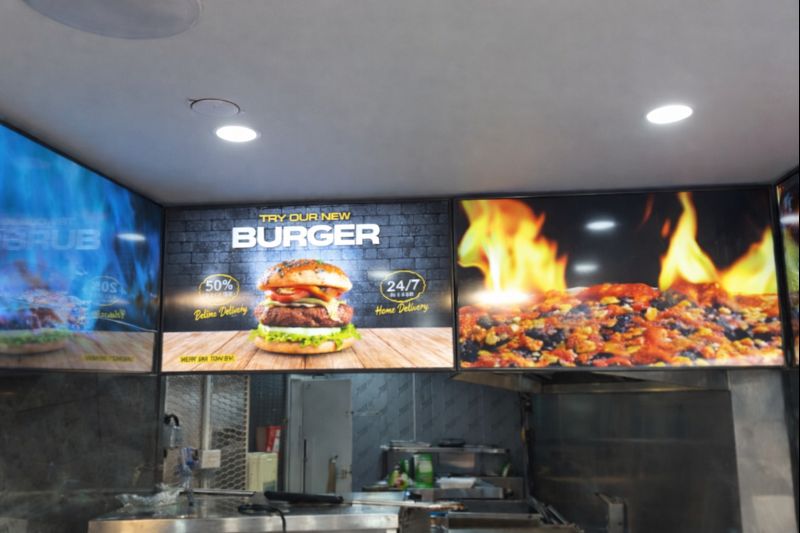
Digital Menu Boards with Custom Curved Mount Installation for Woodys, Andover
HOSPITALITY • DIGITAL MENU BOARDSFour-screen digital menu boards installed for Woodys in Andover, featuring a bespoke curved mounting layout and CMS-controlled content for a bold, immersive menu experience.ClientWoodysLocationAndoverSectorHospitality, QSRInstallation DateFebruary 2025SolutionDigital Menu Boards + CMSProducts43" Digital Menu Boards -
 January 14, 2026
Digital Signage & Freestanding Display for Naan Staap, Leicester
HOSPITALITY • DIGITAL MENU BOARDSMulti-screen digital menu boards and floor-to-ceiling ultra-high-brightness window display installed for Naan Staap in Leicester, delivering clear menus and strong street-level visibility impact.ClientNaan StaapLocationLeicesterSectorHospitality, QSRInstallation DateMay 2025SolutionMenu Boards + UHD DisplayProducts32" Menu Boards & 49" Display


Top Quality Store
Why it matters
Demonstrates consistently strong fulfilment, service, and post-sale experience across Google signals.
Great products and service! The guys always go above and beyond to make sure they supply you with the product that best fits your needs. I’ve been using Screen Moove for a number of years now and woul...
See moreScreen Moove went above and beyond for my requirements. Ordering system was super easy it just take 2 minutes to complete my order and I have received my tracking details right away after few minutes...
See moreMoe Khan, one of the team at Screen Move has been a fantastic help as we have navigated the process of choosing and buying screens and stands for our church. Helpful at every step of the way, patient...
See moreWe originally planned to purchase a cheap TV for our showrooms. After speaking with screen moove, we ended up investing in floorstanding displays across multiple retail sites and showrooms. The bright...
See moreI placed my order late at night but realized I had entered the wrong address. I immediately sent an email asking for it to be changed, not really expecting a reply until the next day. To my surprise,...
See moreI’ve been looking ultra high brightness display despite I checked everywhere I didn’t trust. They got my trust and I ordered. It arrived safely next day we have installed screen is awesome and high qu...
See moreThis is second time I used Screen Moove, I have bought double sided 55 inch display. The first order was a bit delayed I don't blame it might be happen, but customer service over the phone was excell...
See moreScreenmoove, perfect customer satisfaction from start to finish! Their customer service is incredibly helpful and fast. It’s amazing to be able to reach out and get quick solutions for any issue. We a...
See moreWe found that we needed a video call to work out the set up. The tech team at screenmoove were very very good. I would suggest that the instructions that come with the screen offer two key info. 1. Set...
See moreGreat experience with Jonathan Gray, previously I was looking for other companies and randomly ordering our needs from elsewhere. after I met with him, since 2024 we are keep purchasing from screen m...
See more
Need help choosing the right product?
Speak directly with a dedicated Screen Moove expert and get the right solution, first time.
Call us on: 020 8191 9223
Email us: info@screenmoove.com
Contact us
Simply complete our contact form, and we will promptly respond to your inquiries.
If you have any questions or enquiry, please fill out the form below with all of your details and we'll get back to you shortly.