




Asus ROG Strix 43" 4K Ultra HD 144Hz 1Ms Gaming Monitor | XG43UQ
SKU: XG43UQ


£980.40 (Excl. VAT)


- Description
- Specifications
- Warranty
- Downloads
-
Asus ROG Strix 43" 4K Ultra HD 144Hz 1Ms Gaming Monitor

WORLD’S FIRST 43-INCH HDMI 2.1 GAMING MONITOR
ROG Strix XG43UQ is the world’s first 43 inch HDMI® 2.1 gaming monitor, delivering 4K UHD visuals and a 1 ms moving picture response time (MPRT) for superfast gaming on a big screen. Featuring Display Stream Compression (DSC) and AMD FreeSync™ Premium Pro technology, Strix XG43UQ enables supersmooth 4K 120 Hz gaming on the latest consoles via HDMI 2.1. Plus, a 90% DCI-P3 color gamut and DisplayHDR™ 1000 certification ensure true-to-life colors.
SUPERFAST GAMING WITH HDMI 2.1
HDMI 2.1 enables mind-blowing gaming experience on the latest consoles, providing gamers with native 4K UHD visuals at astounding refresh rates of up to 120 Hz without chroma subsampling.
GOING BIG WITH NEXT-GEN GAMEPLAY
It gets even better on PC, with up to 4K 144 Hz visuals when powered by the latest graphics cards. DSC technology supports 4K UHD visuals via a single DisplayPort 1.4 connection by compressing and decompressing each frame on the fly, with no loss in image quality.
GAMEFAST INPUT TECHNOLOGY
Built-in GameFast Input technology minimizes input lag so gaming inputs are always in sync with the action.
ULTRAFAST 144HZ REFRESH RATE AND 1MS MPRT
From fast-paced first-person shooters to real-time strategy, play the latest games at their highest graphics settings at a buttery-smooth 144 frames per second with near-instantaneous 1 ms moving picture response time (MPRT).
AMD FREESYNC PREMIUM PRO FOR SMOOTH GAMEPLAY
Built-in FreeSync Premium Pro technology ensures that ROG Strix XG43UQ delivers supersmooth, low-latency visuals that are brighter and have better contrast. This technology uses low-latency processing for both standard and HDR content to eliminate the input lag that’s typically associated with HDR content.
HIGH DYNAMIC RANGE (HDR)
WITH EXCEPTIONAL COLORS
A DCI-P3 90% color gamut and outstanding color contrast ensure ROG Strix XG43UQ meets DisplayHDR 1000 certification standards. Experience true-to-life colors along with the brightest whites and darkest black hues.
MULTIPLE HDR MODES
Three HDR modes ensure optimal visuals for any viewing scenario.
ASUS DYNAMIC SHADOW BOOST
This technology automatically clarifies dark areas of the image without changing other areas. It makes it easier to spot enemies hidden in dark areas of the map and improves the overall viewing experience.
EXTREME LOW MOTION BLUR (ELMB) SYNC
With ELMB Sync, low-motion-blur technology and adaptive-sync can be enabled simultaneously to eliminate ghosting and tearing for super-sharp, high-frame rate gaming.
GAMEVISUAL
ASUS GameVisual gives you seven preset display modes and one user mode tailored to suit different types of content.
GAMEPLUS HOTKEYS
The ASUS-exclusive, integrated GamePlus hotkey offers in-game enhancements that help you get more out of your game.This function is co-developed with input from pro gamers, allowing them to practice and improve their gaming skills.
ASUS DISPLAY WIDGET SOFTWARE
DisplayWidget is an intuitive software utility that lets users tweak the settings of the monitor. Adjustments to these utilities can be made via the On Screen Display (OSD) menu or the navigational joystick, but ASUS DisplayWidget makes accessing and using these various settings much faster and easier.
APP SYNC™
App Sync™ lets you assign specific ASUS GameVisual modes to individual applications and game titles to make sure the program you are using is in your preferred mode. You also have the option of changing these assigned settings quickly.
SHARABLE DISPLAY SETTING PARAMETER
All customized GameVisual settings can be saved to an AXML file format that can be shared with other same monitor users.
MULTIFRAME
MultiFrame allows users to organize multiple windows on desktop and to arrange them in an orderly way so that they don't overlap on a big screen.
KEYBOARD HOT KEYS
Hot Keys allow users to quickly change the settings by typing a certain key combination.
ULTRA-LOW BLUE LIGHT TECHNOLOGY
ROG Strix XG43UQ comes with TÜV Rheinland-certified ASUS Ultra-low Blue Light filters to protect eyes and prevent strain from harmful blue light. Select from four different filter settings via the OSD menu or by using the five-way joystick.
FLICKER-FREE TECHNOLOGY
ROG Strix XG43UQ reduces onscreen flicker to give you a more comfortable gaming experience. This minimizes eye strain during marathon gaming sessions.
PICTURE-IN-PICTURE AND PICTURE-BY-PICTURE HOTKEYS
ROG Strix XG43UQ supports picture-in-picture mode with a main screen and inset window, along with a picture-by-picture mode that divides the monitor into segments, giving you the option to view multiple sources simultaneously.
ROBUST CONNECTIVITY
AURA SYNC LIGHTING
Exclusive ASUS Aura Sync* lighting technology provides ambient lighting that can be synchronized with other Aura-enabled components and peripherals. -
Display Specifications Panel Size (inch) 43 Aspect Ratio 16:9 Color Space (DCI-P3) 90% Color Space (sRGB) 125% Panel Type VA True Resolution 3840x2160 Display Viewing Area (HxV) 941.184 x 529.416 mm Display Surface Non-Glare Pixel Pitch 0.2451mm Brightness (Typ.) 750cd/㎡ Brightness (HDR, Peak) 1,000 cd/㎡ Contrast Ratio (Typ.) 4000:1 Contrast Ratio (HDR, Max) 1,000,000:1 Viewing Angle (CR≧10) 178°/ 178° Response Time 1ms MPRT Display Colors 1073.7M (10 bit) Flicker-free Yes HDR (High Dynamic Range) Support HDR10 Refresh Rate (max) 144Hz Video Features Trace Free Technology Yes Color Accuracy △E< 2 GamePlus Yes Low Blue Light Yes HDCP Support Yes Game Visual Yes VRR Technology Yes (Adaptive-Sync) Extreme Low Motion Blur Yes HDR Mode Yes Shadow Boost Yes Display Widget Yes PIP (PBP) Technology Yes I/O Ports DisplayPort 1.4 DSC x 1 HDMI (v2.0) x 2 HDMI (v2.1) x 2 Earphone jack Yes USB Hub 2x USB 3.2 Gen 1 Type-A USB 3.0 (Signal) x 1 Audio Features Speaker Yes(10Wx2) Signal Frequency Digital Signal Frequency (DP) 275 ~275 KHz (H) / 48 ~144 Hz(V) Digital Signal Frequency (HDMI v2.0) 30 ~135 KHz (H) / 48 ~60 Hz(V) Digital Signal Frequency (HDMI v2.1) 30 ~135 KHz (H) / 48 ~144 Hz(V) Power Consumption Power Consumption <48W* Power Saving Mode <0.5W Power Off Mode <0.5W Voltage 100-240V, 50/60Hz Mechanical Design Tilt Yes (+10° ~ -5°) Height Adjustment No VESA Wall Mounting 100x100mm Lighting effect (Aura) Aura Sync Kensington Lock Yes Dimensions (Estimate) Physical Dimension with Stand (W x H x D) 97.46 x 57.06 x 7.46 cm (38.37" x 22.46" x 2.94") Box Dimension (W x H x D) 106.90 x 72.20 x 37.40 cm (42.09" x 28.43" x 14.72") Weight (Estimate) Net Weight with Stand 15.3 kg (33.73 lbs) Net Weight without Stand 14.2 kg (31.31 lbs) Gross Weight 22.8 kg (50.27 lbs) Accessories (may vary by regions) Color pre-calibration report DisplayPort cable HDMI Ultra High-Speed Cable Power adapter Power cord Quick start guide Remote Controller ROG sticker USB 3.0 cable Warranty Card Certificate TÜV Flicker-free TÜV Low Blue Light VESA DisplayHDR 1000 AMD FreeSync Premium Pro -
LCD Monitors Warranty Policy
ASUS Warranty Policy
A Limited Warranty is offered on ASUS products. This Limited Warranty does not cover any software applications or programs; non-Asus products or non-Asus branded peripherals.Asus guarantees that the Asus Products that you have purchased are free from defects in materials or workmanship under normal use during the Limited Warranty Period. The Limited Warranty Period starts from the date of purchase. Your sales receipt, showing the date of purchase, is the proof of your purchase date. You may be required by your Purchase Site or Asus Authorized service Providers to present the proof of purchase as a condition of receiving warranty service. You are entitled to a hardware warranty service if a repair is required within the Limited Warranty Period.
During the Limited Warranty Period, Asus will, at its sole discretion, repair or replace any defective component. All spare-parts or module removed under this Limited Warranty become the property of Asus.
Exclusions from this Limited Warranty Service
Asus does not guarantee uninterrupted or error-free operation of this product. Any technical or other support provided for the product under warranty, such as assistance via telephone with "how-to" questions and those regarding product setup and information, being provided without warranties of any kind. The warranty only covers failures or malfunctions occurred in normal use conditions during the warranty period, as well as for any material or workmanship defect. The warranty will not apply if:
a. Damage caused to this Product(s) by you or any non-authorized third party.
b. the serial number has been altered, cancelled or removed;
c. the damage is caused by accident, natural disaster, intentional or accidental misuse, abuse, neglect or improper maintenance, or the abnormal use conditions;
d. the damage is caused by an external electrical fault or any accident;
e. the damage from use outside of the operation or storage parameters or environment detailed in the User's Manual;
f. the damage is caused from the using of parts not manufactured or sold by ASUSTeK.
g. damage is caused from third party software or from virus(es);
h. the software loss or data loss that may occur during repair or replacement.
Returning a Product to your Purchase Site or an Asus Authorized Service Provider during the warranty period does not automatically mean that it will be repaired free of charge. Upon receiving your product, the Service Centre reserves the right to check the validity of your warranty and your request for warranty service.
Neither Asus, Asus Authorized Service Provider , nor your reseller are responsible for any of your confidential, proprietary or personal information contained in the product which you return to Asus , Asus Service Centre or Asus Authorized Service Provider for any reason. You should remove all such information from the product prior to its return.
Asus or Asus Authorized Service Provider is not responsible for damage or loss of any personal data, programs, or removable storage media. Asus is not responsible for the restoration or reinstallation of any data or programs other than software installed by Asus when the product was manufactured.
Standard Warranty period of the Product
This Warranty applies for 36 months period from the date the Product was first purchased by an end-customer ("Date of Purchase"). If proof of purchase cannot be provided, the manufacture date as recorded by ASUS will be deemed to be the start of the Warranty Period. ASUS warrants the Product to be free from defects in workmanship and materials for the Warranty Period.
*OLED Models apply 24 months warranty period from the Date of Purchase.
The Warranty does not cover bundled accessories, which were delivered together with the Product such as: cables, free gifts etc. If the Product fails during normal and proper use within the Warranty Period, ASUS, at its discretion, will repair or replace the defective parts of the Product, or the Product itself, with new or reconditioned parts or products that are functionally equivalent or superior to those originally supplied.
Warranty period of Adaptor and Built-in battery
12 months warranty from the Date of Purchase. Product specifications are different by Monitor models. Please refer to Asus website: https://www.asus.com/Monitors/ for Monitor Specifications with adaptor accessory or built-in battery design.
LCD Panel Bright/Dark Dot Warranty & Regulation
Since LCD panel is made up of millions of micro electronic pixels, if one pixel no longer functions normally, it will become a bright or dark dot. By ISO 9241-302 standards, ASUS conforms to the acceptance level between 3 to 5 defective bright/dark pixels. In order to deliver ultimate vision experience to ASUS customer, if your panel is less than or equal to the above number of dots, then, it is considered as an acceptable LCD monitor.In addition, the Premium Range of ASUS LCDs offers a unique Zero Bright Dot (ZBD) warranty.Please refer to ASUS LCD Monitor Bright/Dark Dot Warranty Table below.
TAKING CARE OF YOUR LCD:1.Turn off the LCD if you will not use it for a long time. Doing this will help you save electric power consumption and prolong your LCD's life.
-
2.Do not touch the LCD with your fingers, sharp, and/or hard object so as not to scratch the LCD.
-
3.Use monitor-cleaning sheet to lightly wipe off dirt from the LCD. Do not use your fingers!
-
4.Do not use any chemicals or detergents to clean the LCD.
-
5.Use screen saver to avoid the damage caused by long-term static (non-moving) images displayed.
-
ASUS LCD Monitor Bright/Dark Dot Warranty Table:
Covered Models: PG Series (OLED Models not applicable)
After Purchase
Bright Dot
Dark Dot
12 months
0
≦5
13~36 months
≦3
≦5
Covered Models: PA Series (OLED Models not applicable)
After Purchase
Bright Dot
Dark Dot
36 months
0
≦5
Covered Models: OLED Models
After Purchase
Bright Dot
Dark Dot
24 months
≦3
≦5
Covered Models: Others (Non-ZBD Models)
After Purchase
Bright Dot
Dark Dot
36 months
≦3
≦5
1. A Pixel consists of sub-pixels: one red, one green and one blue dot. A bright dot is a sub-pixel that is always on under Black pattern. A dark dot is a sub-pixel that is always off under any pattern.
-
-
2. Micro Dot, less than or equal to 1/2 dot, is excluded in the warranty.
-
3. Non-ZBD/ZBD warranty models may vary from different regions.
-
-
-
Description Downloads User Guide
Download
Book a Free Product Demo
Remote or on-site. No obligation.
Integrator or Installer?
Trade pricing, volume discounts, same-day collection.
Education & Public Sector Solutions
Exclusive pricing, flexible terms, and dedicated support for schools, universities, NHS, and government organisations.




LATEST CASE STUDIES
See more-
 February 26, 2026
Digital Menu Boards & High-Brightness Display for Karak Chaii, Southall
HOSPITALITY • DIGITAL MENU BOARDS43-inch 4K vivid-bright digital menu board installed by ScreenMoove, ceiling mounted for a clean finish, delivering sharper menu clarity, flexible content updates and reliable 24/7 commercial performance.ClientKarak ChaiiLocationSouthallSectorHospitalityInstallation DateFebruary 2026SolutionDigital Menu BoardsProducts43" Digital Signage Display -
 January 22, 2026
Digital Signage & Installation Service for A MANO, Orpington
RETAIL • Digital SignageWindow-facing 55-inch digital signage installed for A MANO in Orpington, delivering vivid-bright 800 cd/m2 visibility, CMS-controlled updates, and street-level brand impact and daily promotion.ClientA ManoLocationOrpingtonSectorHospitalityInstallation DateJanuary 2026SolutionDigital Signage + InstallationProducts55" Digital Signage Display -
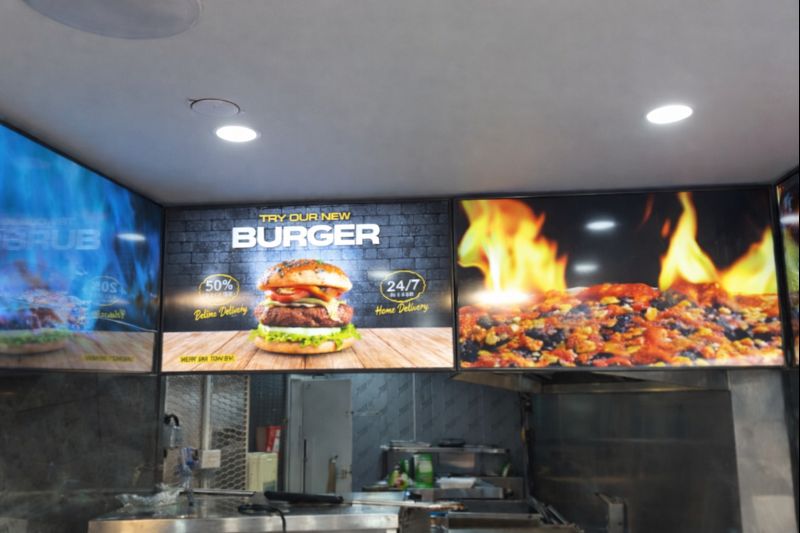 January 14, 2026
Digital Menu Boards with Custom Curved Mount Installation for Woodys, Andover
HOSPITALITY • DIGITAL MENU BOARDSFour-screen digital menu boards installed for Woodys in Andover, featuring a bespoke curved mounting layout and CMS-controlled content for a bold, immersive menu experience.ClientWoodysLocationAndoverSectorHospitality, QSRInstallation DateFebruary 2025SolutionDigital Menu Boards + CMSProducts43" Digital Menu Boards -
 January 14, 2026
Digital Signage & Freestanding Display for Naan Staap, Leicester
HOSPITALITY • DIGITAL MENU BOARDSMulti-screen digital menu boards and floor-to-ceiling ultra-high-brightness window display installed for Naan Staap in Leicester, delivering clear menus and strong street-level visibility impact.ClientNaan StaapLocationLeicesterSectorHospitality, QSRInstallation DateMay 2025SolutionMenu Boards + UHD DisplayProducts32" Menu Boards & 49" Display


Top Quality Store
Why it matters
Demonstrates consistently strong fulfilment, service, and post-sale experience across Google signals.
Great products and service! The guys always go above and beyond to make sure they supply you with the product that best fits your needs. I’ve been using Screen Moove for a number of years now and woul...
See moreScreen Moove went above and beyond for my requirements. Ordering system was super easy it just take 2 minutes to complete my order and I have received my tracking details right away after few minutes...
See moreMoe Khan, one of the team at Screen Move has been a fantastic help as we have navigated the process of choosing and buying screens and stands for our church. Helpful at every step of the way, patient...
See moreWe originally planned to purchase a cheap TV for our showrooms. After speaking with screen moove, we ended up investing in floorstanding displays across multiple retail sites and showrooms. The bright...
See moreI placed my order late at night but realized I had entered the wrong address. I immediately sent an email asking for it to be changed, not really expecting a reply until the next day. To my surprise,...
See moreI’ve been looking ultra high brightness display despite I checked everywhere I didn’t trust. They got my trust and I ordered. It arrived safely next day we have installed screen is awesome and high qu...
See moreThis is second time I used Screen Moove, I have bought double sided 55 inch display. The first order was a bit delayed I don't blame it might be happen, but customer service over the phone was excell...
See moreScreenmoove, perfect customer satisfaction from start to finish! Their customer service is incredibly helpful and fast. It’s amazing to be able to reach out and get quick solutions for any issue. We a...
See moreWe found that we needed a video call to work out the set up. The tech team at screenmoove were very very good. I would suggest that the instructions that come with the screen offer two key info. 1. Set...
See moreGreat experience with Jonathan Gray, previously I was looking for other companies and randomly ordering our needs from elsewhere. after I met with him, since 2024 we are keep purchasing from screen m...
See more
Need help choosing the right product?
Speak directly with a dedicated Screen Moove expert and get the right solution, first time.
Call us on: 020 8191 9223
Email us: info@screenmoove.com
Contact us
Simply complete our contact form, and we will promptly respond to your inquiries.
If you have any questions or enquiry, please fill out the form below with all of your details and we'll get back to you shortly.