




iiyama ProLite XUB2495WSU-B7 24" 75Hz IPS Desktop Monitor
SKU: XUB2495WSU-B7



£150.33 (Excl. VAT)


- Description
- Specifications
- Warranty
- Downloads
-
iiyama ProLite XUB2495WSU-B7 24" 75Hz IPS Desktop Monitor
Providing excellent performance for graphics applications in CAD, and ideal for Universities, Corporate and Financial Markets. The ProLite XUB2495WSU-B7 features an IPS panel offering accurate and consistent colour reproduction with wide viewing angles. The 1920 x 1200 native screen resolution and a 150mm height-adjustable stand featuring pivot and swivel functions deliver great versatility and comfort of use.

IPS TECHNOLOGY
IPS technology offers higher contrast, darker blacks and much better viewing angles than standard TN technology. The screen will look good no matter what angle you look at it.
HAS (150MM) + PIVOT (ROTATION BOTH SIDES)
With a height adjustable stand you will create an ergonomic work posture and position that meets all health and safety requirements. This will not only prevent any health issues but will also increase your productivity. The pivot function allows the screen to rotate from landscape to portrait orientation. This functionality can be useful if the application requires more height than width.
BLUE LIGHT REDUCER
As we all know looking at a monitor screen for several hours per day, especially form a closer distance, causes eye fatigue. This effect is much stronger with computer screens than with TV equipment. One of the factors responsible for this phenomenon is the blue light emitted by the screen. Therefore reducing the amount of blue light ultimately allows our eyes to feel less tired while working long hours with a computer screen. We achieved it by adjusting the monitor's brightness and color temperature through a new feature called “Blue light reduction” easily accessible through the monitor’s OSD menu.
OVERDRIVE ON / OFF
When very fast graphics are displayed your monitor can sometimes get blurry. Turning on the OverDrive feature will eliminate that.
SPEAKERS AND HEADPHONES
Playing with friends? Use the integrated high-quality speakers. Don’t want to disturb anybody? Plug your headset into the headphone socket and turn the volume up. -
DISPLAY CHARACTERISTICS Design 3-side borderless Diagonal 24.1", 61.1cm Panel IPS (In-Plane-Switching), matte finish Native resolution 1920 x 1200 @75Hz (2.3 megapixel) Aspect ratio 16:10 Panel brightness 300 cd/m² Static contrast 1000:1 Advanced contrast 80M:1 Response time (GTG) 4ms Viewing zone horizontal/vertical: 178°/178°, right/left: 89°/89°, up/down: 89°/89° Colour support 16.7mln (sRGB: 99%; NTSC: 72%) Horizontal Sync 60 - 95kHz Viewable area W x H 518.4 x 324mm, 20.4 x 12.8" Pixel pitch 0.27mm Colour matte, black INTERFACES / CONNECTORS / CONTROLS Signal input HDMI x1 (v.1.4) DisplayPort x1 (v.1.2) USB HUB x4 (3x v.3.2 Gen 1 (5Gbps, 4.5W) 1x Type C (5Gbps, 15W)) HDCP yes Headphone connector yes FEATURES Blue light reducer yes Flicker free yes Extra i-Style colour OSD languages EN, DE, FR, ES, IT, CN, RU, JP, CZ, NL, PL Control buttons Joystick/Power Button: Power/Menu, Up/Input Select, Down, Right/Volume, Left/Submenu User controls picture adjust (brightness, contrast, ECO, ACR, OD, blue light reducer, X-Res technology), colour settings (6-Axis, i-Style colour, colour temp.), OSD settings (OSD H. position, OSD V. position, OSD rotate, OSD time, OSD background, DDC/CI, information), language, recall, miscellaneous (sharp and soft, video mode adjust, opening logo, LED, RGB range), input select (source), audio settings (volume, mute) Speakers 2 x 2W Convenience Kensington-lock™ prepared, DDC/CI, DDC2B, Mac OSX MECHANICAL Display position adjustments height, swivel, tilt, pivot (rotation both sides) Height adjustment 150mm Rotation (PIVOT function) 90° Swivel stand 90°; 45° left; 45° right Tilt angle 23° up; 5° down VESA mounting 100 x 100mm Cable management system yes ACCESSORIES INCLUDED Cables power, USB, HDMI Other quick start guide, safety guide POWER MANAGEMENT Power supply unit internal Power supply AC 100 - 240V, 50/60Hz Power usage 17W typical, 0.5W stand by, 0.3W off mode SUSTAINABILITY Regulations CE, TÜV-GS, EAC, RoHS support, ErP, WEEE, REACH, UKCA Energy efficiency class (Regulation (EU) 2017/1369) D REACH SVHC above 0.1%: Lead DIMENSIONS / WEIGHT Product dimensions W x H x D 533.5 x 371 (521) x 209.5mm Box dimensions W x H x D 613 x 437 x 130mm Weight (without box) 5.1kg Weight (with box) 6.6kg EAN code 4948570123827 -
Warranty Product Cover Visioncare Desktop LCD products (Monitors) (17" - 43")
3 years on-site UK warranty. (Upgrades to 5 years available)
Touchcare
LCD touchscreen products 3 years repair and return. (Upgrades to on-site & 5 years available)
LFD Large Format Displays Standard Warranty
3 years collect and return (Upgrade to swap, installation & 5 years available) Download
HOW TO ACTIVATE YOUR WARRANTYThere is no need to pre-register your warranty, just follow the six simple steps below to activate your warranty should the need arise. First-class service is assured by our experienced engineers and customer service helpdesk.
Step one - Check that all connections have been properly made.
Step two - Check the set-up in the user manual. Wherever possible, please try to check your iiyama product with alternate equipment before contacting the iiyama customer service help desk.
Step three - If the fault cannot be cured by the above means, call the iiyama customer service helpdesk on 01926 819 189. Please have ready to hand the following details: model number, serial number and date of purchase*. Or fill in the Service Request Form.
Step four - Your fault will be registered and you will be issued with a returns number, which you must quote on all paperwork relating to the defective unit.
Step five - Please retain any of your leads and manuals. Replacement/returned units will not include these sundry items.
Step six - Please ensure your product is clean and presentable before packaging it in the original box for collection.
* Proof of purchase may be requiredON-SITE SWAP OUT
PIONEERING CUSTOMER SERVICE.
-
Description Downloads User manual Download Technical specification Download Drawing Download UK Energy Label Download
Book a Free Product Demo
Remote or on-site. No obligation.
Integrator or Installer?
Trade pricing, volume discounts, same-day collection.
Education & Public Sector Solutions
Exclusive pricing, flexible terms, and dedicated support for schools, universities, NHS, and government organisations.




LATEST CASE STUDIES
See more-
 February 26, 2026
Digital Menu Boards & High-Brightness Display for Karak Chaii, Southall
HOSPITALITY • DIGITAL MENU BOARDS43-inch 4K vivid-bright digital menu board installed by ScreenMoove, ceiling mounted for a clean finish, delivering sharper menu clarity, flexible content updates and reliable 24/7 commercial performance.ClientKarak ChaiiLocationSouthallSectorHospitalityInstallation DateFebruary 2026SolutionDigital Menu BoardsProducts43" Digital Signage Display -
 January 22, 2026
Digital Signage & Installation Service for A MANO, Orpington
RETAIL • Digital SignageWindow-facing 55-inch digital signage installed for A MANO in Orpington, delivering vivid-bright 800 cd/m2 visibility, CMS-controlled updates, and street-level brand impact and daily promotion.ClientA ManoLocationOrpingtonSectorHospitalityInstallation DateJanuary 2026SolutionDigital Signage + InstallationProducts55" Digital Signage Display -
 January 14, 2026
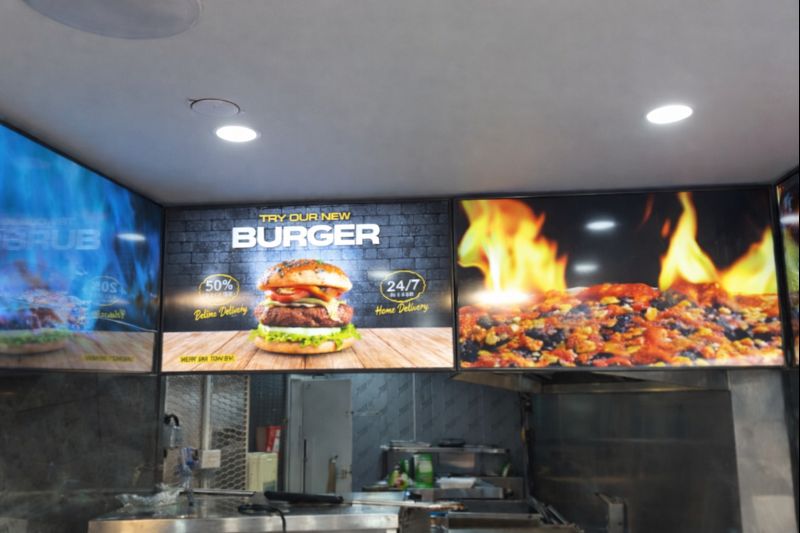
Digital Menu Boards with Custom Curved Mount Installation for Woodys, Andover
HOSPITALITY • DIGITAL MENU BOARDSFour-screen digital menu boards installed for Woodys in Andover, featuring a bespoke curved mounting layout and CMS-controlled content for a bold, immersive menu experience.ClientWoodysLocationAndoverSectorHospitality, QSRInstallation DateFebruary 2025SolutionDigital Menu Boards + CMSProducts43" Digital Menu Boards -
 January 14, 2026
Digital Signage & Freestanding Display for Naan Staap, Leicester
HOSPITALITY • DIGITAL MENU BOARDSMulti-screen digital menu boards and floor-to-ceiling ultra-high-brightness window display installed for Naan Staap in Leicester, delivering clear menus and strong street-level visibility impact.ClientNaan StaapLocationLeicesterSectorHospitality, QSRInstallation DateMay 2025SolutionMenu Boards + UHD DisplayProducts32" Menu Boards & 49" Display


Top Quality Store
Why it matters
Demonstrates consistently strong fulfilment, service, and post-sale experience across Google signals.
Great products and service! The guys always go above and beyond to make sure they supply you with the product that best fits your needs. I’ve been using Screen Moove for a number of years now and woul...
See moreScreen Moove went above and beyond for my requirements. Ordering system was super easy it just take 2 minutes to complete my order and I have received my tracking details right away after few minutes...
See moreMoe Khan, one of the team at Screen Move has been a fantastic help as we have navigated the process of choosing and buying screens and stands for our church. Helpful at every step of the way, patient...
See moreWe originally planned to purchase a cheap TV for our showrooms. After speaking with screen moove, we ended up investing in floorstanding displays across multiple retail sites and showrooms. The bright...
See moreI placed my order late at night but realized I had entered the wrong address. I immediately sent an email asking for it to be changed, not really expecting a reply until the next day. To my surprise,...
See moreI’ve been looking ultra high brightness display despite I checked everywhere I didn’t trust. They got my trust and I ordered. It arrived safely next day we have installed screen is awesome and high qu...
See moreThis is second time I used Screen Moove, I have bought double sided 55 inch display. The first order was a bit delayed I don't blame it might be happen, but customer service over the phone was excell...
See moreScreenmoove, perfect customer satisfaction from start to finish! Their customer service is incredibly helpful and fast. It’s amazing to be able to reach out and get quick solutions for any issue. We a...
See moreWe found that we needed a video call to work out the set up. The tech team at screenmoove were very very good. I would suggest that the instructions that come with the screen offer two key info. 1. Set...
See moreGreat experience with Jonathan Gray, previously I was looking for other companies and randomly ordering our needs from elsewhere. after I met with him, since 2024 we are keep purchasing from screen m...
See more
Need help choosing the right product?
Speak directly with a dedicated Screen Moove expert and get the right solution, first time.
Call us on: 020 8191 9223
Email us: info@screenmoove.com
Contact us
Simply complete our contact form, and we will promptly respond to your inquiries.
If you have any questions or enquiry, please fill out the form below with all of your details and we'll get back to you shortly.