




Logitech 986-000024 All-in-one USB-C Docking Station With Meeting Controls And Speakerphone
SKU: 986-000024


£351.12 (Excl. VAT)


- Description
- Specifications
- Downloads
-
Logitech 986-000024 All-in-one USB-C Docking Station With Meeting Controls And Speakerphone
THE WORK-FROM-HOME SUPERHERO
Working from home shouldn’t be a compromise. Logi Dock is an all-in-one USB-C docking station that simplifies home office setup, reduces desktop clutter, and helps remote workers feel more productive. Certified for leading video conferencing platforms and easy to set up, Logi Dock connects everything in one tidy unit that replaces the need for extra peripherals and eliminates a tangle of cables and wires.
UNCLUTTER YOUR DESKTOP
Work freely. As an all-in-one USB-C docking station, Logi Dock connects and charges up to five USB peripherals and up to two monitors, replaces unneeded chargers and power cords, and makes desktop clutter disappear. Working seamlessly with leading calling platforms, Logi Dock streamlines your home office so you can work more productively.TAKE CONTROL OF YOUR MEETINGS
One Touch to Join
Take advantage of Logi Dock’s calendar integration ogi Tune desktop app required for calendar integration, which supports Office 365 and Google Calendar. to instantly join any meeting by simply pressing a button.Mute Controls
Press the mute button to quickly turn your own audio on or off. Use the volume controls to turn the speaker up or down.Video On/Off
Press Logi Dock’s video button to instantly turn your own camera on or off.HEAR & BE HEARD CLEARLY
Speakerphone
The built-in speakerphone includes six beamforming microphones that capture your voice clearly, while advanced algorithms deliver a natural vocal sound with reduced background noise.Easy Audio-Switch
When you want to switch the audio from Logi Dock’s speakerphone to your personal audio, simply turn on your Zone Wireless (Plus) headset or insert your Zone True Wireless earbuds. Logi Dock intelligently makes the switch.ADD MUSIC TO YOUR WORKDAY
If music is your ideal work companion, indulge your preferences with small but mighty speakers that deliver immersive, stereophonic audio, a powerful bass line you can hear, and volume you can crank way up. Enjoy your favorite tunes distortion-free, carefully balanced, and crystal clear.
CONNECT EVERYTHING
Take control of your desk with one simple solution that connects your devices, powers your laptop up to 100W, and reduces the number of chargers, cables, and adapters. Attach up to five USB peripherals via USB-A and USB-C, and up to two monitors via HDMI and DisplayPort. Pair to your smartphone or tablet via Bluetooth to stream audio.

UPGRADE LOGI DOCK WITH TUNE
Logi Tune is the app that takes Logi Dock from great to exceptional. By syncing your calendar2Logi Tune desktop app required for calendar integration, which supports Office 365 and Google Calendar. with Logi Dock, Tune makes it easy to stay on top of your day, get informed of upcoming appointments, and quickly join your meetings with the press of a button.
SUPPORT WORK FROM ANYWHERE WITH SYNC
Whether employees are in the office, at home, or somewhere else, Sync device management software helps everyone stay connected by letting you ensure their Logitech video collaboration devices are healthy and up to date.CERTIFIED FOR CONFIDENCE
Logi Dock is certified for Microsoft Teams, Zoom, Google Meet, and Google Voice so it works seamlessly with your video conferencing platforms. It’s also compatible with common calling applications across most platforms and operating systems within your IT ecosystem. And because it’s simple for employees to set up, you can deploy Logi Dock with confidence to your remote and hybrid workforce.

BETTER TOGETHER WITH LOGITECH
Logitech’s collaboration products are designed to play nicely together (with minimal supervision). Create a wireless workspace with Logi Dock by directly pairing Zone wireless products, and connecting any Logi Bolt–enabled keyboard and mouse with a Logi Bolt receiver.This desk setup also includes MX Keys, MX Master, and Zone True Wireless.
-
Category Specification Dimensions Height 84.8 mm Width 160 mm Depth 131.5 mm Cable length 1 m Weight 0.942 kg Compatibility Compatible with Windows 10 or later, macOS 11 or later, or Chrome based computer with Alt Mode iOS or Android Bluetooth enabled devices Available USB-C port AC Power Yes Software Downloads Logi Tune for calendar integration, one-touch-to-join meetings, customization Certifications Microsoft Teams, Google Meet, Google Voice, Zoom Sustainability Paper Packaging FSC™-certified Certified carbon neutral Technical Specifications Speaker Frequency Response: 60Hz-20KHz, Driver size: 55 mm, Automatic audio switching support Microphones Beamforming mic array with six mics, Frequency Response: 65Hz-8KHz Docking Station Docking interface: USB-C Alt Mode, Power to system: Up to 100 Watt charging Monitor ports 1 x HDMI v. 2.0 (up to 4K @60Hz HDR), 1 x DisplayPort 1.4 (up to 4K @60Hz HDR) Peripheral ports 2 x USB-A 1 x USB 3.1 Gen 1 (5Gbps) with 4.5W charging 1 x USB 3.1 Gen 1 (5Gbps) with 7.5W fast charging 3 x USB-C 2 x USB 3.1 Gen 1 (5 Gbps) with 4.5W charging 1 x USB 3.1 Gen 1 (5 Gbps) with 7.5W fast charging 1 x USB-C Upstream Others 1 x Bluetooth Sync button, Bluetooth version: 5.1, 1 x AC power (230W, 19.5V), Kensington security slot Package Contents Logi Dock, Power supply cable (1.6 m), AC power cord (1.7 m), USB-C to USB-C cable (1 m), User documentation Warranty Information 2-Year Limited Hardware Warranty, 1-Year or 3-Year Extended Warranty available for purchase Part Number Off-white Logi Dock (UC version) 986-000030 Graphite Logi Dock (Teams version) 986-000020 Graphite Logi Dock (UC version) 986-000024 - 986-000024 : Datasheet
Book a Free Product Demo
Remote or on-site. No obligation.
Integrator or Installer?
Trade pricing, volume discounts, same-day collection.
Education & Public Sector Solutions
Exclusive pricing, flexible terms, and dedicated support for schools, universities, NHS, and government organisations.




LATEST CASE STUDIES
See more-
 February 26, 2026
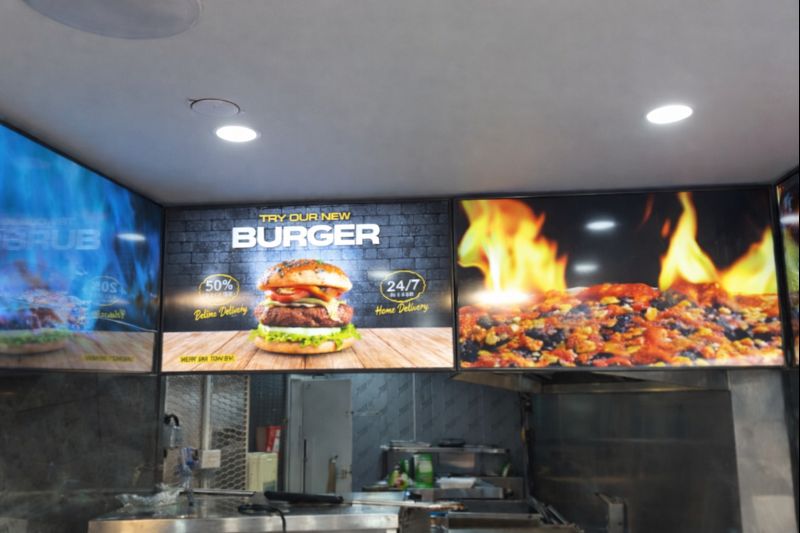
Digital Menu Boards & High-Brightness Display for Karak Chaii, Southall
HOSPITALITY • DIGITAL MENU BOARDS43-inch 4K vivid-bright digital menu board installed by ScreenMoove, ceiling mounted for a clean finish, delivering sharper menu clarity, flexible content updates and reliable 24/7 commercial performance.ClientKarak ChaiiLocationSouthallSectorHospitalityInstallation DateFebruary 2026SolutionDigital Menu BoardsProducts43" Digital Signage Display -
 January 22, 2026
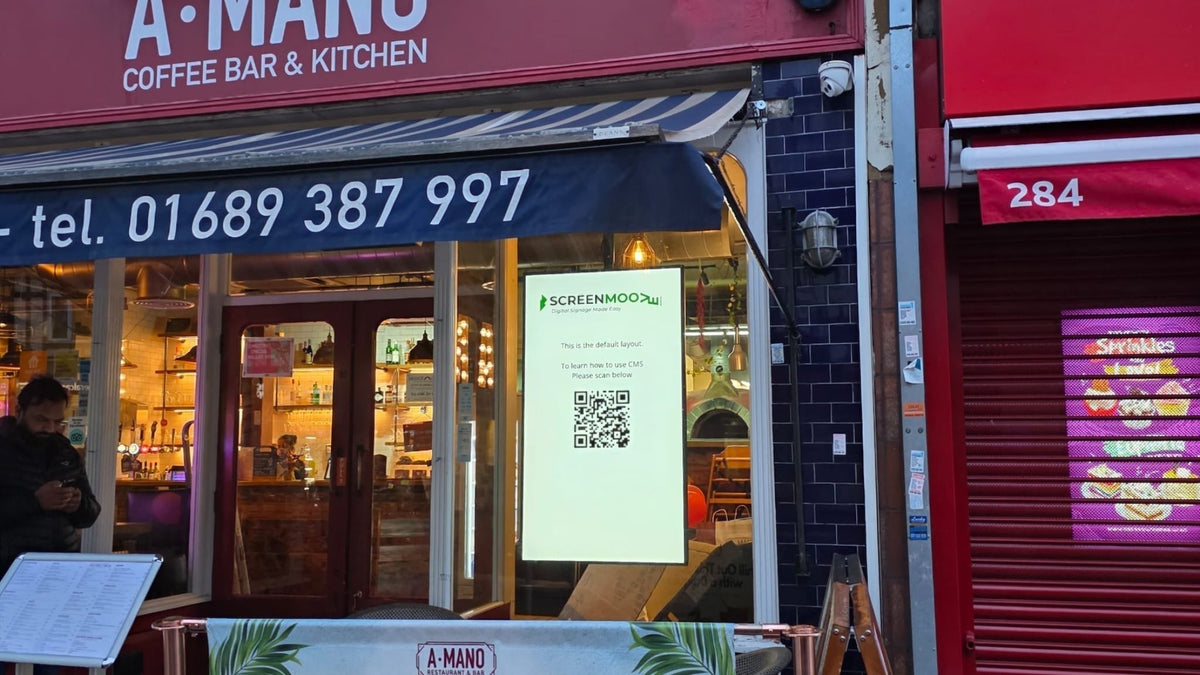
Digital Signage & Installation Service for A MANO, Orpington
RETAIL • Digital SignageWindow-facing 55-inch digital signage installed for A MANO in Orpington, delivering vivid-bright 800 cd/m2 visibility, CMS-controlled updates, and street-level brand impact and daily promotion.ClientA ManoLocationOrpingtonSectorHospitalityInstallation DateJanuary 2026SolutionDigital Signage + InstallationProducts55" Digital Signage Display -
 January 14, 2026
Digital Menu Boards with Custom Curved Mount Installation for Woodys, Andover
HOSPITALITY • DIGITAL MENU BOARDSFour-screen digital menu boards installed for Woodys in Andover, featuring a bespoke curved mounting layout and CMS-controlled content for a bold, immersive menu experience.ClientWoodysLocationAndoverSectorHospitality, QSRInstallation DateFebruary 2025SolutionDigital Menu Boards + CMSProducts43" Digital Menu Boards -
 January 14, 2026
Digital Signage & Freestanding Display for Naan Staap, Leicester
HOSPITALITY • DIGITAL MENU BOARDSMulti-screen digital menu boards and floor-to-ceiling ultra-high-brightness window display installed for Naan Staap in Leicester, delivering clear menus and strong street-level visibility impact.ClientNaan StaapLocationLeicesterSectorHospitality, QSRInstallation DateMay 2025SolutionMenu Boards + UHD DisplayProducts32" Menu Boards & 49" Display


Top Quality Store
Why it matters
Demonstrates consistently strong fulfilment, service, and post-sale experience across Google signals.
Great products and service! The guys always go above and beyond to make sure they supply you with the product that best fits your needs. I’ve been using Screen Moove for a number of years now and woul...
See moreScreen Moove went above and beyond for my requirements. Ordering system was super easy it just take 2 minutes to complete my order and I have received my tracking details right away after few minutes...
See moreMoe Khan, one of the team at Screen Move has been a fantastic help as we have navigated the process of choosing and buying screens and stands for our church. Helpful at every step of the way, patient...
See moreWe originally planned to purchase a cheap TV for our showrooms. After speaking with screen moove, we ended up investing in floorstanding displays across multiple retail sites and showrooms. The bright...
See moreI placed my order late at night but realized I had entered the wrong address. I immediately sent an email asking for it to be changed, not really expecting a reply until the next day. To my surprise,...
See moreI’ve been looking ultra high brightness display despite I checked everywhere I didn’t trust. They got my trust and I ordered. It arrived safely next day we have installed screen is awesome and high qu...
See moreThis is second time I used Screen Moove, I have bought double sided 55 inch display. The first order was a bit delayed I don't blame it might be happen, but customer service over the phone was excell...
See moreScreenmoove, perfect customer satisfaction from start to finish! Their customer service is incredibly helpful and fast. It’s amazing to be able to reach out and get quick solutions for any issue. We a...
See moreWe found that we needed a video call to work out the set up. The tech team at screenmoove were very very good. I would suggest that the instructions that come with the screen offer two key info. 1. Set...
See moreGreat experience with Jonathan Gray, previously I was looking for other companies and randomly ordering our needs from elsewhere. after I met with him, since 2024 we are keep purchasing from screen m...
See more
Need help choosing the right product?
Speak directly with a dedicated Screen Moove expert and get the right solution, first time.
Call us on: 020 8191 9223
Email us: info@screenmoove.com
Contact us
Simply complete our contact form, and we will promptly respond to your inquiries.
If you have any questions or enquiry, please fill out the form below with all of your details and we'll get back to you shortly.