




Education Monitors for Schools, Colleges & Universities
ScreenMoove supplies education monitors, monitors for education, monitors for schools, classroom monitors and education computer monitors for UK learning environments. From school computer monitors and classroom display screens to large format monitors for education, touchscreen monitors for education and commercial monitors for education, we help schools, colleges and universities choose the right display solution for teaching, learning, communication and collaboration.

Built for teaching, learning, communication and everyday education use
Monitors for classrooms, monitors for colleges and monitors for universities need to support more than basic desktop work. Education spaces often require IPS monitors for schools, anti glare monitors for classrooms, 4K monitors for education, HD monitors for classrooms, LED monitors for classrooms and LCD monitors for education that deliver clear visuals, dependable performance and flexible installation options across modern learning environments.
Why education monitors matter
The right education display monitors help improve visibility, support digital learning and create more engaging spaces for students and staff across schools, colleges and universities.
- Monitors for teaching and presentations in schools
- Monitors for learning environments, student engagement and classroom collaboration
- Professional monitors for schools with strong reliability for daily use
- Commercial grade monitors for schools and 24/7 monitors for education for signage and communication areas
Education monitor types we support
ScreenMoove can help with everything from school monitors and classroom monitors to specialist education AV monitors and digital communication displays.
- School computer monitors and education computer monitors
- Digital display monitors for education and AV display monitors for education
- Interactive monitors for schools and touchscreen monitors for education
- High brightness monitors for schools, wall mounted monitors for schools and freestanding monitors for education
Monitor solutions across classrooms, computer labs and collaborative spaces
From dual screen classroom setup monitors and multi screen classroom monitors to reception displays and lecture hall screens, we support education environments with the right monitor format, screen size and commercial display specification.
Collaborative classrooms
Ideal for monitors for classroom collaboration, student engagement and shared digital learning.

Computer labs
Reliable school computer monitors and monitors for colleges for IT suites and student workstations.

Teaching support
Useful for monitors for teaching displays, one-to-one support and focused learning environments.

Specialist digital learning
Designed for dual screen classroom setup monitors, coding spaces and advanced higher education work.
Popular monitors for schools, colleges and universities
Explore a selection of monitor options suitable for education monitors UK, monitors for schools UK, classrooms, IT suites, admin desks, study spaces and campus environments. These products can support both everyday desktop use and wider education display solutions monitors requirements.
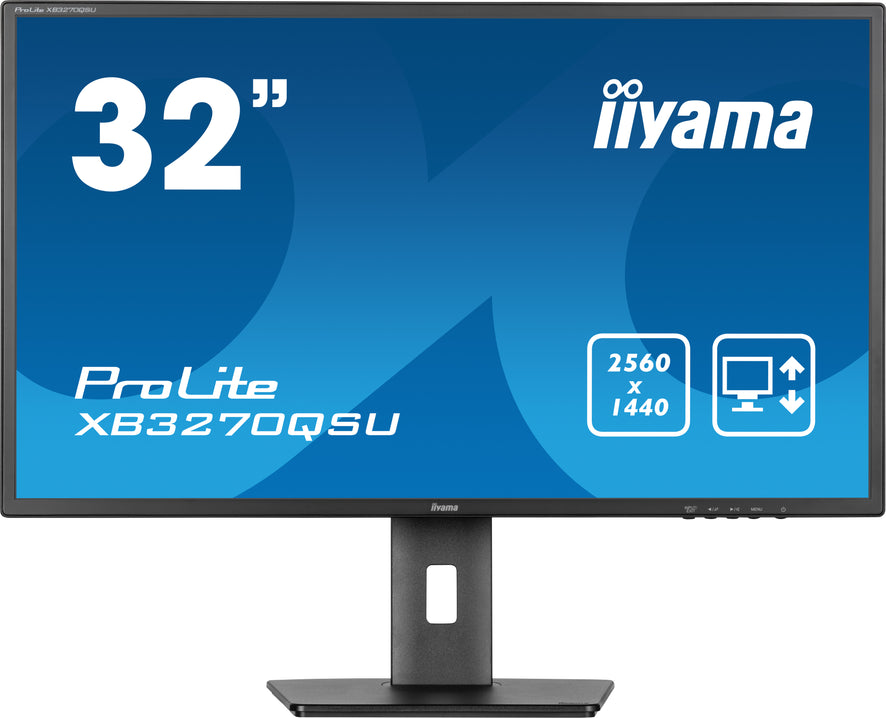
iiyama ProLite XB3270QSU-B1 32" 100Hz 3ms IPS QHD Desktop Monitor
A large QHD IPS monitor ideal for monitors for schools, classrooms, student workstations and college desktop setups.
View Product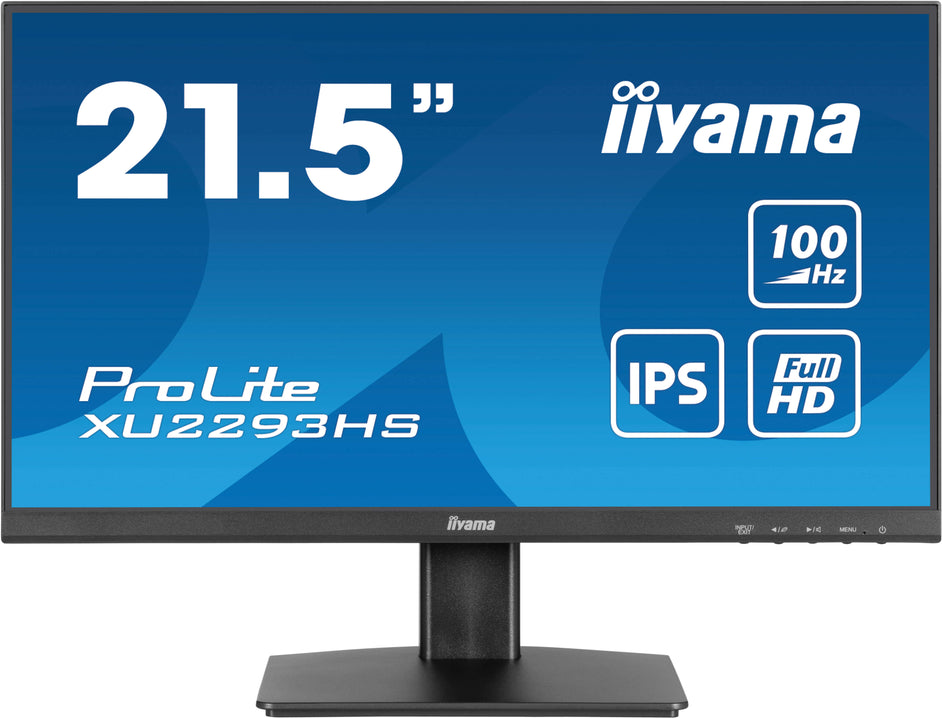
iiyama ProLite XU2293HS-B6 21.5" 100Hz 1ms IPS Full HD Desktop Monitor
A compact Full HD IPS display for school computer monitors, admin desks, student workstations and classroom desktops.
View Product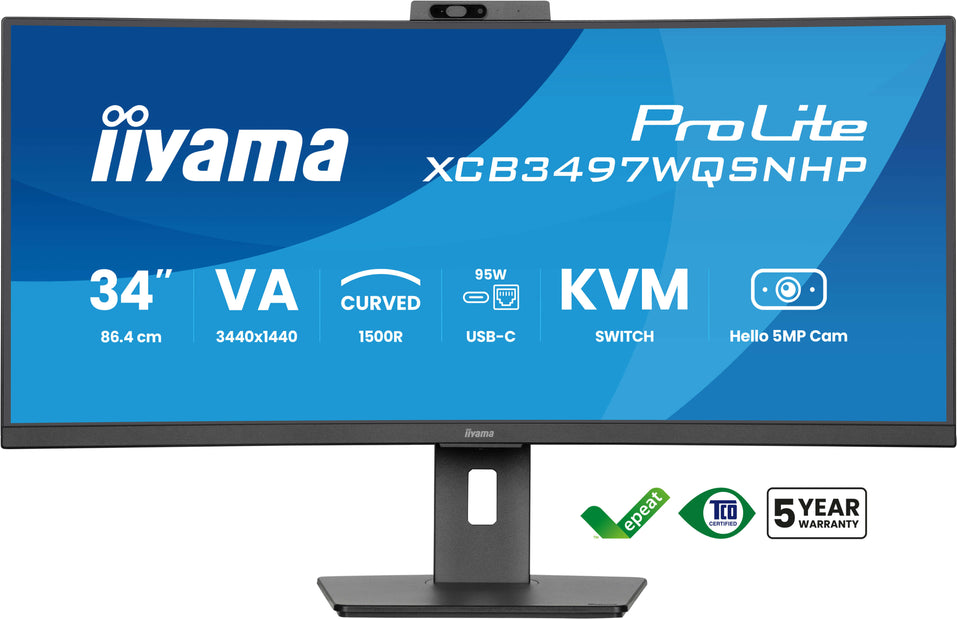
iiyama ProLite XCB3497WQSNPH-B1 34" 120Hz UWQHD Desktop Monitor
An ultrawide UWQHD monitor for monitors for universities, creative suites, coding spaces and advanced education workstations.
View ProductFeatures to look for in classroom and campus monitor solutions
Choosing the right monitor depends on the environment. A desktop workstation may need IPS monitors for schools and eye care features, while corridors, receptions and lecture spaces may need large screen monitors for classrooms, high resolution monitors for education, slim bezel monitors for education or commercial signage displays with built-in media capability.
Desktop and teaching use
- Anti glare monitors for classrooms and eye-friendly IPS panels
- 4K monitors for education and Full HD desktop monitors
- Energy efficient monitors for schools for day-to-day use
- Durable monitors for schools and heavy duty monitors for education
Communication and signage use
- Digital signage monitors for schools and campus communication screens
- Monitors for education reception signage, announcements and timetable displays
- Monitors for school dashboards, digital noticeboards and staff communication
- Monitors for schools with built in media player and plug and play monitors for classrooms
Advanced education spaces
- Monitors for lecture theatres and monitors for university lecture halls
- Wall mounted monitors for schools, ceiling mounted monitors for classrooms and freestanding displays
- Monitors with android for education, smart monitors for schools and monitors with CMS for education
- Commercial grade monitors for schools and 24/7 monitors for education
Monitor sizes for schools, colleges and universities
From desktop workstations to large classroom screens UK, ScreenMoove supplies monitor sizes to suit reception desks, teaching spaces, student workstations, digital noticeboards and wider classroom screen solutions UK.
10" Monitors
Compact screens for specialist counters, kiosks and smaller education workstations.
15" Monitors
Space-saving monitors for reception points, staff desks and smaller learning environments.
17" Monitors
Practical screen sizes for school admin use and everyday education computing.
19" Monitors
Useful for desks, admin offices and dependable day-to-day school monitor setups.
22" Monitors
Popular for classrooms, reception desks and practical teaching environments.
24" Monitors
A versatile choice for IT suites, student desktops and classroom display stations.
25" Monitors
Extra workspace for teaching, admin and multi-tasking education use.
27" Monitors
Larger desktop displays for colleges, universities and specialist digital learning.
32" Monitors
Large desktop and presentation-ready screens for classrooms and education workspaces.
34" Monitors
Ultrawide options for coding, media, design and advanced student workstations.
49" Monitors
Super ultrawide monitors for specialist university environments and high-performance setups.
Trusted monitor brands for schools, colleges and universities
Explore professional display brands for education AV solutions monitors, classrooms, desktop computing, campus communication and teaching spaces.

iiyama Monitors
Professional education monitors for classrooms, IT suites and teaching environments.
Shop iiyama Monitors
HP Monitors
Reliable school and office monitor options for staff, students and admin use.
Shop HP Monitors
NEC Monitors
Commercial display solutions for universities, signage areas and education communication screens.
Shop NEC Monitors
Hannspree Monitors
Practical monitors for education workstations, desktops and day-to-day learning spaces.
Shop Hannspree Monitors
ASUS Monitors
Flexible desktop and higher education monitor solutions for specialist setups.
Shop ASUS Monitors
LG Monitors
High-quality screens for student workstations, teacher desks and shared learning environments.
Shop LG Monitors
AG Neovo Monitors
Professional monitor displays for education desktops, reception spaces and admin areas.
Shop AG Neovo Monitors
Philips Monitors
Dependable college and university monitor options for learning, communication and admin use.
Shop Philips Monitors
Samsung Monitors
Modern display solutions for campus environments, desktops and student study areas.
Shop Samsung Monitors
Hikvision Monitors
Professional display screens for school communication spaces and practical workstation setups.
Shop Hikvision MonitorsWhere education monitors are used across schools, colleges and universities
Education monitor solutions need to work across desktop computing, signage, teaching and communication. ScreenMoove supports a wide range of use cases, from classroom teaching to campus information displays and hybrid learning spaces.
Classrooms & teaching spaces
Support lessons, presentations and digital learning with monitors for classrooms, classroom display screens, monitors for presentations in schools and monitors for teaching displays.
IT suites & learning environments
Create practical workstation setups with education computer monitors, school computer monitors, monitors for learning environments and multi screen classroom monitors.
Reception, corridors & campus communication
Use digital signage monitors for schools, monitor displays for school corridors, monitors for announcements in schools, monitors for timetable displays and monitors for university wayfinding.
Lecture theatres & large academic spaces
Choose large format monitors for education, large screen monitors for classrooms, monitors for lecture theatres and monitors for university lecture halls for high visibility and impact.
Hybrid learning & video calls
Support modern education delivery with monitors for hybrid learning, monitors for remote learning classrooms, monitors for video conferencing classrooms and displays for Teams, Zoom and Google Meet.
Smart signage & media playback
Deploy monitors with android for education, smart monitors for schools, monitors with CMS for education and screens with built-in media players for simple content updates.
Monitor solutions for connected classrooms and education video calls
As schools and universities expand hybrid teaching, meeting rooms and lecture capture, the right displays become essential. We can help with monitors for education video calls, monitors for Microsoft Teams rooms education, monitors for Zoom rooms education and monitors for Google Meet classrooms, alongside cameras, mounts and AV accessories.
Ideal hybrid learning monitor use cases
- Monitors for video conferencing classrooms and staff training rooms
- Large displays for teaching, presenting and remote participation
- Desktop and wall-mounted screens for admin and collaboration spaces
- Integration with wider education AV monitors and accessories
Additional commercial display applications
- Monitors for school reception areas and visitor communication
- Monitors for campus displays and campus marketing messages
- Monitors for student information displays and staff dashboards
- Monitors for school digital signage and digital noticeboards
FAQs about education monitors
Find answers to common questions about choosing monitors for education, schools, colleges and universities.
What are the best monitors for education?
The best education monitors depend on how the screen will be used. Desktop learning spaces often benefit from IPS, Full HD or 4K screens with anti glare panels, while receptions, lecture theatres and corridors may need larger commercial displays, wall-mounted screens or digital signage monitor solutions.
Are desktop monitors suitable for classrooms?
Yes. Desktop monitors are ideal for classrooms, IT suites, coding spaces, libraries and admin areas where students or staff need reliable screens for coursework, research, teaching and everyday computing.
Can education monitors be used for signage and announcements?
Yes. Commercial monitors can be used for school digital signage, corridor communication screens, digital noticeboards, timetable displays, reception messaging, wayfinding and campus announcements. Models with android or built-in media players can make content updates simpler.
Do you supply monitors for hybrid learning and video conferencing?
Yes. ScreenMoove can help with monitor solutions for hybrid learning, education video calls, Microsoft Teams Rooms, Zoom Rooms and Google Meet classroom environments, alongside wider AV accessories and installation options.
Can ScreenMoove recommend the right monitor size and specification?
Yes. We can recommend the right monitor based on screen size, installation method, brightness, resolution, daily operating time, intended content and the specific school, college or university environment.
Need help choosing the right monitors for education?
Whether you need school monitors, classroom monitors, large screen monitors for classrooms, signage displays for school corridors or commercial monitor solutions for universities, ScreenMoove can help you choose the right setup.
Talk to us about education monitor solutions
Need help finding the right monitors for your school, college or university? Fill in the form below and our team will be in touch.
Explore More Education Display Solutions
Discover a wider range of AV and digital display solutions designed for schools, colleges and universities, including signage, monitors, interactive screens and more.
View Education Display Solutions.carousel-btn:disabled { opacity: 0.45; cursor: not-allowed; }