





iiyama ProLite XUB2492HSN-B1 24" IPS Desktop Monitor
SKU: XUB2492HSN-B1
£134.35 (Excl. VAT)
Book a Free Product Demo
Remote or on-site. No obligation.
Integrator or Installer?
Trade pricing, volume discounts, same-day collection.
Education & Public Sector Solutions
Exclusive pricing, flexible terms, and dedicated support for schools, universities, NHS, and government organisations.
- Description
- Specifications
- Warranty
-
iiyama ProLite XUB2492HSN-B1 24" IPS Desktop Monitor
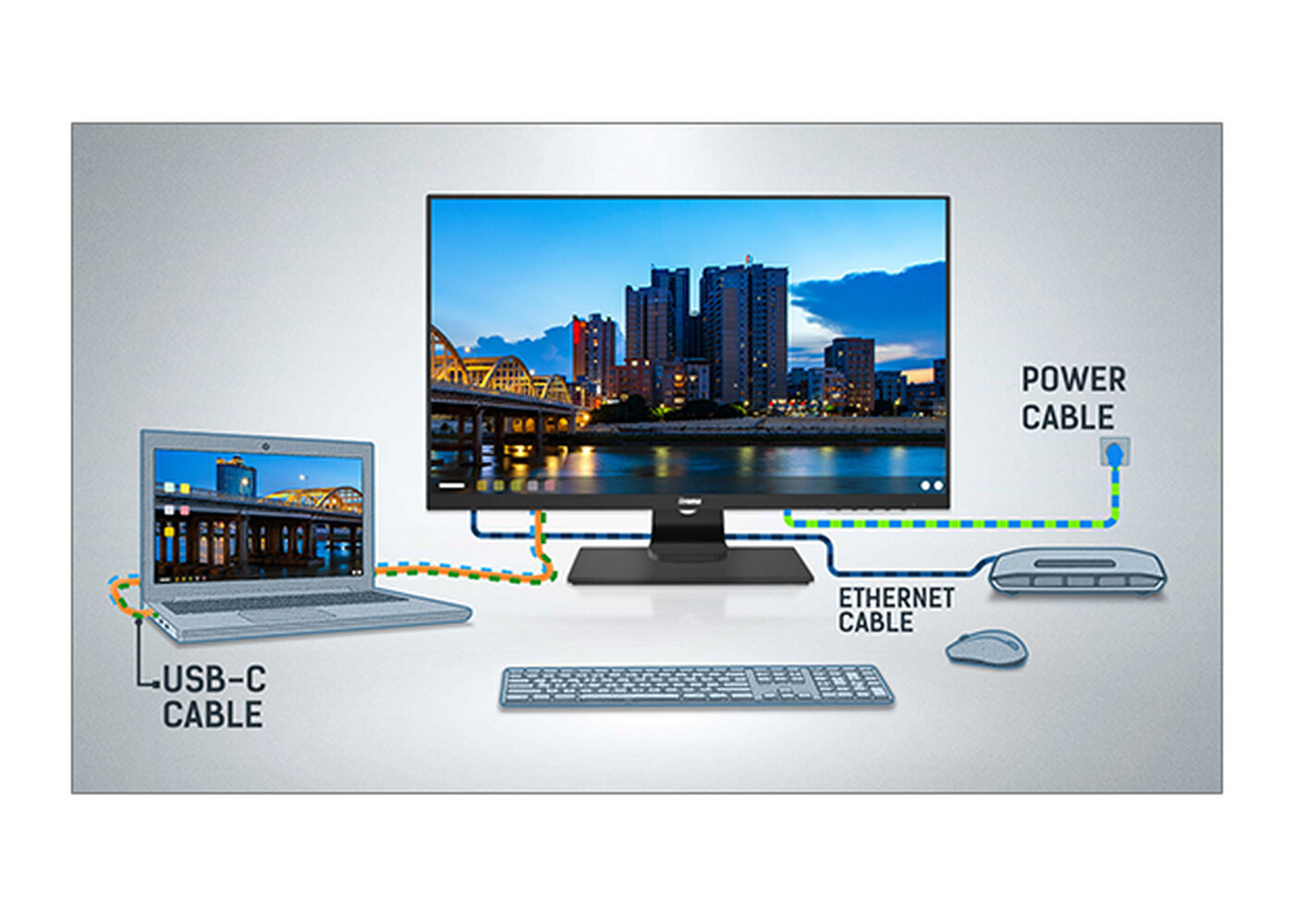
Equipped with a USB-C dock connector, the XUB2492HSN allows you to simplify your workspace by using a single cable to both send signal from your notebook to your monitor and power and charge the notebook from the monitor. Additionally, if your monitor is connected to the Internet with a LAN cable, your notebook will automatically be connected to the network as well. Thanks to a DisplayPort output you can easily extend your desktop by creating a double-monitor set-up.
-
DISPLAY CHARACTERISTICS
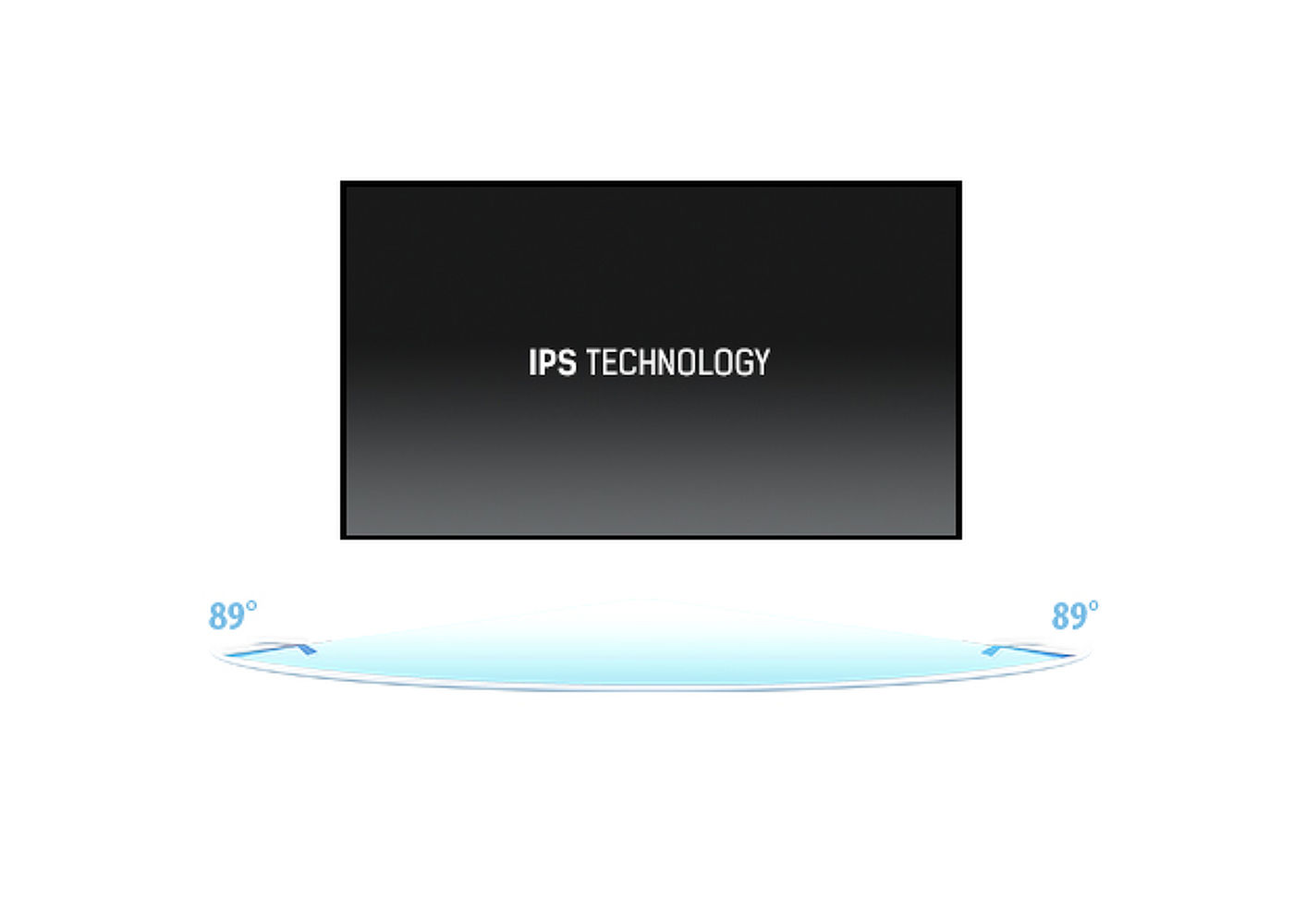
Design ultra slim Diagonal 23.8", 60.5cm Panel IPS Panel Technology LED, matte finish Native resolution 1920 x 1080 @75Hz (2.1 megapixel Full HD) Aspect ratio 16:9 Panel brightness 250 cd/m² Static contrast 1000:1 Advanced contrast 80M:1 Response time (GTG) 4ms Viewing zone horizontal/vertical: 178°/178°, right/left: 89°/89°, up/down: 89°/89° Colour support 16.7mln (sRGB: 99%; NTSC: 72%) Horizontal Sync 30 - 85kHz Viewable area W x H 527 x 296.5mm, 20.7 x 11.7" Pixel pitch 0.275mm Colour matte, black INTERFACES / CONNECTORS / CONTROLS
Signal input HDMI x1 (1920 x 1080 @75Hz)
DisplayPort x1 (1920 x 1080 @75Hz)Signal output DisplayPort x1 (Daisy Chain MST max. 1920 x 1080) USB HUB x2 (v.3.0) USB-C dock x1 (Power delivery 65W, LAN, DP out, USB 3.0) HDCP yes Headphone connector yes RJ45 (LAN) x1 FEATURES
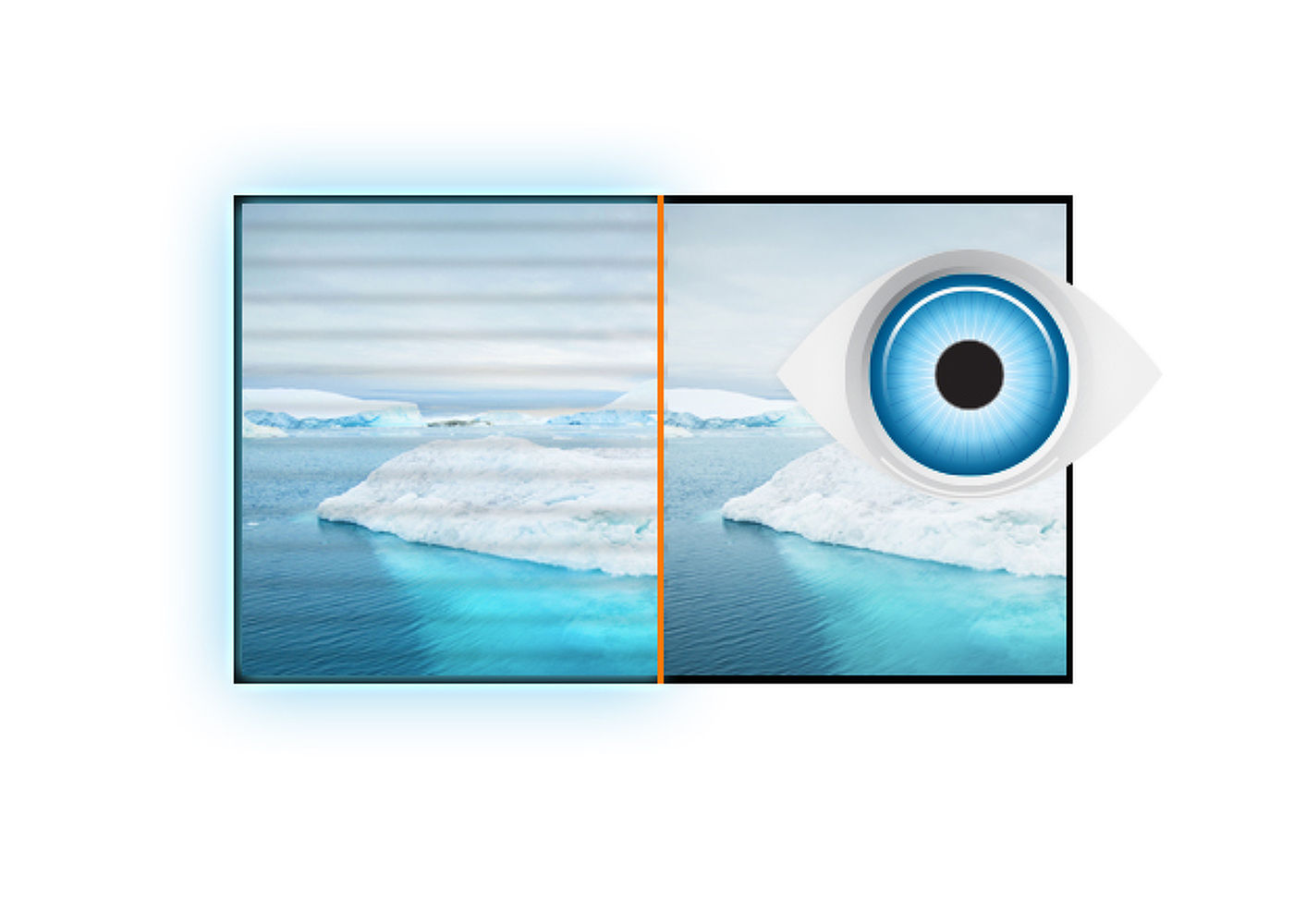
Blue light reducer yes Flicker free yes OSD languages EN, DE, FR, ES, IT, RU, JP, CZ, NL, PL Control buttons Power, Menu/ Select, Up/ Volume, Down/ ECO, Exit, Input User controls picture adjust (brightness, contrast, Eco, blue light reducer, ACR, OD), colour settings (colour temp., user preset, i-Style colour), OSD (OSD H. position, OSD V. position, OSD rotate, OSD time), language, recall, miscellanous (sharp and soft, video mode adjust, opening logo, USB BC, MST, information), input select, audio settings (volume, mute) Speakers 2 x 2W Convenience Kensington-lock™ prepared, DDC2B MECHANICAL
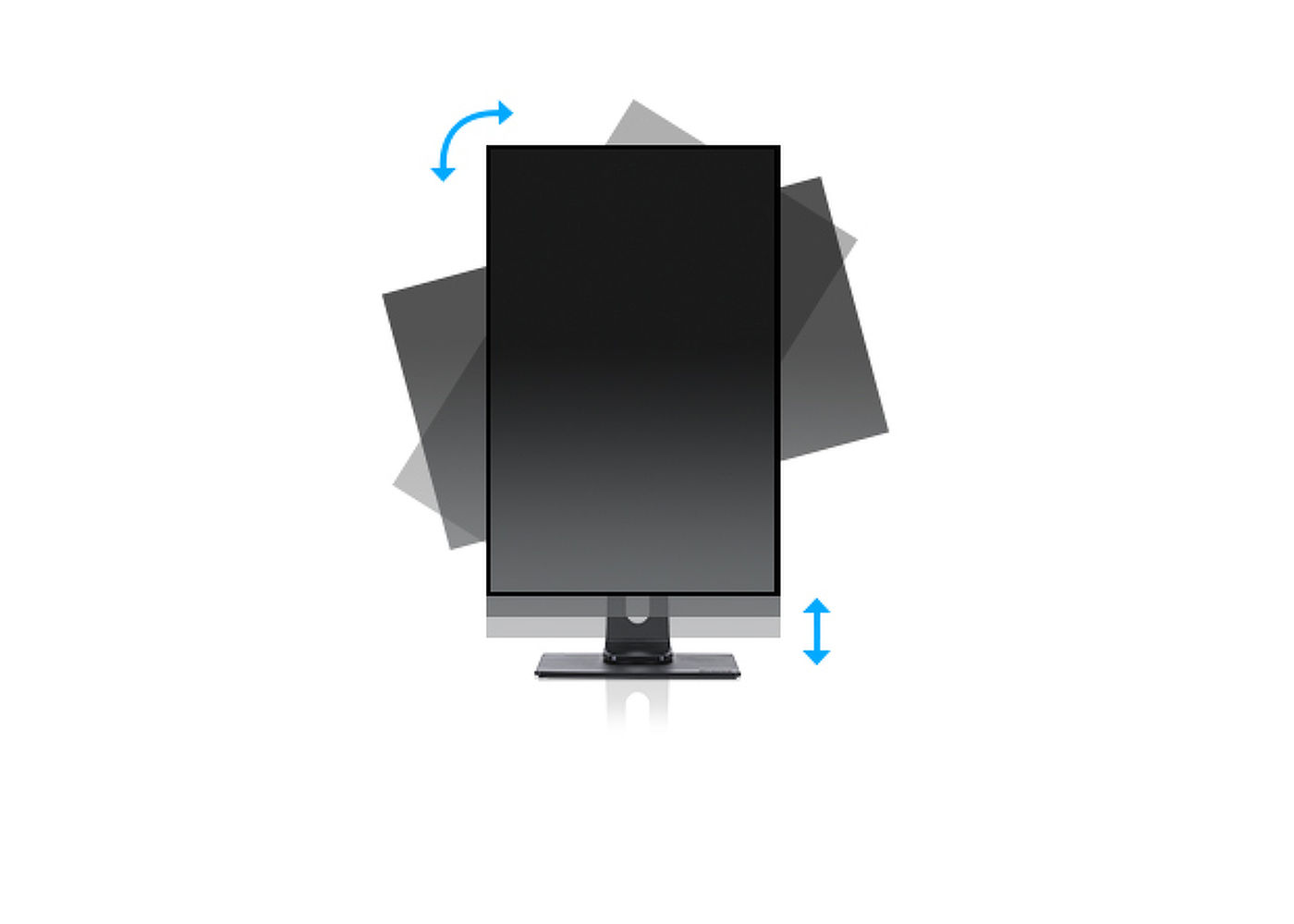
Display position adjustments height, swivel, tilt, pivot (rotation both sides) Height adjustment 130mm Rotation (PIVOT function) 90° Swivel stand 90°; 45° left; 45° right Tilt angle 22° up; 5° down VESA mounting 100 x 100mm Cable management system yes ACCESSORIES INCLUDED
Cables power, HDMI, USB-C Other quick start guide, safety guide POWER MANAGEMENT
Power supply unit internal Power supply AC 100 - 240V, 50/60Hz Power usage 19W typical, 0.5W stand by, 0.5W off mode SUSTAINABILITY
Regulations TCO, CE, TÜV-GS, EAC, VCCI-B, PSE, RoHS support, ErP, WEEE, REACH Energy efficiency class (Regulation (EU) 2017/1369) F REACH SVHC above 0.1%: Lead DIMENSIONS / WEIGHT
Product dimensions W x H x D 539.5 x 366.5 (496.5) x 210mm Box dimensions W x H x D 688 x 401 x 206mm Weight (without box) 5.4kg EAN code 4948570117864 RELATED INFORMATION
Related products MD BRPCV03 -
Warranty Product Cover Visioncare Desktop LCD products (Monitors) (17" - 43")
3 years on-site UK warranty. (Upgrades to 5 years available)
Touchcare
LCD touchscreen products 3 years repair and return. (Upgrades to on-site & 5 years available)
LFD Large Format Displays Standard Warranty
3 years collect and return (Upgrade to swap, installation & 5 years available) Download
HOW TO ACTIVATE YOUR WARRANTYThere is no need to pre-register your warranty, just follow the six simple steps below to activate your warranty should the need arise. First-class service is assured by our experienced engineers and customer service helpdesk.
Step one - Check that all connections have been properly made.
Step two - Check the set-up in the user manual. Wherever possible, please try to check your iiyama product with alternate equipment before contacting the iiyama customer service help desk.
Step three - If the fault cannot be cured by the above means, call the iiyama customer service helpdesk on 01926 819 189. Please have ready to hand the following details: model number, serial number and date of purchase*. Or fill in the Service Request Form.
Step four - Your fault will be registered and you will be issued with a returns number, which you must quote on all paperwork relating to the defective unit.
Step five - Please retain any of your leads and manuals. Replacement/returned units will not include these sundry items.
Step six - Please ensure your product is clean and presentable before packaging it in the original box for collection.
* Proof of purchase may be requiredON-SITE SWAP OUT
PIONEERING CUSTOMER SERVICE.
LATEST CASE STUDIES
-
Innovating Dental Practice Centre with Double-Sided High-Brightness Digital Solutions
Read nowClient: Genix HealthcareLocation: Leeds/GarforthDate of Project Completed: November 2024Product Link : Moove 55" Hanging Double-Sided Introduction: We’re proud to share our latest project with Genix Healthcare, a leading dental practice group with locations in Leeds/Garforth. This transformative project involved the installation of two 55” Double-Sided...
-
Upgrading the Misela Mayfair Store-Front with Cutting-Edge Ultra High Brightness Digital Window Displays
Read nowClient: Misela Location: London/Mayfair Date: November 2023 Experience the Future of Storefront Displays with ScreenMoove's Ultra High Brightness Window Displays. Introduction: We're excited to announce our latest venture with Misela London, located in the bustling heart of Mayfair. In a move...
-
Revolutionizing the Café Experience: Digital Transformation at Bakers + Baristas
Read nowClient: Bakers + Baristas Location: Gillingham & Bexleyheath Date: October 2023 Introduction: We're thrilled to share our latest project for digital menu boards at Bakers Barista's Gillingham and Bexleyheath locations. Project Overview: In a significant upgrade from traditional static signs, we've installed...

Need help for Digital Signage ?
Contact with Screen Moove Experts today to find out the best solutions for you.
Call us on: 020 8191 9223
Email us: info@screenmoove.com
Contact us
Simply complete our contact form, and we will promptly respond to your inquiries.
If you have any questions or enquiry, please fill out the form below with all of your details and we'll get back to you shortly.


