



Blog post
AI Digital Signage Trends That Matter in 2026
A menu board that changes when a key item sells out, a retail screen that responds to footfall, or a reception display that automatically prioritises urgent messages all sound useful. They are useful - when the screen network, content rules and commercial display hardware behind them are properly specified. AI digital signage trends are moving beyond novelty, but they are not a reason to hand control of customer communications to an algorithm.
For UK businesses, the practical opportunity is to reduce manual work, improve relevance and make better use of screens already installed. The deciding factor is not whether a platform claims to use AI. It is whether the technology can support a clear operational outcome without creating unreliable content, privacy concerns or an unmanageable AV estate.
AI digital signage trends changing commercial networks
The most valuable developments are focused on decision-making rather than flashy effects. AI can help a signage network select, schedule and adapt approved content using live data such as time, weather, stock levels, occupancy or queue length. This gives multi-site operators more responsive communications without requiring teams to edit every screen, every day.
Generative AI is also changing the production side. Marketing and operations teams can create first-draft copy, resize campaign assets and prepare variations for different locations faster. That can be particularly helpful for restaurants managing frequent menu changes, retailers promoting local stock, or facilities teams publishing internal notices across several sites.
However, generated content should not go live without approval. Brand language, prices, allergen information, promotional terms and public-facing claims need human checks. AI makes the workflow quicker; it does not remove accountability.
Context-aware content replaces fixed playlists
Traditional digital signage often runs a fixed loop for weeks. It is simple to manage, but it may show breakfast offers at lunchtime, advertise a product that has sold through, or fail to react when conditions change. Context-aware scheduling can use defined triggers to choose from approved content instead.
A quick-service restaurant might show hot drinks during a cold morning, then switch to lunch bundles at the busiest point of the day. A gym could promote quieter classes when occupancy is low. A retail storefront display could prioritise rainwear when local weather data meets a set threshold. The content remains controlled, but the order and timing become more intelligent.
The trade-off is complexity. Every trigger requires good data and a sensible fallback. If a stock feed is delayed or a weather service is unavailable, the player should continue showing a suitable default playlist rather than a blank screen or outdated promotion.
Computer vision has specific, limited uses
Anonymous audience measurement is another area attracting attention. Sensors or cameras can estimate dwell time, viewing direction and broad audience patterns, allowing businesses to understand whether a display location and campaign are working. In some settings, vision systems may also identify queues and trigger practical messages, such as opening another service point or directing visitors to a quieter area.
This must be planned carefully. Footfall measurement is not the same as facial recognition, and businesses should not treat the two as interchangeable. Any deployment involving cameras needs a clear purpose, appropriate notices, data minimisation and a proper assessment of UK data protection obligations. For many organisations, anonymous occupancy sensors or manual reporting may deliver enough insight with less risk.
The strongest use cases are operational
The best AI-led projects usually solve a recurring operational problem. They do not start with a feature list. A school may need screens that prioritise safety updates and room changes. A hospitality venue may want to reduce reception queries by showing live event information. A corporate office may need meeting room displays to reflect booking status accurately.
Digital menu boards and availability
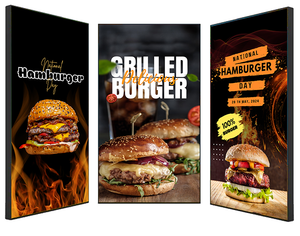
Digital menu boards are a strong fit for rule-based automation. When connected to reliable point-of-sale or stock data, a CMS can remove unavailable products, promote high-margin combinations or schedule daypart menus. This helps staff avoid awkward conversations at the counter and keeps displayed information aligned with what customers can order.
There are limits. Pricing and allergen data should come from a verified source, with strict permissions over who can alter it. If menu content needs frequent updates across several branches, use commercial-grade screens designed for the required operating hours, plus players and software that can be monitored centrally. A consumer television may be cheaper at the outset, but it is rarely the right foundation for a business-critical menu network.
Retail screens that respond without becoming intrusive
Retailers can use AI-supported scheduling to match promotions to store conditions, time of day and local product availability. Window-facing displays may alternate brand campaigns with immediate offers, while internal screens guide shoppers towards departments, services or collection points.
The aim should be relevance, not surveillance. Most stores do not need to identify individual shoppers to improve screen performance. Aggregated footfall, campaign timings and sales results can provide enough evidence to refine content and placement over time.
Corporate, education and public-facing communications
In offices, colleges and public buildings, the priority is usually clarity rather than conversion. AI can assist by summarising approved announcements, translating standard notices, or helping communications teams create layout variations for reception screens, wayfinding displays and internal video walls.
Even here, governance matters. Automated summaries can omit context, and machine translation can mishandle specialist or sensitive terminology. For emergency messages, safeguarding notices or policy communications, organisations should retain approved templates and a clear manual override.
Specify the infrastructure before the intelligence
AI features depend on the basics working consistently. A great content rule is of little value if the display overheats in a window, the player loses connectivity, or the screen cannot operate for the hours required. Start with the environment, viewing distance, ambient light, mounting position and expected daily usage.
High-brightness commercial displays are often necessary for shopfronts and areas with strong daylight. Indoor menu boards may need a different brightness level, orientation and mounting arrangement. Interactive displays and kiosks require suitable touch technology, accessible placement and a plan for cleaning and ongoing support. Video walls need accurate configuration, professional installation and allowance for service access.
The CMS and media player also need consideration. Look for remote monitoring, device health alerts, user permissions, scheduling flexibility and offline playback. If using data feeds or AI-driven rules, confirm how integrations are managed, what happens when a feed fails, and who owns the content approval process.
For larger estates, network segmentation and IT involvement should happen early. Displays, players, sensors and management software can create an expanding connected-device estate. Procurement teams should ask about security updates, authentication, data storage, support arrangements and product lifecycle, not just screen size and price.
A sensible way to introduce AI to signage
Start with one measurable use case rather than attempting an estate-wide transformation. For example, test automated dayparting on a small set of digital menu boards, or use occupancy data to alter messaging in one reception area. Define what success looks like before deployment: fewer manual updates, reduced queue times, better campaign conversion or fewer customer questions.
Build content rules around approved assets. Set limits on what automation can change, establish a default playlist, and assign a named owner who can pause or override the system. Review results after enough time to account for normal trading patterns, school terms or seasonal demand.
It is also worth checking whether the project genuinely requires AI. A well-built CMS with scheduled playlists, live data widgets and clear content templates may solve the problem more predictably. AI adds most value when there are many content decisions, variable conditions or a high volume of repetitive production work.
What buyers should ask suppliers
A commercial signage supplier should be able to discuss the full deployment, not only the panel specification. Ask whether the display is rated for your intended operating hours, whether it has the brightness needed for the location, and what warranty and support route applies. For AI-enabled projects, ask how data is collected, processed and retained, as well as how content can be approved and overridden.
Installation quality is equally significant. Mounting, cable routing, power provision, network access and sightlines affect reliability and perceived quality long after the screen is switched on. Screen Moove supports businesses with commercial display hardware, signage software, installation and technical guidance, helping match the right components to the operating environment.
The next useful step is not to buy AI because it is fashionable. Identify the message that is currently late, repetitive or poorly targeted, then design a screen network that can improve it reliably. When the hardware, software and rules are right, smarter signage earns its place by making everyday operations easier.


