Universities
Lecture theatres, teaching spaces and large higher-education presentation environments.
Shop 7,500 lumen projectors for universities, auditoriums, conference venues, theatres and professional AV installations.
This high-brightness tier is designed for substantial commercial projection environments where image size, ambient light and installation distance demand more output than conventional business or classroom projectors.
Compare professional laser, WUXGA, 4K and installation-focused projector options, with specification support available for screens, lenses, mounts and complete AV projects.
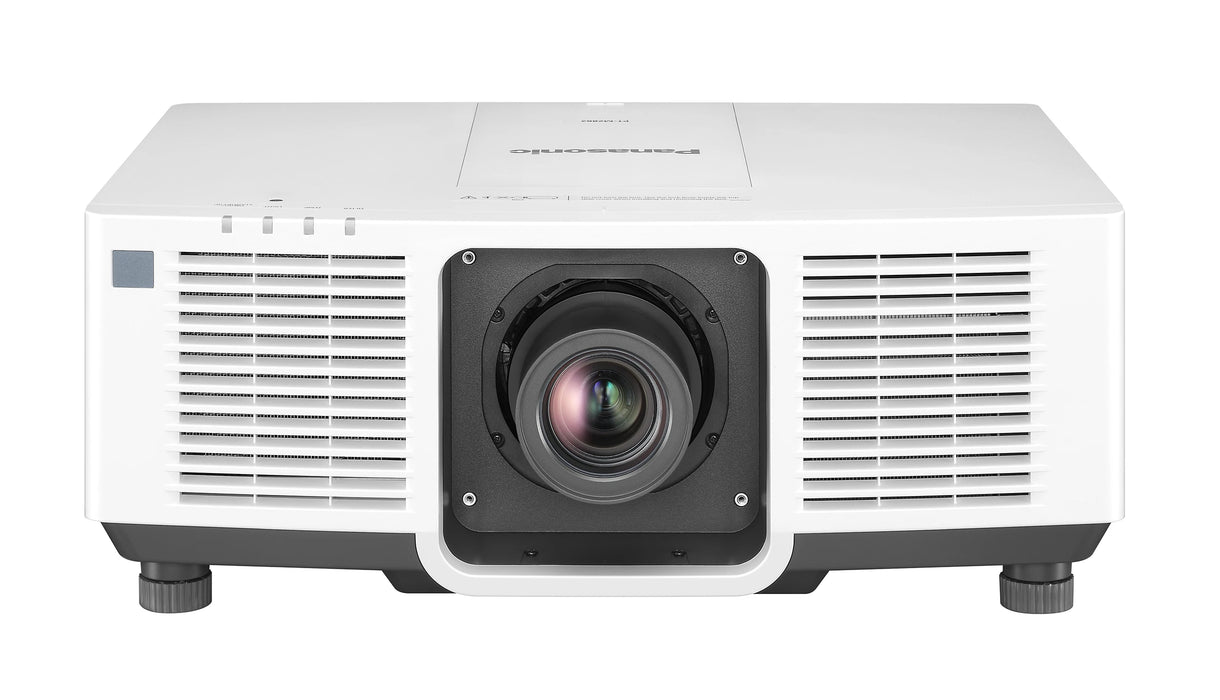
7,500 lumens sits within professional high-brightness projection. It can provide the additional output required where a conventional commercial projector would leave too little brightness headroom.
Lecture theatres, teaching spaces and large higher-education presentation environments.
Large-format presentation and video projection for substantial audience spaces.
Professional presentation systems where room lighting may remain partially in use.
Projection for performance, presentation and multi-purpose venue environments.
Large meeting spaces, auditoriums and professionally managed presentation systems.
High-output projection for substantial worship and community spaces.
Large-format visual communication and interpretation in museums and attractions.
Presentation and visual content for appropriately specified event environments.
Yes — 7,500 lumens represents a substantial level of projector brightness and is suitable for many professional large-room applications.
It can be particularly useful where the projected image needs to be larger, the viewing distance is substantial or some ambient room lighting needs to remain in operation.
However, projector suitability cannot be determined by lumens alone. The required image dimensions, screen properties, ambient light, throw distance and expected image performance all need to be considered.
A 7,500-lumen projector is not automatically the correct choice simply because the room is large. Professional projection should be specified around the complete environment.
7,500 lumens marks the lower end of ScreenMoove's higher-output large-venue range and provides a useful bridge between 4,800–6,000 lumen commercial projectors and the 8,000–10,000 lumen tiers.
Commercial and professional projection for moderately demanding spaces.
View range →High-brightness professional projection for larger environments.
Additional output for more demanding professional installations.
View range →Compare the complete range through Projectors by Lumens or read our projector lumens guide.
Professional high-brightness projector ranges increasingly include laser light sources, making laser an important option to compare at 7,500 lumens.
Laser technology can provide long light-source operating life, fast startup and reduced dependence on routine lamp replacement. These characteristics can be particularly useful for permanently installed equipment or projectors positioned in locations that are difficult to access.
Exact light-source life, operating modes and maintenance requirements vary between models and manufacturers, so check the individual product specification before ordering.
Explore ScreenMoove's wider professional laser projector collection.
Laser projectors →Brightness and resolution describe different projector characteristics. At this level, buyers should compare both rather than assuming that a 7,500-lumen projector automatically provides a particular resolution.
1920 × 1200 resolution is commonly used for professional presentation and data content, providing a 16:10 workspace.
Selected professional projector ranges provide 4K-focused options for applications where fine detail is important.
Choose resolution around the sources, image size and content your venue actually needs to display.
There is no single screen-size recommendation for every 7,500 lumen projector installation. Brightness needs to be considered alongside the complete projection system.
Increasing image area distributes the available projector output across a larger surface.
Windows, house lighting and stage lighting can reduce perceived image contrast.
The screen surface affects brightness distribution and viewing characteristics.
Presentation, video and specialist visual content can have different performance requirements.
Browse projector screens or contact ScreenMoove with the required image dimensions for specification support.
Professional projector installation depends heavily on throw ratio — the relationship between image width and the distance between the projector lens and screen.
Some large-venue projector platforms use interchangeable lenses, allowing the same projector chassis to work across different room layouts and installation distances.
Before ordering, measure the required image width and available lens-to-screen distance. Then confirm that the chosen projector and lens combination covers the required throw ratio.
Selected models allow optical image positioning without physically moving the projector.
Helps match image dimensions to the available projector location.
Selected professional projectors support long-distance AV distribution over structured cabling.
Useful for remotely monitored and centrally managed AV installations.
Selected models provide correction tools for more complex installation environments.
Check manufacturer guidance where portrait, tilted or non-standard installation is required.
Match video, network and control connections to the wider AV system.
Plan mounting and surrounding infrastructure so equipment remains maintainable.
For professionally designed projection systems and permanent installations.
For lecture theatres, auditoriums and substantial teaching environments.
For major presentation rooms, auditoriums and high-profile meeting environments.
For conference, theatre, worship, event and visitor-experience projection.
At this brightness level, projector performance depends on much more than the projector itself. Screen, lens, mounting position, cabling and environmental conditions should be considered together.
Start with the required projected image width and height.
Record the available projector-to-screen distance and mounting position.
Review the conditions in which the projector will normally operate.
Match throw ratio and positioning flexibility to the room.
Confirm projector dimensions, weight and structural requirements.
Consider signal distribution, network and control infrastructure.
Follow the manufacturer's ventilation and clearance requirements.
Complete alignment, image setup and system testing after installation.
ScreenMoove can support projector, screen, mounting and wider commercial AV installation requirements.
| Requirement | Why it matters | Check before purchase |
|---|---|---|
| Brightness | Determines available projector light output. | Rated manufacturer lumen specification |
| Image dimensions | Affects required brightness and lens choice. | Required projected width and height |
| Resolution | Determines visible image detail. | WUXGA, 4K or another requirement |
| Throw ratio | Determines whether the image fits from the available position. | Image width and lens-to-screen distance |
| Lens | Critical on many professional projector platforms. | Compatibility, zoom and lens shift |
| Light source | Affects operating lifecycle and maintenance. | Laser or other technology |
| Connectivity | Ensures compatibility with the AV infrastructure. | Video, network and control requirements |
| Mounting | Affects installation safety and accessibility. | Weight, dimensions and installation orientation |
Choose screen dimensions and surface around the installation.
Projector screens →Match lens throw ratio to the image width and projector position.
Projector lenses →Select suitable mounting hardware for the projector and installation location.
Projector mounts →Discuss professional projector and wider AV system requirements.
AV installation →Yes. 7,500 lumens is a high professional brightness level suitable for many universities, auditoriums, conference venues and large commercial AV environments. Final suitability depends on image dimensions, ambient light and the wider projection system.
Typical applications include university lecture theatres, auditoriums, conference venues, corporate presentation environments, theatres, houses of worship, visitor attractions and professional AV installations.
It can be. Suitability should be based on the required image dimensions, room lighting, screen properties, projector position and required image performance rather than room capacity alone.
Professional high-brightness ranges include laser projector options around this brightness level. Check the individual ScreenMoove product listings for the exact models currently available.
Selected professional projector ranges include 4K-focused options around this brightness category. Check the individual product specification for native resolution, image-processing technology and supported input formats.
WUXGA is a 1920 × 1200 resolution with a 16:10 aspect ratio. It is widely used for professional presentation and data content.
There is no universal screen-size range for a 7,500-lumen projector. The correct image dimensions depend on ambient light, screen properties, projector output and the required image performance.
7,500 lumens provides greater nominal light output than 6,000 lumens and can provide additional headroom for larger images or more demanding room conditions. The correct tier should still be determined from the complete installation.
The nominal difference is relatively modest. Compare the available projector models, resolution, lens system, installation features and price rather than choosing on the 500-lumen difference alone.
Throw distance varies by projector and lens. Measure the required image width and available lens-to-screen distance, then confirm that the chosen projector and lens combination provides the necessary throw ratio.
Rated light-source life varies by manufacturer, projector model and operating mode. Check the individual product specification rather than assuming every projector at this brightness has the same operating-life rating.
Professional specification and installation are strongly recommended for large-venue projection because lens selection, screen choice, mounting, cabling, ventilation and alignment all affect the finished result.
Professional buyers can use the trade account registration or public sector account pages for the relevant ScreenMoove account options.
Tell ScreenMoove your image dimensions, room lighting, projector position and throw distance and we can help narrow suitable projector, lens, screen and installation options.
Apply for a Screen Moove trade account and unlock exclusive pricing on commercial displays, digital signage, LED displays, mounting solutions and professional AV products.

Demonstrates consistently strong fulfilment, service, and post-sale experience across Google signals.
Great products and service! The guys always go above and beyond to make sure they supply you with the product that best fits your needs. I’ve been using Screen Moove for a number of years now and woul...
See moreScreen Moove went above and beyond for my requirements. Ordering system was super easy it just take 2 minutes to complete my order and I have received my tracking details right away after few minutes...
See moreMoe Khan, one of the team at Screen Move has been a fantastic help as we have navigated the process of choosing and buying screens and stands for our church. Helpful at every step of the way, patient...
See moreWe originally planned to purchase a cheap TV for our showrooms. After speaking with screen moove, we ended up investing in floorstanding displays across multiple retail sites and showrooms. The bright...
See moreI placed my order late at night but realized I had entered the wrong address. I immediately sent an email asking for it to be changed, not really expecting a reply until the next day. To my surprise,...
See moreI’ve been looking ultra high brightness display despite I checked everywhere I didn’t trust. They got my trust and I ordered. It arrived safely next day we have installed screen is awesome and high qu...
See moreThis is second time I used Screen Moove, I have bought double sided 55 inch display. The first order was a bit delayed I don't blame it might be happen, but customer service over the phone was excell...
See moreScreenmoove, perfect customer satisfaction from start to finish! Their customer service is incredibly helpful and fast. It’s amazing to be able to reach out and get quick solutions for any issue. We a...
See moreWe found that we needed a video call to work out the set up. The tech team at screenmoove were very very good. I would suggest that the instructions that come with the screen offer two key info. 1. Set...
See moreGreat experience with Jonathan Gray, previously I was looking for other companies and randomly ordering our needs from elsewhere. after I met with him, since 2024 we are keep purchasing from screen m...
See moreSpeak with our team about your display, digital signage, CMS, mounting or installation requirement. We will help you choose the right commercial AV solution before you spend money on the wrong product.
We help you choose the correct screen size, brightness, orientation, operating hours and product type for the real environment.
Need wall mounting, ceiling mounting, floorstands, video wall brackets or full installation support? We can advise the practical route.
For menu boards, retail signage, reception screens and internal communication displays, we can guide you on CMS setup and content control.
For resellers, schools, councils, contractors and multi-site businesses, we support fast quotations, project pricing and rollout planning.