




Video Conferencing for Gyms & Fitness Studios
ScreenMoove supplies video conferencing for gyms and fitness centres, including gym video conferencing systems, virtual fitness class technology, hybrid fitness studio setups, PTZ cameras, microphones, displays and Teams Rooms and Zoom Rooms for gyms.
Reliable conferencing and streaming hardware built for virtual classes, remote coaching and staff communication across fitness businesses.

What is video conferencing for gyms?
Video conferencing for gyms is the use of displays, cameras, microphones, speakers and conferencing platforms to connect trainers, members, staff and remote participants across studios, meeting spaces and fitness facilities. It supports hybrid fitness studio technology, virtual PT sessions and multi-location gym communication.
The right setup helps gym businesses run virtual classes, deliver remote coaching and keep staff connected across multiple sites, without compromising on video and audio quality.
- Support virtual fitness classes and hybrid gym class delivery
- Enable remote personal training and online coaching sessions
- Improve staff communication across multi-location gym franchises
- Compatible with Zoom, Microsoft Teams, Google Meet and other platforms

Where video conferencing works best in gyms
Video conferencing setups can be adapted to different spaces and use cases across a fitness business, from live-streamed classes to staff meetings and remote coaching.

Hybrid & virtual classes
Live streaming, hybrid gym classes and virtual spin or yoga class setups that combine in-person and remote members.
Remote personal training
Virtual PT sessions, online personal training setups and remote fitness coaching systems for 1:1 client work.
Staff & multi-site meetings
Gym staff video conferencing, franchise communication tools and multi-location gym communication systems.
Recommended video conferencing solutions for gyms and fitness studios
Explore a selection of video conferencing options suitable for fitness classes, staff communication, personal training sessions and wider gym and fitness centre AV requirements.
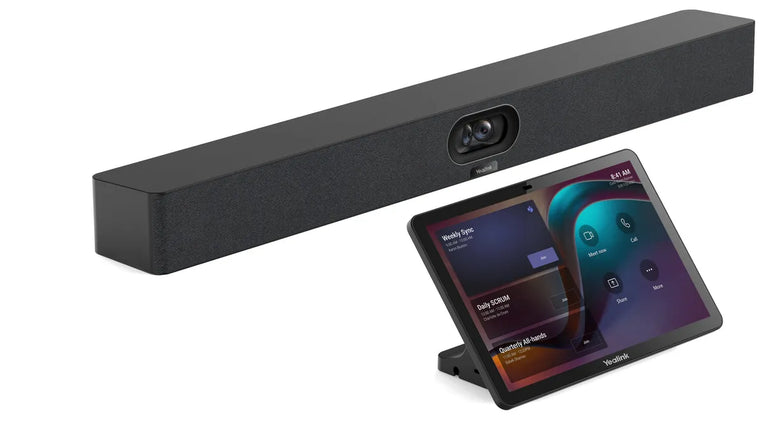 Hybrid Classes
Yealink MeetingBar A40 Video Conferencing Bar
All-in-one conferencing bar for gyms, fitness studios and class spaces with built-in camera, microphones and speakers for simple hybrid class delivery.
View Product → Conference Camera
Huddly L1 Conference Camera
A conference camera built for medium to large meeting rooms, suited to bigger gym meeting spaces and multi-site fitness businesses needing wider room coverage.
View Product →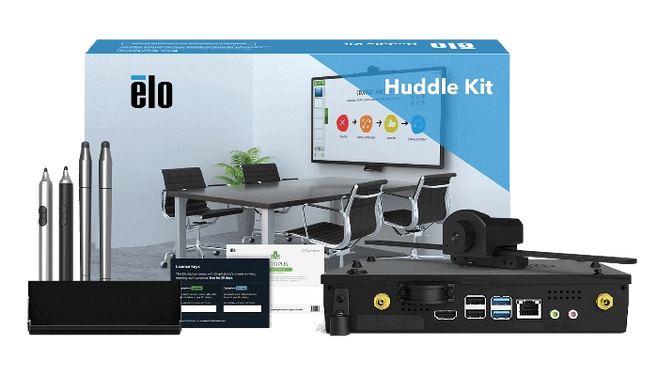 Teams Rooms
Microsoft Teams Rooms for Gyms
Dedicated room systems for gym meeting rooms, offices and multi-site operations using Microsoft Teams for gyms.
View Collection →What to check before buying video conferencing equipment for a gym
The right setup depends on room size, class format and how sessions are delivered. Check camera field of view, audio pickup range, platform compatibility and mounting before you buy.
| Buying factor | Why it matters | ScreenMoove recommendation |
|---|---|---|
| Camera field of view | Wider FoV and PTZ tracking matter more in larger studios and group classes than 1:1 coaching rooms. | Choose PTZ or wide-angle cameras for group classes, compact webcams for PT rooms. |
| Audio pickup range | Instructor voice and ambient studio sound both need clear pickup without excessive noise. | Match microphone range to room size and noise reduction needs. |
| Platform compatibility | Different gyms and franchises standardise on different conferencing platforms. | Confirm compatibility with Zoom, Microsoft Teams, Google Meet or your chosen platform. |
| All-in-one vs modular | Conferencing bars simplify setup; modular camera, mic and speaker combinations offer more flexibility. | Use bars for smaller studios, modular systems for larger or bespoke rooms. |
| Room type | Studio classes, PT rooms and staff meeting rooms have different layouts and use cases. | Specify hardware separately for class delivery rooms versus office meeting spaces. |
| Warranty | Conferencing hardware used daily needs reliable, business-grade support. | Use commercial-grade equipment with manufacturer-backed warranty. |
Trusted video conferencing brands for gyms and fitness centres
Explore leading brands for video conferencing platforms for gyms, room hardware and collaboration technology. These manufacturers support Zoom Rooms for gyms, Microsoft Teams Rooms for gyms, Google Meet for fitness training and wider AV solutions for hybrid fitness environments.

Yealink
Professional conferencing systems ideal for gyms, fitness studios and flexible coaching or communication environments.
Shop Yealink →
Poly
Reliable audio and video collaboration tools designed for gyms, staff communication spaces and member-facing environments.
Shop Poly →
MAXHUB
Flexible conferencing solutions for hybrid fitness studios, internal communication and interactive class spaces.
Shop MAXHUB →
AVer
Camera and conferencing technology suited to fitness studios, meeting rooms and hybrid class environments.
Shop AVer →
Gym video conferencing built for hybrid fitness delivery
Whether you need Zoom Rooms for gyms, Microsoft Teams Rooms for gyms or a modular camera, microphone and display setup, ScreenMoove can help you specify the right video conferencing equipment for your studio, meeting room or franchise site.
- All-in-one conferencing bars for boutique studios and class spaces
- PTZ cameras and microphones for larger group class rooms
- Teams Rooms and Zoom Rooms systems for meeting spaces
- UK expert support from quote through to installation
Gym video conferencing supplied and supported UK-wide
ScreenMoove supplies video conferencing equipment for gyms, health clubs and fitness studios across the UK, including product supply, room setup advice and installation support for single-site studios and multi-location gym groups.
From first enquiry to installed gym video conferencing
Scope
We understand your gym or studio, room size, class format and platform.
Specify
We recommend the right camera, microphone, display and conferencing hardware.
Quote
You receive clear pricing for supply, delivery and installation where required.
Install
Mounting, cabling and commissioning support for your studio or meeting room.
Support
We support warranty queries, platform advice and future expansion.
FAQs about video conferencing for gyms
Find answers to common questions about choosing video conferencing systems for gyms, fitness studios and commercial exercise spaces.
What is video conferencing for gyms?
Video conferencing for gyms is the use of displays, cameras, microphones, speakers and conferencing platforms to connect trainers, members, staff and remote participants across studios, meeting spaces and fitness facilities.
What equipment do gyms need for virtual fitness classes?
Most gyms need a high-quality display, conference camera or PTZ camera, microphones, speakers and the right conferencing or streaming platform. The exact setup depends on room size, class format and whether the sessions are live, hybrid or recorded.
Can gyms use Zoom, Microsoft Teams or Google Meet?
Yes. Many gym and fitness studio setups work with Zoom, Microsoft Teams and Google Meet, and ScreenMoove can help you choose compatible hardware for the platform you prefer.
Are all-in-one conferencing bars good for fitness studios?
Yes. Conferencing bars work well in boutique studios, training rooms and smaller gym spaces where easy all-in-one video conferencing is important.
Do you offer PTZ cameras and microphones for gyms?
Yes. ScreenMoove offers conference cameras, PTZ options, microphones, audio conferencing equipment, teleconferencing systems and room solutions for gym and fitness environments.
Can ScreenMoove help choose the right setup for online personal training?
Yes. ScreenMoove can help you choose the best setup for online personal training, virtual classes, consultations and internal communication based on your space, budget and platform requirements.
How much does video conferencing equipment cost for a gym?
Cost depends on whether you choose an all-in-one conferencing bar or a modular camera, microphone and speaker setup, plus room size and platform requirements. Compact bars for smaller studios sit at the lower end, while larger multi-camera Teams Rooms systems cost more.
Need help choosing video conferencing for your gym?
Whether you need a video conferencing bar for a boutique studio, PTZ cameras for group classes, or a full Teams Rooms system for a meeting space, ScreenMoove can help you choose the right solution.
- Advice on cameras, microphones and displays
- Support for studio, PT room and meeting room installations
- Guidance on Zoom, Teams and Google Meet compatibility
- Recommendations for gyms, boutique studios and leisure centres
Talk to us about gym video conferencing
Tell us about your gym, fitness studio or meeting room project and our team will recommend the right video conferencing setup.


