


Blog post
Are Digital Menus Profitable for UK Venues?
The lunchtime rush is rarely the best time to discover that a printed menu is out of date. A sold-out item remains on display, prices have changed, and staff are explaining alternatives to every other customer. That is where the question, “are digital menus profitable?”, becomes practical rather than theoretical. For restaurants, takeaways, cafés and hospitality venues, the return comes from selling more effectively, updating faster and reducing avoidable operating costs.
A digital menu board is not profitable simply because it replaces print. It becomes profitable when the content, hardware and placement are planned around customer decisions. The screen needs to be commercial-grade, the menu must be easy to read at a glance, and the system has to let the venue react to stock, trading periods and promotions without disruption.
Are digital menus profitable in practice?
They can be, but the payback period depends on the venue’s footfall, average transaction value, menu volatility and existing processes. A busy quick-service restaurant that changes offers several times a week will usually see a stronger return than a low-footfall venue with a fixed, compact menu. Multi-site operators also gain more because one approved campaign can be scheduled across multiple locations instead of being printed, distributed and fitted site by site.
Profitability normally comes through three connected areas: higher-value orders, lower menu-change costs and better operational control. The first is often the most visible. Well-designed digital menus can give higher-margin products, meal deals, add-ons and limited-time offers the prominence they need at the point of choice. The second is straightforward: there is no recurring print run every time a price, ingredient or promotion changes. The third can be more valuable over time, particularly where managers need to respond quickly to unavailable stock, daypart menus or local trading conditions.
The result is not guaranteed. A screen showing a cluttered menu, poorly lit photography or tiny text will not improve customer behaviour. It may slow service and damage the experience. Digital should make choices clearer, not create more choices.
Where digital menu board ROI is created
Increasing average order value
The strongest commercial use of a digital menu is directing attention. A customer can only process a limited amount of information while queueing, so hierarchy matters. Place best-selling and profitable core items where eyes naturally land, then use adjacent space for upgrades such as sides, drinks, desserts and bundles.
A breakfast offer can change to a lunch bundle automatically. A takeaway can switch from a broad daytime menu to a simpler evening menu that prioritises high-throughput combinations. A bar can promote premium mixers or selected cocktails when demand is highest. These are small changes, but across hundreds of transactions each week they can have a measurable effect.
The content should support, rather than replace, commercial judgement. If a meal deal produces lower margin than separate items, it should not dominate the screen merely because it looks attractive. Good menu board strategy starts with contribution margin, preparation capacity and customer demand, then uses the display to support those objectives.
Cutting print and changeover costs
Printed menus carry more cost than the initial design and production invoice. Teams spend time checking pricing, replacing damaged materials, fitting new boards and disposing of old stock. For venues with frequent price movements or short promotional cycles, those tasks soon add up.
Digital menu boards allow authorised users to update a single item or schedule a full menu change in advance. This reduces the risk of old prices remaining in front of customers and gives head office greater control over brand presentation. For a chain, central management also helps maintain consistency while allowing selected local changes where required.
There is still a cost to consider: content needs maintaining. Someone must own the menu data, approve creative and make sure updates are accurate. The advantage is that the process becomes repeatable and fast rather than dependent on ordering another batch of printed material.
Protecting speed of service
At peak times, clarity has financial value. If customers can understand the main offer, price points and available add-ons before reaching the till, queues move faster and staff have fewer repetitive questions to answer. This is especially relevant for takeaways, canteens, food halls and counter-service venues where every delay affects throughput.
A practical screen layout should use clear sections, high contrast, legible type and sensible distances between products. Prices need to be immediately visible. Avoid treating the menu board as a social media graphic: motion and video can be effective for a featured product, but constantly moving content can make a full menu harder to read.
Calculate the payback before buying
A credible business case needs more than an assumed sales uplift. Start by defining the full installed cost: commercial displays, mounts, media players, menu board software, network setup, content creation, electrical work and installation where needed. Add ongoing costs such as software subscriptions, support and occasional creative updates.
Then compare this with expected annual gains. These may include saved print spend, reduced staff time spent on menu swaps, fewer pricing errors and added gross profit from a modest increase in average basket value. Use conservative assumptions. If a venue serves 300 customers a day, even a small improvement in profit per order can justify the investment quickly, but it should be measured against actual sales data rather than optimism.
A simple approach is to calculate monthly gross-profit improvement and divide the total project cost by that figure. If the installation costs £6,000 and creates or saves £750 of gross profit each month, the indicative payback is eight months. This is not a promise of performance, but it gives decision-makers a clear benchmark.
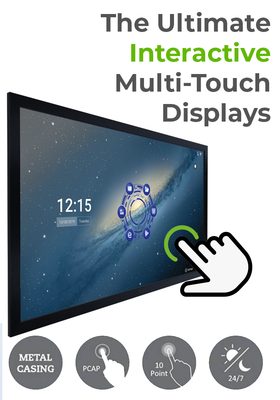
For a fair comparison, account for the useful life of the equipment. Consumer televisions may appear cheaper at the outset, but they are not designed for extended daily operation in commercial environments. A commercial digital signage display offers stronger build quality, better warranty coverage, appropriate brightness options and remote management features that can reduce downtime. Replacing failed consumer hardware early can erase the apparent saving.
The specification choices that affect profitability
The display must suit the environment. A menu board behind a counter in a controlled indoor setting may work well with a standard commercial display, while a storefront-facing screen needs higher brightness to remain visible in daylight. Screen size should be based on viewing distance and content density, not simply on the largest panel that fits the wall.
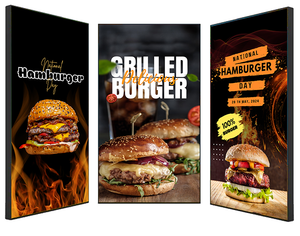
For most venues, portrait or landscape orientation is a design decision with operational consequences. Landscape screens are familiar for broad menu layouts, whereas portrait displays can work effectively for narrow offers, drinks lists or a sequence of featured products. Video walls can create high impact in large-format quick-service sites, but only make commercial sense where footfall and brand presence justify the added hardware, installation and content investment.
Reliability matters as much as image quality. Specify a suitable operating-hour rating, professional mounting, safe cable management and a media player or system-on-chip platform compatible with the chosen software. If a screen is central to ordering, a support plan and remote monitoring are worth considering. An unavailable menu board during service is not merely an IT issue; it is a trading issue.
Make content work harder than the hardware
The display is the platform. The content determines whether it earns its place. Build a menu template that accommodates normal price changes without requiring a redesign every time. Agree rules for item naming, allergen messaging, photography, promotional areas and brand colours before the first screen goes live.
Schedule by daypart where it makes commercial sense. Breakfast, lunch, afternoon treats and evening offers should not compete on the same screen all day. Use stock-aware updates for items that regularly run out, and reserve a consistent area for promotions so customers learn where to look.
Measure performance after launch. Compare average order value, sales mix, promotion uptake, print expenditure and queue times against a meaningful period before installation. Test one change at a time where possible. If a bundle moves more units but reduces gross profit, the content should be adjusted rather than declared successful on sales volume alone.
Screen Moove can support businesses that need a complete commercial menu board solution, from selecting suitable displays and players to installation, software and ongoing technical support. For operators with several sites, consistency of hardware and content management can be as valuable as the screens themselves.
A profitable digital menu is one that helps staff serve faster and helps customers choose with confidence. Start with the commercial objective, specify equipment for the operating environment, and treat the menu as a live sales tool rather than a digital version of a printed board.


