


Blog post
AV Technology Trends UK Businesses Need for 2026
A shop window screen that cannot be read in direct sunlight is not an advertising asset. A meeting room display that takes ten minutes to join is not a collaboration tool. The AV technology trends UK buyers should be planning for in 2026 are therefore less about novelty and more about performance, control and measurable value from every screen.
For retail, hospitality, education and corporate estates, commercial AV is increasingly part of the daily operating environment. The right choice affects footfall, staff communication, customer dwell time, room utilisation and the workload placed on IT and facilities teams. The priority is not simply buying a larger display. It is specifying a dependable system that suits the location, content, users and expected lifespan.
AV Technology Trends UK Buyers Should Watch
High-brightness signage is becoming a baseline requirement
Digital window displays continue to be one of the clearest examples of AV investment linked to customer attention. But standard indoor screens are often inadequate behind glass, particularly on south-facing frontages or in brightly lit shopping centres. High-brightness commercial displays, commonly specified from 2,500 nits upwards, are now a practical requirement rather than a premium extra for many storefront installations.
Brightness is only one part of the specification. Buyers should check whether the display is rated for the intended operating hours, can manage heat effectively and includes a suitable mounting solution. A screen operating 24/7 in an enclosed window bay faces very different conditions from a display used during office hours in a reception area.
Energy use also needs consideration. A brighter screen may cost more to run, but a dim screen that fails to communicate has no commercial return. Ambient light sensors, scheduling and carefully planned on-screen content can help balance visibility with energy consumption.
Cloud-managed signage is replacing local, manual updates
Multi-site organisations are moving away from USB updates and ad hoc content changes. Cloud-based digital signage software gives authorised teams the ability to schedule campaigns, change prices, share urgent messages and monitor player status from one location.
For a restaurant group, that may mean rolling out a breakfast-to-lunch menu change automatically across every branch. For a school, it could mean displaying an immediate safeguarding notice in communal areas. For retailers, it allows promotional content to follow trading hours, seasonal demand and local campaigns without relying on store colleagues to intervene.
The trade-off is governance. A content management system should make publishing easy without giving unrestricted access to everyone. Look for user permissions, approval workflows, proof-of-play reporting where required and clear device health monitoring. It is also worth checking whether a display has an integrated system-on-chip player or needs an external media player. Integrated solutions reduce hardware and cabling, while an external player can offer greater flexibility for demanding content, specialist software or longer-term upgrades.
Menu boards are becoming operational tools
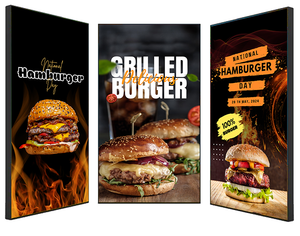
Digital menu boards remain a high-value application for quick-service restaurants, takeaways, cafés and food halls. Their role has expanded beyond displaying prices and product photography. Businesses are using them to manage daypart menus, promote high-margin add-ons, flag allergens, direct collection customers and keep branding consistent across sites.
The strongest installations start with viewing distance and layout. A menu that looks sharp on a designer’s monitor may be difficult to read from a queue several metres away. Commercial-grade displays with narrow bezels, portrait or landscape orientation options and reliable daily operating ratings provide the foundation, but content hierarchy matters just as much. Prices, key categories and ordering instructions must remain legible at a glance.
There is no single correct screen size. A compact counter-service venue may need two or three well-positioned displays, while a busy drive-through or food court may require a larger network with high brightness and centrally managed scheduling. The installation should be designed around sightlines, power, data, ventilation and safe cable routing before hardware is ordered.
Interactive displays are moving beyond the classroom
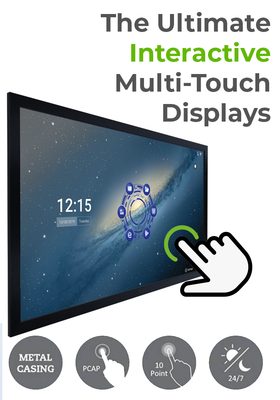
Interactive touchscreens remain central to education, where they support annotation, lesson delivery and collaborative learning. Their use is also growing across training rooms, visitor areas, showrooms and public-facing information points. Touch can turn a passive display into a useful self-service channel, whether that means checking a product range, finding a meeting room or accessing campus information.
Reliability depends on selecting the correct type of touch technology and enclosure for the environment. A corporate boardroom touchscreen needs a different specification from a public kiosk exposed to continuous use. Consider screen size, anti-glare treatment, protective glass, operating system, peripheral connections and accessibility from the start.
Interactive technology should only be deployed where it removes friction. If a visitor needs three steps to find a basic answer, a clearly structured static display may work better. The value comes from a focused user journey, not touch for its own sake.
Meeting rooms are being specified for consistent joining experiences
Hybrid working has made meeting room AV a daily test of an organisation’s technology standards. Employees expect to walk into a room, connect quickly and be seen and heard clearly by remote colleagues. The trend is towards standardised rooms rather than a collection of different setups assembled over time.
A well-specified room combines an appropriately sized commercial display, video conferencing camera, microphones, speakers and a simple control method. Room booking panels and occupancy data can also help facilities teams understand whether spaces are being used as intended.
The practical choice is between a dedicated room system, a bring-your-own-device setup, or a hybrid approach. Dedicated systems provide a predictable experience and reduce dependence on individual laptops. BYOD may suit flexible spaces or organisations supporting several conferencing platforms. Compatibility with existing IT policies, network capacity and preferred platforms should determine the route, not a feature checklist alone.
LED and video walls are being selected for impact and serviceability
LED displays and LCD video walls are both being used to create high-impact visual installations in retail, corporate reception, leisure and public spaces. They serve different purposes. LED is particularly effective for large-format viewing, unusual dimensions and high-brightness applications. Video walls can be a cost-effective choice where close viewing distances, fine detail and familiar commercial display technology are priorities.
Pixel pitch is a critical LED consideration. A finer pitch supports closer viewing but increases cost. Specifying an ultra-fine pitch for a display viewed from across a large atrium can waste budget; specifying a coarse pitch for a close-up reception feature can compromise the result. Buyers should assess the nearest and typical viewing distances, content type, room lighting and maintenance access.
Serviceability matters as much as visual impact. Front access, spare modules, controller compatibility and a clear support plan can prevent a striking installation becoming difficult to maintain. The same principle applies to video walls: bezel width, calibration, mount adjustment and replacement availability should be considered before purchase.
The Less Visible Trend: AV Must Be Easier to Support
The best commercial AV systems are increasingly designed around ongoing management. IT teams need network-aware devices, clear asset records and sensible security controls. Facilities teams need displays that can be serviced without major disruption. Operations teams need content changes to happen quickly and consistently.
This is shifting purchasing decisions towards commercial-grade hardware with manufacturer warranties, defined operating ratings and available technical support. Consumer televisions may look attractive on initial price, but they are rarely built for long daily operating hours, portrait use, central management or the physical demands of a public-facing environment.
For multi-site estates, standardising a shortlist of approved display sizes, media players, mounts and software configurations can simplify support considerably. It also makes it easier to hold spares, train staff and replicate successful installations from one location to the next.
What to confirm before approving an AV project
Before committing to hardware, establish four essentials: the environment where it will operate, the content it must display, who will manage it, and how it will be supported. These decisions shape screen brightness, operating hours, orientation, connectivity, software choice and installation method.
It is also sensible to include the full cost of ownership in the approval process. This includes installation, mounts, cabling, network provision, software licences, content creation, maintenance and eventual replacement. A lower-cost display can become the expensive option if it fails early, cannot be managed remotely or requires repeated site visits.
Screen Moove supports this approach with commercial display hardware, signage software, installation planning and technical guidance for projects ranging from individual screens to coordinated deployments.
The most useful AV investment in 2026 will be the one that makes communication clearer for customers, staff and visitors while making the system simpler for your team to run. Start with the real-world task the display must perform, then specify the technology to deliver it reliably.


