


Blog post
Digital Signage Restaurant Results That Matter
The most useful digital signage restaurant results are rarely measured by a screen looking impressive on the wall. They show up when a lunchtime queue moves faster, a guest notices a higher-margin upgrade, staff stop explaining unavailable items, or every branch promotes the same offer at the same time. For restaurant, café and takeaway operators, the value lies in better communication at the exact point a buying decision is made.
A commercial display network can influence sales and service, but it is not a shortcut. Results depend on menu design, screen placement, content discipline and hardware that remains readable throughout a busy trading day. The right deployment starts with the operational problem, not simply the number of screens.
What digital signage restaurant results should you measure?
Restaurants often begin with a broad objective such as increasing sales. That matters, but it is too general to prove whether a digital menu board or promotional display is doing its job. Set measures that reflect the area being improved, then compare performance before and after installation over equivalent trading periods.
For quick-service and takeaway sites, average transaction value is a strong starting point. A well-timed message for a meal deal, premium side, dessert or cold drink can make add-on choices clearer without adding pressure at the till. Monitor the share of transactions containing the promoted item, rather than assuming total sales growth came from the screen alone.
For dine-in venues, the result may be a better guest journey. Screens near the entrance can explain ordering methods, table service arrangements or wait times. Displays by the bar can promote cocktails, sharing plates and events. In these settings, track dwell time, bar sales by daypart and the number of routine customer queries staff receive.
Operational measures are equally valuable. They include queue length at peak periods, order errors, the time needed to change pricing or remove sold-out dishes, and compliance with campaign launches across multiple sites. Digital signage earns its place when it gives managers more control as well as marketing reach.
Why menu clarity often delivers the fastest return
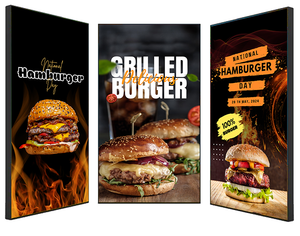
A printed menu can work perfectly well for a stable, compact offer. Digital menu boards become more persuasive when the menu changes frequently, products vary by time of day, or the business needs to react quickly to stock, weather and local demand.
The immediate advantage is clarity. Prices, modifier choices and dietary symbols can be presented consistently, while key dishes are given visual priority. This is particularly useful where customers order from a counter and have limited time to decide. If the menu is difficult to scan, guests hesitate, queues build and staff are pulled into repetitive explanations.
However, more content does not mean better content. A screen overloaded with every product, image and offer can be harder to read than a printed board. Keep the primary menu structure stable, use clear price hierarchy and reserve movement for messages that genuinely need attention. A short animation may highlight a limited-time offer; it should not make the core menu disappear before customers have read it.
There is also a commercial consideration. Featuring a product prominently can shift demand towards it, which is helpful only when the kitchen can deliver it consistently. Promote fast, profitable and well-stocked items during peaks. Save labour-intensive specials for quieter periods or use scheduling to feature them when capacity allows.
Match content to the customer’s decision point
Counter-facing menu boards should answer practical questions quickly: what is available, how much does it cost and what can be added to the order? They need high legibility and restrained layouts.
Window-facing screens have a different job. They must attract passers-by, communicate an offer within seconds and remain visible in changing daylight. A high-brightness commercial display is often necessary here. Standard consumer televisions can look washed out in bright shopfront conditions and are not designed for sustained business use.
Waiting-area displays can carry fuller brand content, promotions or order-status messaging. This is where motion, video and seasonal campaigns have more room to work, because customers have longer to engage. Treat each screen as part of a customer journey rather than repeating the same playlist everywhere.
The hardware decisions behind reliable results
Digital signage restaurant results can be undermined by the wrong hardware specification. Restaurants are demanding environments: long operating hours, heat from kitchens, glare from glazing, cleaning routines and limited mounting space all affect the choice.
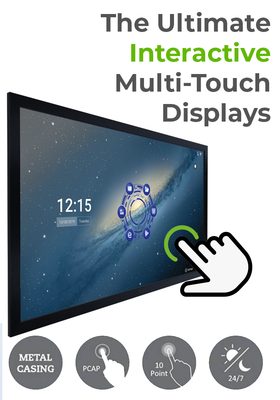
Commercial-grade digital signage displays are built for extended operation and are available in a range of sizes, orientations and brightness levels. A 43-inch or 50-inch screen may suit a compact counter menu, while larger displays can support wide menu layouts or high-impact promotional content. The best size depends on viewing distance, the volume of information and the available wall space, not simply the largest screen that will fit.
Brightness is especially important. Indoor screens positioned away from direct sunlight may need a conventional commercial brightness level. Shopfronts and areas with strong daylight usually require high-brightness displays to maintain contrast and colour. Assess the space at the brightest trading time, not during a quiet site visit on an overcast morning.
Mounting also deserves proper planning. Ceiling-mounted, wall-mounted and hanging double-sided displays can all work well, but cable routes, ventilation, sightlines and safe access for maintenance need to be resolved before installation. In a food service environment, a clean, professional finish is part of the customer-facing result.
For multi-site operators, consistency becomes the priority. Standardising approved screen models, media players and mounts reduces support complexity and makes future replacements easier. Screen Moove can support this type of commercial display rollout with hardware, installation and signage software requirements considered together.
Use scheduling to make the menu work harder
The most effective networks do not show one static menu all day. Scheduling allows restaurants to align content with trading patterns: breakfast before mid-morning, lunch bundles during the rush, afternoon coffee and cake offers, then evening drinks or delivery promotions.
This flexibility is useful, but it needs governance. Prices, allergens and availability must remain accurate across every screen. Give a named person or team responsibility for approving menu changes, and build a simple process for urgent updates when a product sells out or a campaign changes. An outdated price on a display can quickly damage trust and create difficult conversations at the till.
A content management system should make local or central updates straightforward. The right approach depends on the business. A single independent restaurant may prefer direct control from the site. A growing group may need head office to manage brand templates and pricing, while allowing local managers to add site-specific messages. Neither model is automatically better; control should match the organisation’s operational structure.
How to test whether the screens are changing behaviour
Do not judge a new display network by the first week of comments. Staff and regular customers notice novelty, but novelty is not the same as sustained performance. Set a test period and make measured changes.
For example, run a clear promotion for one high-margin side dish at the same times across comparable weeks. Record unit sales, attachment rate and any effect on service speed. Then test a different message, image or position on screen. This reveals whether the offer itself worked, or whether the presentation improved the result.
Where there are several locations, test cautiously. Different footfall, local demographics and kitchen capacity can distort comparisons. It can be more useful to compare each site with its own baseline than to expect identical sales uplift across the estate.
Ask frontline staff what customers are still asking. If guests repeatedly query meal contents, collection instructions or allergen information, the signage may need clearer wording rather than more graphics. Feedback from the counter is often the quickest route to practical improvement.
Avoid the common causes of disappointing performance
Poor results usually have an identifiable cause. Screens are installed too high, content is designed for a laptop rather than viewing distance, menus contain too much copy, or promotional artwork is supplied without adapting it for the display format. In other cases, the system is technically capable but nobody has time assigned to keep it current.
Build the project around real service conditions. Check sightlines while customers are queuing, test readability from the back of the queue and make sure captions, prices and key calls to action are visible. Use professionally sized assets, not enlarged social media graphics.
It is also worth planning for failure. A commercial signage solution should allow a safe fallback image or menu if connectivity is interrupted. Staff need to know who to contact, what information to provide and how quickly support can respond. Reliability is not glamorous, but it protects revenue when the restaurant is busiest.
The strongest display strategy is usually simple: make ordering easier, promote what the operation can fulfil and keep every message accurate. Start with one measurable problem, specify the screens for the actual environment, and let the results guide the next stage of the rollout.


